Participating Frequently
October 25, 2013

P: CS6/CC Menus blank (white) Mavericks Mac OS X 10.9

  • October 25, 2013
  • 208 replies
  • 2463 views

Hello, I hope I am in the right place for this:

I am on a Mac 2.2 GHz Intel Core i7, with 16 GB 1333 MHz DDR3. I just installed OS Mavericks. I am running Photoshop CS6.

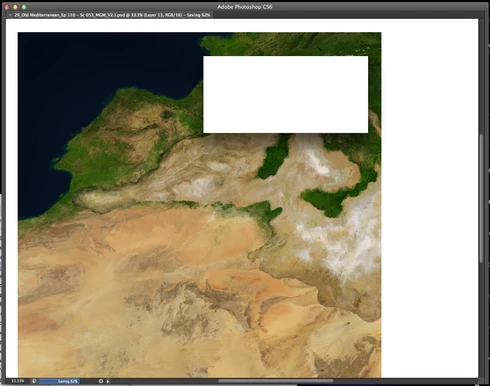
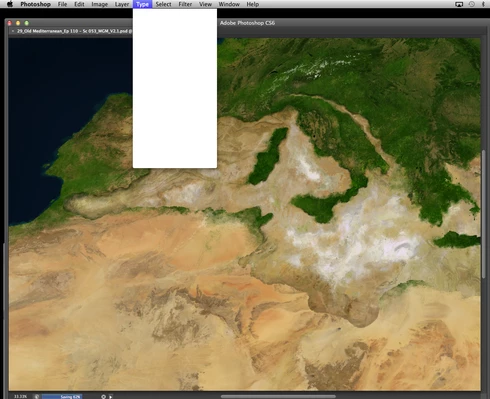
Randomly throughout using the program, my windows/palettes (i.e. the layers palette) will become white. Even the "Save" window menu will become white. It's still functional (if I press enter on the save menu, it will save), but I can't see any of the options. I've uninstalled the program and reinstalled. This has unfortunately not solved the problem. Please help

Thanks for the help in advance!

Michael
This topic has been closed for replies.

208 replies

Inspiring
February 26, 2014
We are still working with Apple and Wacom on a number of issues affecting MacOS 10.9.
jimdoggs
Participating Frequently
February 26, 2014
theres plug in that you can install(mentioned above).. it fixes the white wall issue. There still are however, MANY issues still not addressed(polygonal lasso tool connecting pre maturely,.. brushes freeze on the screen forcing you to click away from your work to "wake" the brush back up to work,.. & the occasional TOTAL FREEZE, where you just have to close photoshop and start over.

Thanks Mavericks. WHERES THE DAM UPDATE ALREADY!!! WE ALL KNOW ITS YOUR FAULT, FIX IT, AND FIX IT NOW.
Inspiring
February 26, 2014


I'm using a bamboo tablet. Often when I'm switching between dodge & burn and then changing brush sizes with the tablet pen, the panels lock at dodge, burn & sponge (when I try to change pen size). If I try to hit anything else, all other windows are BLANK (just white) - and I have to restart CC. REALLY awful, definitely needs to be dealt with.

This photo is an example of the resize BRUSH window.. which is locked at dodge/burn.
Participant
February 10, 2014
Well, this plugin seems to do the trick! Thanks Adobe!!
Participant
February 10, 2014
Thank you Adobe for fixing this problem. I think the problem is completely solved after this plug in. Best wishes.
Participant
February 10, 2014
Thanks very much, will do so!
Legend
February 10, 2014
Hi Carin, You can use the plug-in mentioned in the official answer at the top of this page to workaround this issue.
Participant
February 10, 2014


I have a problem with Photoshop. CS6. After a while I get blank dialogue boxes and cannot work any further. I have to shut down photoshop completely and have to start all over. This is very annoying and time consuming. Does anyone have the same problem? I've been having this problem ? I've been having this problem for a while now and it seems to appear sooner now than before.
Known Participant
January 29, 2014
yeah Chris, well, this guy sounded like he was on the ball, certainly was at fobbing me off, but I just knew there was no point in arguing the toss.
Mac OS Sonoma, 64 GB RAM 27" 2019 iMac 3.6 GHz 8-Core Intel Core i9
Inspiring
January 29, 2014
Apple isn't responsible for making their software work correctly? And no, software developers cannot work around many OS bugs (we already work around the unfixed bugs that we can work around).
Whomever you spoke to was very, very confused.

Imagine if every street had a different kind of surface, and they told you that it was up to the car maker to change the tires every time you turned a corner...