Inspiring
February 8, 2013

P: CS6 pdf export - text rendering problems

  • February 8, 2013
  • 19 replies
  • 1211 views

I've read through every forum post I can find, all that the almighty Google Gods have to offer, and have spent an hour of wasted time chatting with Adobe Support in regards to text rendering problems I'm experiencing with PS6. While I've seen MANY problems discussed, I haven't seen my exact problem discussed, so here's praying that I'm missing some completely obvious setting somewhere...

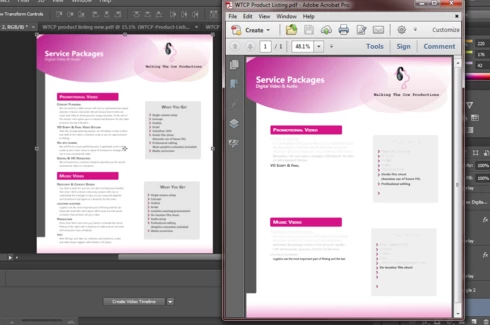
Text and colors are showing up beautifully when working in PS6, but when I render, seems like no matter what I do, the text goes haywire. I lose coloring and style upon render, but only on certain lines. It seems to select which bits of text to render correctly and which to spite in a completely arbitrary fashion. Here's what I'm looking at:
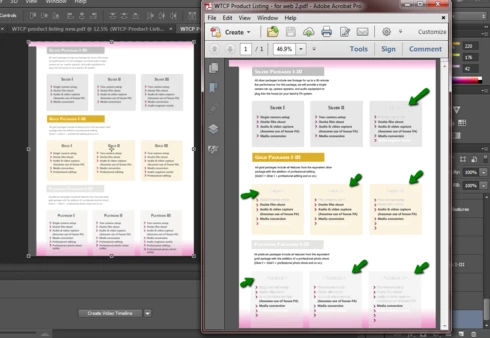


All of my text is set to 100% opacity. I'm on Windows 7, just upgraded to CS6. I've tried moving all of the text layers as the absolute top layers of the document. I've tried saving as pdf with the color settings "Blend Text Colors Using Gamma" checkbox both checked (as it was defaulted) and unchecked.
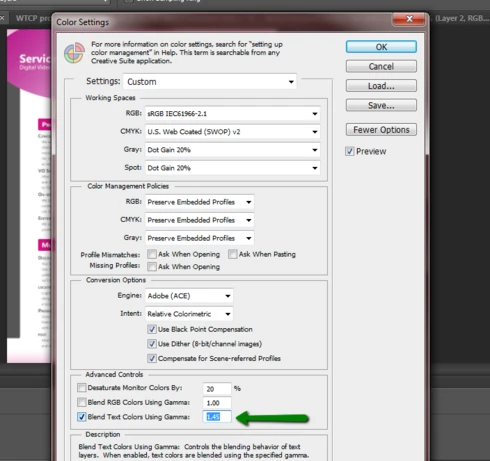


No dice. Same result. Is there some magic settings formula that I'm missing? These are some of the first documents I've created with PS6 and prior to troubleshooting this issue, I've used all default settings.

Halp! Please.

Thanks,
Erin

This topic has been closed for replies.

19 replies

Legend
February 11, 2015
Can you provide a PSD and exported PDF that exhibit the problem for you?
Inspiring
February 11, 2015
I am currently having this issue. And based on my research to find a solution, it appears it's been going on for almost 2 years and across both CS6 and CC current versions. Three things are happening. 1. When you save to PDF, the type just doesn't work. It has weird outline issues or parts of the line are missing or the whole line is missing altogether. And then issue 2. The file size is MASSIVE and it keeps rerendering every time you try to look at it. And then it won't print from adobe PDF. Or any PDF viewer. It's ridiculous that this hasn't been fixed yet.

So definitely NOT fixed in Photoshop CC or later.
Legend
February 4, 2015
Fixed in Photoshop CC or later.
Inspiring
April 3, 2014
Hello everyone,

I too was having this issue and found that when I chose the "Standard" PDF/X-4:2010 when saving that the type all rendered properly.

I thought I would share and I hope this solution works for someone else.

Nancy
Inspiring
February 12, 2014
If you aren't saving PDF, then you have a completely different issue. Please create a new topic with the details David asked about.
David Mohr
Participating Frequently
February 12, 2014
Hi Trish,

This problem should have been solved some time ago and released in one of the updates. If your version of PS not the latest, I would suggest updating immediately. If the problem persists, please let me know what version and what operating system you're running as well as specific steps / symptoms so I can help you troubleshoot this.

Thanks,
David
Inspiring
February 12, 2014
I'm having the very same issue saving as a PNG file. What gives?
David Mohr
Participating Frequently
August 26, 2013
Howdy Jonathan,

We are aware of the issue and working on a fix. It should be available in an upcoming release of the software.

Thanks,
David
Participant
August 25, 2013
Oops, I thought I was submitting a bug report not a forum thread. The bug report link from the Adobe site sent me here...
Inspiring
August 24, 2013
Please add your comments to the original topic instead of creating a new topic.