


Participating Frequently
August 2, 2012

P: CS6 - problem with scanning after upgrading to Mountain Lion (MacOS 10.8)

  • August 2, 2012
  • 48 replies
  • 1102 views

Hello

After upgrading to latest version of Mountain Lion i've got a problem with scanning directly into Photoshop CS6.

on the previous Lion version when I wanted to scan something, i just opened Photoshop -> File -> Import -> images from device
then a new window opened up where I could choose the device I wanted to use, and then I selected the scanner (Canon CanoScan 8400F) and I could scan directly into photoshop.

Now with Mountain Lion when I do the exact same thing, it opens a window, but it's impossible to select any device, as the new window is just a plain white window, with 2 buttons on top to rotate something that isn't there.
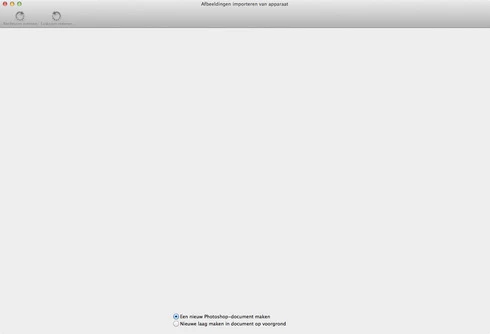

hope someone can help me out, I can scan the normal way and then save that picture and open it in Photoshop, but it has worked before, so am I doing something wrong? or is this just a little bug

thnx in advance for the help

This topic has been closed for replies.

48 replies

Participant
August 12, 2012
I have exactly the same problem but with an Epson scanner. Worked fine on Mac Lion, soon as I switched to Mountain Lion. Does not show up at all. Now have to open ImageCapture and do it in there and open up individually in photoshop
Inspiring
August 5, 2012
Same problem - updated Canon drivers didn't help
Big NoudAuthor
Participating Frequently
August 3, 2012
thnx again, when the problem is solved i will try to let you know what solved it.
Inspiring
August 3, 2012
Apple's code changed in 10.8, and Canon's drivers may have been updated as well.
I also find it strange that ImageCapture works stand alone, but don't know exactly how Apple's code and Canon's interact with a host application.
Big NoudAuthor
Participating Frequently
August 3, 2012
thnx again for u're fast respons, will try to talk to canon (or apple)

I think it's just strange that my scanner works perfect with the ImageCapture app in Mountain Lion.
Photoshop CS6 used the ImageCapture app to scan with the same scanner perfectly in Lion.
and now after upgrading something goes wrong when trying to scan only in Photoshop.
Inspiring
August 2, 2012
Again, that's not a Photoshop window - it's some part of ImageCapture or your scanner driver.

You probably need to talk to Canon to troubleshoot why the scanner is not entirely working in MacOS 10.8.
Big NoudAuthor
Participating Frequently
August 2, 2012
thnx for the reply

I'm a dutch user so the text in the picture is in dutch too, sorry for that.
This window appears in Photoshop when I want to import from the scanner.

I can use Apple's ImageCapture app in a normal way.
with the old version of Lion when I wanted to import from the scanner from within Photoshop it gave me the ImageCapture app to scan directly into Photoshop.
now after the upgrade when I want to scan something I do it the same way I did before but now I get this window and can do nothing with it.

that's why I'm asking this question with perhaps tips I can trie to get it working again
Inspiring
August 2, 2012
I'm not sure if that's Apple's window or your scanner driver's.

But that isn't part of the Photoshop code.

Can you scan from Apple's ImageCapture app? And when does it show a window that looks like that?