


Participating Frequently
August 2, 2012

P: CS6 - problem with scanning after upgrading to Mountain Lion (MacOS 10.8)

  • August 2, 2012
  • 48 replies
  • 1102 views

Hello

After upgrading to latest version of Mountain Lion i've got a problem with scanning directly into Photoshop CS6.

on the previous Lion version when I wanted to scan something, i just opened Photoshop -> File -> Import -> images from device
then a new window opened up where I could choose the device I wanted to use, and then I selected the scanner (Canon CanoScan 8400F) and I could scan directly into photoshop.

Now with Mountain Lion when I do the exact same thing, it opens a window, but it's impossible to select any device, as the new window is just a plain white window, with 2 buttons on top to rotate something that isn't there.
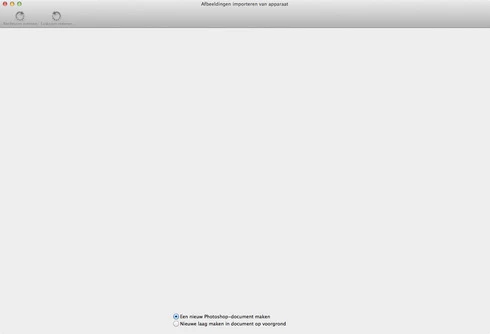

hope someone can help me out, I can scan the normal way and then save that picture and open it in Photoshop, but it has worked before, so am I doing something wrong? or is this just a little bug

thnx in advance for the help

This topic has been closed for replies.

48 replies

hildaw15478903
Participating Frequently
September 14, 2012
I have the same problem with Epson Perfection V500 scanner. Works ok in Photoshop CS5 when running in 32 bit mode, but not 64 bit. Wont run in Photoshop CS6 which is a 64 bit programme. Adobe say its an Epson problem. Epson say its an Adobe problem...... I too have upgraded to Mountain Lion.
Its nice to know someone is actually persuing this. Thank you.

Alikins
Inspiring
August 26, 2012
Definitely is a problem with Mountain Lion. I just upgraded and Image Capture is no longer able to find my scanner.
Inspiring
August 22, 2012
I'm having the same problem on Epson 10000xL scanner as well as Canon Lide 210 scanner. I tried both and I only get blank scanning screen. I updated drivers for both and I'm still getting the blank screen. It's frustrating :(. Thanks for looking into it.
Inspiring
August 22, 2012
I'm having the same problem on Epson 10000xL scanner as well as Canon Lide 210 scanner. I tried both and I only get blank scanning screen. I updated driver of both and I'm still getting the blank screen. It's frustrating :(.
Big NoudAuthor
Participating Frequently
August 19, 2012
Hi Paul,

many thnx for looking into it.
dunno it the same problem exist in other photo editing software, other than supplied by Apple, in Moutain Lion, cause I only use Photoshop.

I will read if or when there's a solution for this problem.

keep up the good work
Participant
August 17, 2012
That's good news. Thanks for looking into it. Yeah I second Scott's comments, it's definitely tied into Mountain Lion.
Participant
August 17, 2012
Hi Paul, thanks a bunch for looking into this! Yes, it definitely seems tied to my upgrade to Mountain Lion. Thanks and take care!
Scott
PDFerguson
Adobe Employee
Adobe Employee
August 16, 2012
Hi all,

I am the engineer who implemented the ImageKit scanning feature in Photoshop CS6. I will look into the problem, at this point I don't have a guess as to what may be causing this, but from the sound of the comments here, it appears there is some sort of problem with Mountain Lion that I need to investigate.

Thanks to everyone for your feedback, and I will keep you posted about what I find.

Best regards,

Paul Ferguson
Adobe Systems
Participant
August 16, 2012
I have the same problem with an Epson Artisan 837 All-in-One. Scanner no longer shows up in Photoshop CS6 (I get the same empty window you got). ImageCapture, Preview, and Epson's Epson Scan App all work but Not Photoshop!
Big NoudAuthor
Participating Frequently
August 12, 2012
put my question in the apple forum too, but no replies there, so still waiting