Known Participant
April 22, 2020

P: Curves lag since version 21.1

  • April 22, 2020
  • 43 replies
  • 2614 views

There's a noticeable lag in curves since version 21.1.
I am now on 21.1.2 and it's still there.
Up until 21.0 they used to refresh smoothly. I am attaching a video to illustrate the problem.
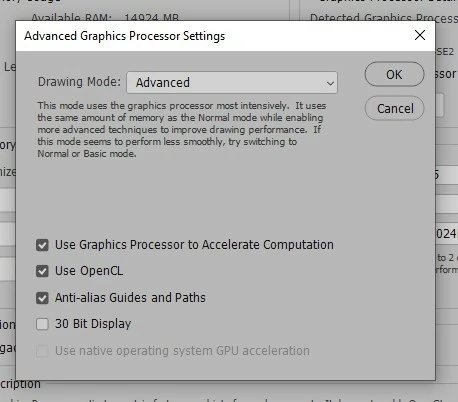
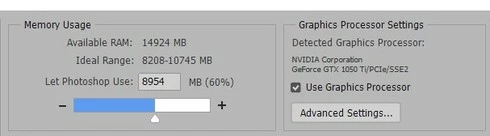
I'm also attaching a couple of screenshots of my performance tab in "Preferences".
These are my PC specs:

Operating System
Windows 10 Home 64-bit
CPU
Intel Core i7 7700K @ 4.20GHz
Kaby Lake 14nm Technology
RAM
16.0GB Dual-Channel Unknown @ 1070MHz (15-15-15-36)
Motherboard
ASUSTeK COMPUTER INC. PRIME Z270-A (LGA1151)
Graphics
4095MB NVIDIA GeForce GTX 1050 Ti (Gigabyte)
NVIDIA Studio Driver 442.92 (latest one)

Thanks!
 

This topic has been closed for replies.

43 replies

Known Participant
April 22, 2020
Dave,

it has nothing to do with how much RAM is allocated. It ́s due to some changes Adobe made "under the hood". 
Participating Frequently
April 22, 2020
Looks like you need to increase the amount of RAM that Photoshop can use. You are currently allowing the minimum given your installed RAM. I would also suggest replacing all of that RAM with twice as much of matched pieces. Stefan K has twice what you show installed, but didn't see how much he allocates to Photoshop.
Known Participant
April 22, 2020
Same here!
Win 10; GTX970; 32GB RAM