


Released
P: Deleting a value in Duotone/Monotone dialog gives wonky results
I am trying to use the monotone/duotone options in Photoshop 2019. I choose my color and click on the curve to adjust the values. If I decide I don't want a certain value in the box, I delete it, but instead of staying as an empty box it will place a 0 (zero). When you click OK, this causes the curve to go completely wonky. This did not happen in previous versions. Anyone else having this issue? The attached is just to show the zeros in the boxes (box 30, 80, and 95) where they should be empty. Even when I tab over to the next boxes a zero will be inserted.
I have updated to the most recent Photoshop 20.0.1 release hoping this would have been fixed but the issue is still there.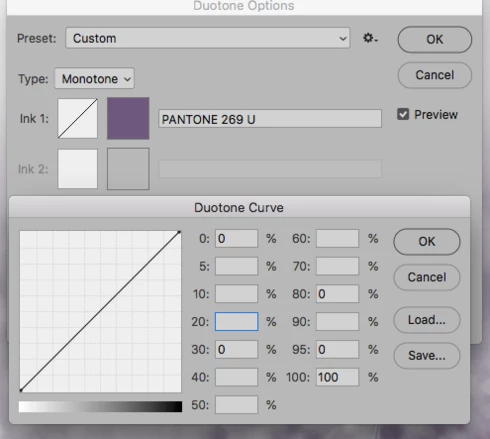
 AdChoices