


Participant
June 3, 2020

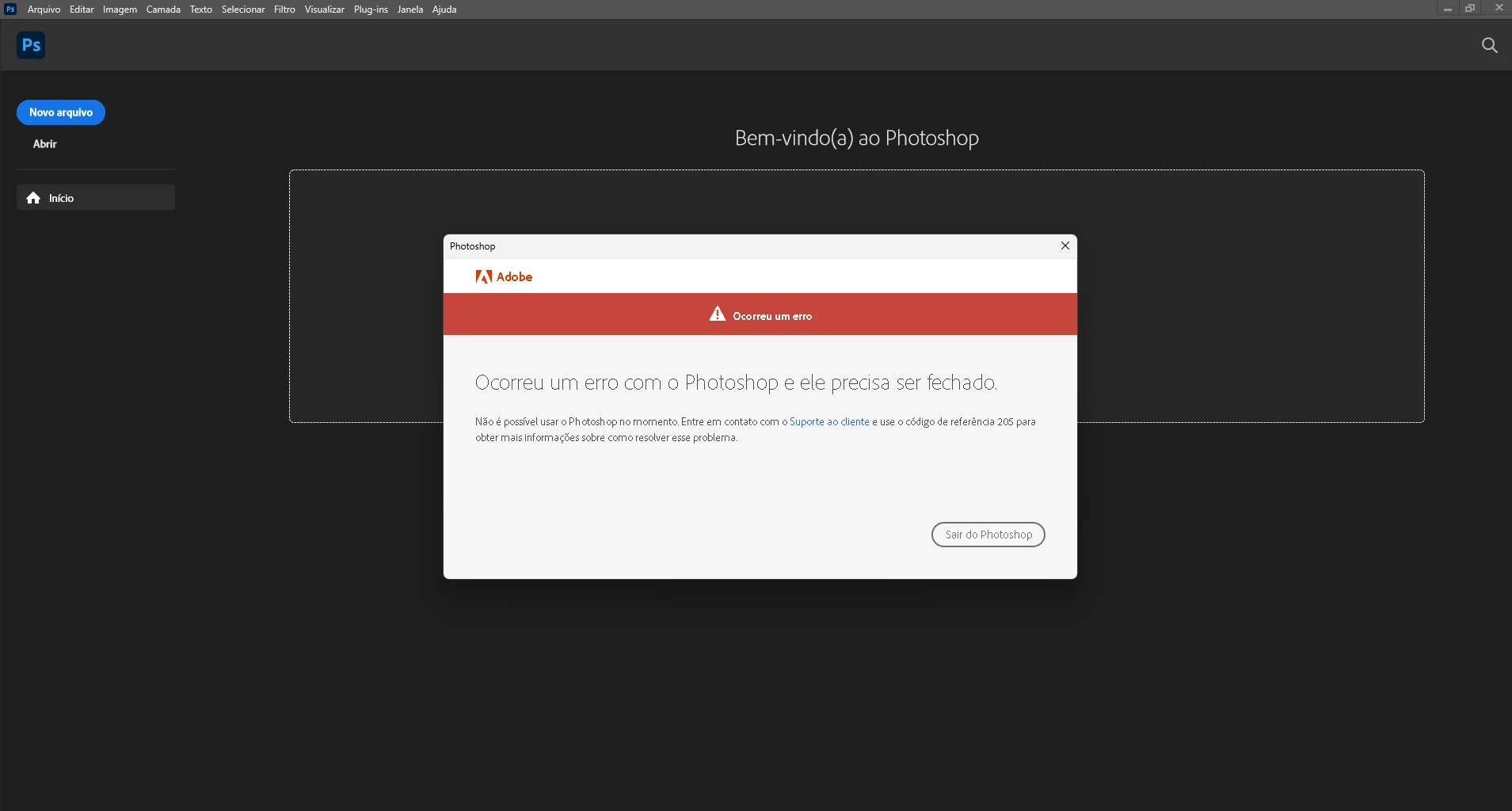
P: Error 205 while launching Photoshop

  • June 3, 2020
  • 51 replies
  • 18021 views

oi, toda vez que eu abro o photoshop 2022 aparece que deu o erro 205 e então fecha automaticamente, já desinstalei e instalei o photoshop. Como posso resolver esse problema
 

{Moderator Note: Edited the thread title}

This topic has been closed for replies.

51 replies

hindy07
Participating Frequently
January 21, 2023

how did you fix this problem? I am having the same issue, i have sign out and unistalled it already but i am still having issues ? 


thanx

Participant
January 9, 2023

Kia ora team,

Since December last year I've not been able to use Photoshop with a 205 error closing down the show immediately. Back to work today and trying to find a resolve now. Using it on a Mac, have tried uninstalling/reinstalling, messing with the keychain etc to no avail.

Also tried contacting customer support through chatbot and phone call and was abandoned on both after 30min receiving a case closed email, and being hung up on after being referred to a third "dedicated team". Deeply frustrating. Is anyone able to give some more insight/other solutions?

Appreciate any support you can offer!

Mylenium
Legend
January 9, 2023

What exact Mac are you on? What version of PS? What do the relevant logs say about the matter?


Mylenium

CShubert
Community Manager
Community Manager
December 13, 2022

@Imtiaz17490823bdwo your last post was in Oct, so to be clear, Ps HAS worked until now, or it has not worked since then... trying to understand when this issue did or did not show for you.  If you can't even get Ps to launch do you get any option to file a crash report? Have you tried rolling back a version of Ps to see if this issue persists?


Thank you,

Cory

JemShaw
Inspiring
December 13, 2022

@CShubert, good advice: launch Photoshop. Er, isn't that exactly the problem?

CShubert
Community Manager
Community Manager
December 13, 2022

Hi @Imtiaz17490823bdwo sorry this is still an issue for you. It may help if we could see your Photoshop System Info. Launch Photoshop, and select Help >System Info...and copy/paste the text in a reply.  


Thank you,

Cory

Participant
December 13, 2022

I'm still having this problem, regardless what I'm asked to do, I've logged in and out of Creative Cloud and logged back in several times, I need this to work - I seriously feel as if Adobe is NO help at all!!!!

Participant
November 3, 2022

Merci mais malheureusement rien de tout cela ne fonctionne.

J'ai même essayé de désinstaller Photoshop et d'installer une nouvelle version puis une ancienne et toujours rien qui fonctionne. 

Participant
November 3, 2022

Hello,


Mon logiciel bug depuis des semaines, impossible de me servir de Photoshop.

Le technicien a mis à jour ma version pour que j'ai la dernière version, mais cela n'a rien changé il m'a ensuite dit de mettre à jour ma version mac ce que j'ai fait j'ai Monterey 12.6 et RIEN ne fonctionne je suis désespérée...mon travail ne peut pas attendre!

Et je ne peux même pas ouvrir Photoshop sans photo. :(((

Avez-vous des solutions?


Legend
November 3, 2022

Translated dialog:


An error has occurred

Photoshop has encountered an error and needs to close.

You cannot use Photoshop at this time. Contact Customer Service and quote reference code 205
to find out how to solve the problem.


First, quit Phooshop, then try signing out and back into the Creative Cloud desktop app. 


If that doesn't work, try the solutions here: https://helpx.adobe.com/creative-cloud/kb/troubleshoot-download-install-logs.html#error205 

Participant
October 21, 2022

This error came up for me yesterday, when I needed it most!!

Fingers crossed I'm attempting to solve now!!

TheDigitalDog
Inspiring
October 10, 2022

kristym82347922:  Try logging into another account (you may need to make one).
Try starting up in Safe mode (hold down Shift Key when booting).
You might want to try running a free utility like Onyx:
https://www.titanium-software.fr/en/onyx.html
Also view:
https://www.macworld.com/article/352902/onyx-review-macos.html
https://www.macworld.com/article/224955/how-to-reset-a-macs-nvram-pram-and-smc.html
From Adobe:
https://helpx.adobe.com/photoshop/kb/basic-troubleshooting.html

Author “Color Management for Photographers" & "Photoshop CC Color Management/pluralsight"