


Participant
June 3, 2020

P: Error 205 while launching Photoshop

  • June 3, 2020
  • 51 replies
  • 18111 views

oi, toda vez que eu abro o photoshop 2022 aparece que deu o erro 205 e então fecha automaticamente, já desinstalei e instalei o photoshop. Como posso resolver esse problema
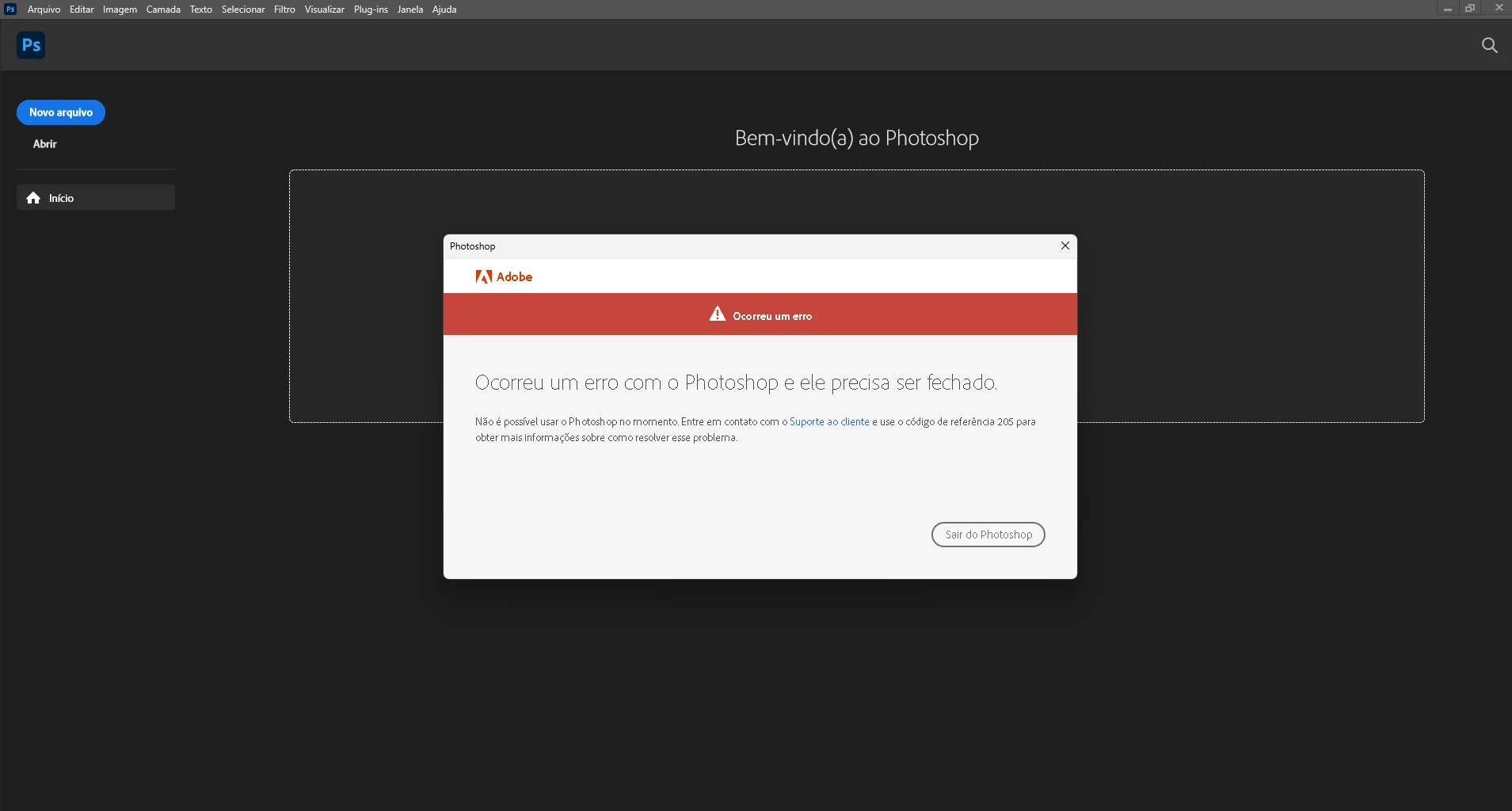
 

{Moderator Note: Edited the thread title}

This topic has been closed for replies.

51 replies

Participant
October 10, 2022

I have done all the suggestions with logging in and out of photoshop; uninstall and installing photoshop; and nothing seems to work. I even updated to the latest version of Photoshop. But nothing works. I've even updated my Mac laptop to Monterey 12.6. Any other suggestions?? I had not done any of these updates when I started getting the message. One day it was working; next day it wasn't. 

Dotoki2
Inspiring
October 10, 2022

Error code 205
this happening when any CC application cannot store user login information in credential manager on Windows or in keychain on Mac.


solution for Mac
This can be resolved by locking and then unlocking keychain in Mac. When this not solve the issue then sign out from CC desktop app and delete Adobe and user certificates https://helpx.adobe.com/de/download-install/kb/adobe-license-issues-keychain-credential-mgr.html, then reboot Mac.


solution for Windows
reboot computer or if this doesn't help
restart credential manager service, reboot computer:
- open Services manager (press the Start key and type Services)
- in the list of Services, right-click on Credential Manager
- select restart

- reboot PC

Participant
October 5, 2022

This morning I got the dreaded error 205 in Photoshop (Illustrator and InDesign would still launch just fine, it was only Photoshop that got this error). It took a few hours of various trying various solutions, but I was able to eventually resolve the issue on my end.


Currently on macOS 12.6, M1 chip, Adobe CC 5.9.0.373, Photoshop 23.5.1.


What did NOT work:

  • changing internet connections
  • logging out of Creative Cloud Desktop app, restarting, logging back in
  • uninstalling Photoshop and reinstalling Photoshop
  • tamásc24490874's solution (using Adobe Creative Cloud Cleaner Tool to remove Adobe ID credentials)


What eventually worked:

Sameer K's solution (deleting NGL files). So thank you for this.


(Because I had also previously used Adobe Creative Cloud Cleaner Tool in tamásc24490874's solution, it's also possible that a combination of these two solutions may also work.)

tamásc24490874
Participant
October 5, 2022

I contacted the live support and a great guy helped me with the problem. We closed all the running processes, downloaded a software "Adobe Creative Cloud Cleaner Tool" and cleaned the adobe id credentials in this software - ONLY THIS ONE LINE - in the list and it seems to solved the problem.
The support was very fine, I am delighted! The guy was very helpful and pro 😉
Hope it helps for you also 😉

tamásc24490874
Participant
October 4, 2022

did not mention, but also:
- loged out - restart - loged in
- updated atributes of the folders in application support
- updated PS preferences by start
- force restarted CC
- nearly cried in the corner of the office 😄

tamásc24490874
Participant
October 4, 2022

Dear Sameer K,
I've tried your method but it did not help the issue 😕😕 

I am trying to run PS 2022 - 23.5.1


I already reinstalled:

- PS

- CC
- CC & PS

- PS & CC

already tried:

- reinstalling PS

- installing previous versions of PS

- updating os (mac, monterey 12.6)

- deleting previous login credentials
- deleting ngl files

I am still looking for any solution 😕😕

Thanks 😉

Participant
September 30, 2022

Just recently I've been having issues with Photoshop, it worked just fine a few days ago, but when I booted it up to work on an art piece it gave me the 205 error, and yes I did try a solution to this which was to log out of Creative Cloud and reboot it, it didn't work. Granted I was using CC 2019, I'd gotten used to using it so I didn't want to have to update it to 2022, eventually, I had no choice but to update to see if it would open, and it didn't. So now I'm not entirely sure what to do? If anyone has any other solutions to this that would be great. I want to carry on with the piece I'm working on

Chuck Uebele
Community Expert
Community Expert
September 30, 2022

Have you tried resetting your preferences, when attempting to open?

JemShaw
Inspiring
September 22, 2022

Damn, I hope they haven't dropped their service level to the same as everyone else's! I didn't do anything - it was fixed remotely by the support guy. Have you tried "Connect me to a human" in the Chatbot? That usually works.

Participant
September 22, 2022

The online chat is nothing more than a bot that takes you for a useless ride. Not sure how you actually were helped. Could you explaine what they did to fix it?

JemShaw
Inspiring
September 22, 2022

Hi,
Having fought this fault, I feel your pain! There is an answer that works, which is to contact Adobe's much criticised support. I did so, expecting the vacuous, formulaic answers you get from most company's support staff, only to get through almost immediately to a knowledgeable, helpful guy who ran a remote fix and restored my Photoshop to functionality and my opinion of Adobe to... well, certainly better than it was.

Give the support chat a whirl - I hope it goes as well for you as it did for me.