


Participant
June 3, 2020

P: Error 205 while launching Photoshop

  • June 3, 2020
  • 51 replies
  • 18086 views

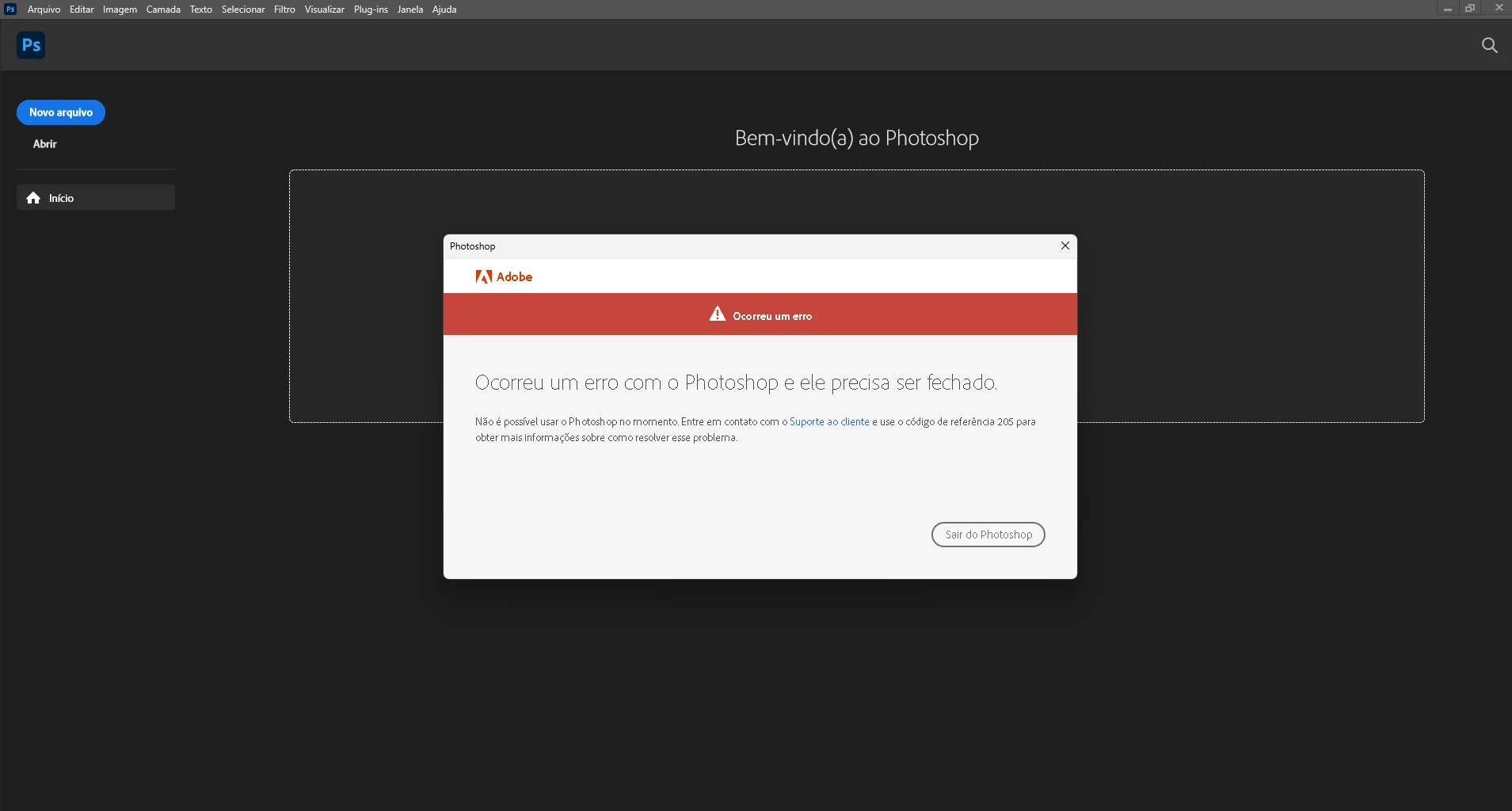
oi, toda vez que eu abro o photoshop 2022 aparece que deu o erro 205 e então fecha automaticamente, já desinstalei e instalei o photoshop. Como posso resolver esse problema
 

{Moderator Note: Edited the thread title}

This topic has been closed for replies.

51 replies

Participant
September 22, 2022

Logging out and back in does not work. The only thing that works is to create a new user on the mac which is not a realistic option. All other Apps work fine. It's specific to Photoshop.

JemShaw
Inspiring
July 13, 2022

As one who has, on more than one occasion (and at least once in this thread), criticised Adobe for relying on the community to support its products, I feel I need to publicly eat my words.
Having tried all of the suggestions here, and still being unable to run Photoshop, I used the support chat service. I was connected quickly to an operative who ran a remote credentials clean-up and fixed the problem within a few minutes. My advice, if you're still experiencing this problem, is to use the support chat service. On this occasion it most certainly did the job for me.

Mohit Goyal
Community Manager
Community Manager
July 13, 2022

Hi all,


We're sorry for the error 205. We have identified this issue and working on the fix. In the meanwhile, you can sign out and sign in from the Creative Cloud Desktop app to resolve this issue.


Thanks,

Mohit

Participant
June 19, 2022

[죄송합니다. Photoshop에 오류가 발생하여 프로그램을 닫아야 합니다.
지금은 Photoshop을(를) 사용할 수 없습니다. 이 문제를 해결하는 방법에 대한 자세한 내용은 고객 지원 센터에 문의하시고 참조 코드 205을(를) 사용하시기 바랍니다.]
 
이 문제를 해결하는 방법이 뭔가요?
Participant
June 19, 2022

Adobe Creative Cloud 로그아웃 그리고 로그인 문제해결.

Participant
June 18, 2022

Ever since the latest PS update, I haven't been able to launch PS. I'm continually greeted with CODE 205 and forced to exit. I have:

1) uninstalled PS, left prefs, reinstalled = CODE 205

2) uninstalled PS, deleted prefs, reinstalled = CODE 205

3) uninstalled PS, deleted prefs, uninstalled CC, reinstalled CC, reinstalled PS = CODE 205

Bridge launches with no problems

Acrobat launches with no problems

All other CC apps seem to be unaffected. 

And by the way, the posted CODE 205 solution is nonsense. I have on at least 5 occasions downloaded and reinstalled PS, including turning off Microsoft Defender, to no avail.

System - Windows 11 Pro, 22H2, Build 22621.160, AMD 3950, 128GB RAM, and more storage than you can shake a stick at 😉


assause
Community Expert
Community Expert
June 19, 2022

I think it is a certificate error.
Check the target law in the document here.

https://helpx.adobe.com/download-install/kb/adobe-license-issues-keychain-credential-mgr.html

Participant
June 19, 2022

After running through their procedure a couple of times it became apparent that Microsoft has redesigned the UI for the Credential Manager and they now differentiate between Web Credentials and Windows Credentials. The appropriate credentials are located in the Windows Credentials. Further, it appears that the credentials renew in real-time when removed (that or there are just a ton of adobe credentials to be removed) Either way, I removed any adobe credential that was older than today. Followed with a reboot and the problem resolved.  For the record, the initial support response regarding the download errors and potential anti-virus software interference has zero to do with the technical cause of the error. Code 205 is specific to credential problems. Support needs to correct the online response to the Code 205 search results. Crap information like that leads to a major frustration for the user.

Known Participant
June 17, 2022

Since the last update when I open photoshop it shows an error box with a big red background with the text An error has occurred:

Sorry, Photoshop has encountered an error and needs to close.
You will not be able to use Photoshop at this time. Please contact customer service and use the reference code 205 for more information on how to resolve this issue.
 
Any ideas why it is doing this? It is also doing it to older versions of photoshop.I use Windows 10 with a HP z420 workstation with 64g of ECC ram and Nvidia GTX 1060. My drivers are up to date.
 
Above The Firehouse Podcastwww.abovethefirehouse.com
Ged_Traynor
Community Expert
Community Expert
June 17, 2022

Hi

Try signing out of the Creative Cloud desktop app and signing back in again

Participant
June 16, 2022

Do you speak about this kind of mesage ?


[Subject renamed by moderator. Was "Re: Why [removed] does photoshop keep rolling out updates!"]

[Branched from unrelated thread.]


Participant
June 16, 2022

I have alway this message on 23.3.2 and others version... I try to to reset PS with Ctrl+Shift+Alt, but its the same. I don't undestand. If you have a solution about that, thanks to helping me 🙂

Georgiaflash
Participating Frequently
June 16, 2022

Since the update today Photoshop wont open. It keeps giving me a 205 error.


{Title edited by Moderator}

Ranjisha Sengupta
Legend
June 16, 2022

Hi there,


Thanks for reaching out. We're sorry to hear that you are getting Error 205 in Photoshop.

Could you please share the exact version of Photoshop (Help > About Photoshop) and the version of  Windows on your computer? Did you try re-installing the application.? Please re-download the application ( http://helpx.adobe.com/creative-cloud/kb/error-downloading-cc-apps.html.)

 Also, try the steps suggested here: https://helpx.adobe.com/download-install/kb/licensing-errors.html.

If it's still not fixed, manually delete "opm.db" in "\AppData\Local\Adobe\OOBE" and then sign out of the Creative Cloud desktop app and sign back in.


Let us know if this helps.


Regards,

Ranjisha

Participant
June 14, 2022

Hello, Photoshop has stopped working for me after the update. Error Code 205. What should I do? . Thank you. Robert Kubica

Trevor.Dennis
Community Expert
Community Expert
June 14, 2022

Error code 205 means that the download was corrupted so just try again.

If you have problems with the dowload, there are links to direct downloads on ProDesignTools

DDL Articles at ProDesignTools


If that fails

Uninstall Photoshop

Use the Cleaner Tool  Use the Creative Cloud Cleaner tool to solve installation problems (adobe.com)

Reinstall Photoshop


Peterkonto
Participant
June 14, 2022

Is this being fixed?


{Thread title updated by moderator}

Sameer K
Community Manager
Community Manager
June 14, 2022

Hi Peter,


Thanks for reaching out. This is unexpected. We are here to help.


Do you encounter this error only with Photoshop, or do all the recently updated applications behave similarly?


Do you use VPN or any internet firewall? Check the Internet & Connectivity, the Firewall Configuration section in this article: https://helpx.adobe.com/creative-cloud/kb/download-update-errors.html#troubleshoot_network_connectivity

Could you please sign out of the Creative Cloud desktop application and, disconnect from the current internet network & connect to an alternate internet option like a mobile hotspot.


Restart the computer, sign in to Creative Cloud, and relaunch Photoshop.


Let us know if it works.

Thanks!
Sameer K

Peterkonto
Participant
June 28, 2022

Hello,

yes that worked; I seem to remember, that I didn't even have to restart the system - just signed out and then logged in again - but perhaps Iforgot that I also did a restart.

In any case it worked well and only happened that first time after the update concerned.

Thank You