


Verto
Known Participant
November 1, 2021

P: Error messages with Photoshop 23.0: "Fail to call postmessage as webview is not initialized yet".

  • November 1, 2021
  • 26 replies
  • 11910 views

Since I installed Photoshop version 23.0 I have a problem: Whenever I start the program; whenever I open a file; or whenever I switch from one file to another, from among the open files, I get several popup messages, all with the same message.


"Fail to call postmessage as webview is not initialized yet".
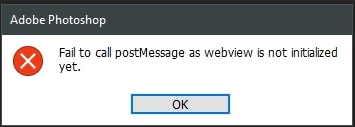
 

I don't know why this happens, but with Photoshop 22 it didn't happen.


Can anyone help me to solve this problem? It's annoying to have to close the three or four popup windows every time they appear.

This topic has been closed for replies.

26 replies

Community Manager
November 5, 2021

Hi @Verto and all
Thanks for reporting this issue. We are investigating it to find root cause and fix. Meanwhile could you please try adding CommentsPanel 0 in file %appdata%\Adobe\Adobe Photoshop 2022\Adobe Photoshop 2022 Settings\PSUserConfig.txt and restart Ps to see if this issue is resolved. By doing this comment panel will be disabled but it should help in resolving this error message.

Thanks,

Ashish

Participant
November 4, 2021

I don't see a Microsoft folder under Common Files, Adobe

The-Togfather
Participating Frequently
November 3, 2021

Hello,


Yes, I havbe that file too, but MS Edge has been uninstalled from my computer, as I use Google Chrome.

Best wishes


Tog 🙂

Verto
VertoAuthor
Known Participant
November 3, 2021

Hi @Himanshu

Yes, I can indeed see the directory and executable file you have indicated, should I do anything about it?


Thanks and best regards

Adobe Employee
November 3, 2021

Hi @Verto 


We're sorry for the random error message you're seeing in Photoshop. Could you please let us know if you see folder structure(C:\Program Files\Common Files\Adobe\Microsoft\EdgeWebView\msedgewebview2.exe) on your windows system? 


Thanks,

Himanshu

The-Togfather
Participating Frequently
November 3, 2021

Hello. I have never seen this error before, until the latest upgrade. I am on Windows 10.

Verto
VertoAuthor
Known Participant
November 2, 2021

Hello, Mohit Goyal.


First, thank you for your interest in helping. In answer to your question, it has never happened to me before with any previous version of Photoshop, and I have been using this software for years. I use Windows 10 Pro 64 Bits, with Intel Core i7 3.40GHz Skylake processor, 64.0GB Dual-Channel ram memory at 1063MHz, MSI H170A PC MATE motherboard, and 8192MB ATI Radeon RX 480 Graphics video card.


I hope this data can help to solve the problem, and I remain waiting for your response.


Thank you very much.

kerrynb72680416
Participant
November 2, 2021
thank you
Mohit Goyal
Community Manager
Community Manager
November 2, 2021

Hi all,


We have logged this issue as a bug and investigating the fix.

Mohit Goyal
Community Manager
Community Manager
November 2, 2021

Hi @Verto 


We're sorry for the random error message you're seeing in Photoshop? Could you please let us know the exact operating system you're on now? Have you seen this issue before with the prior versions of Photoshop?


Thanks,

Mohit