


Participant
October 29, 2021

P: Error while creating a PDF presentation with Photoshop Version 23.0 - Windows

  • October 29, 2021
  • 34 replies
  • 15624 views

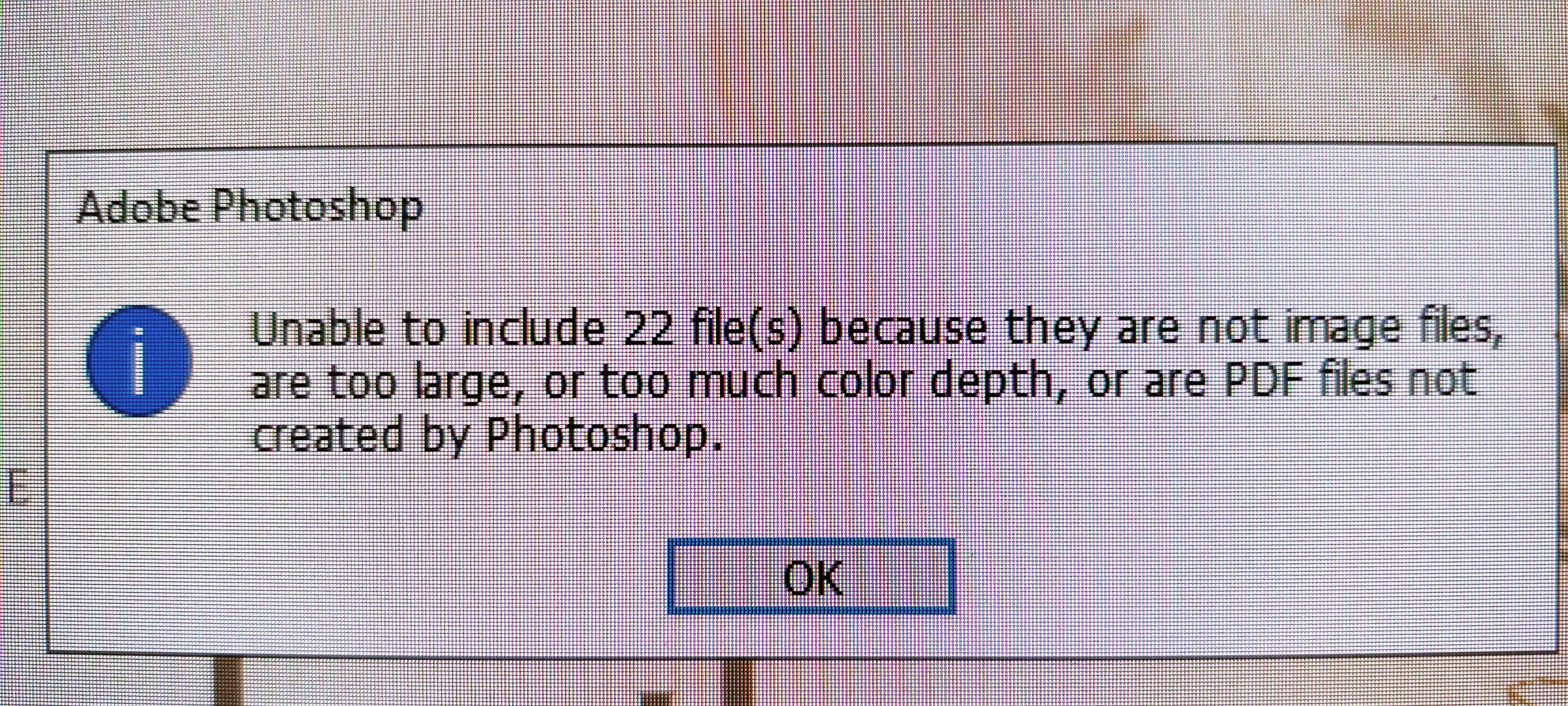
Yesterday i updated Photoshop to version 23.0. After the update, i tried to create a PDF presentation with Multiple image files. and this error occurred "unable to include 22 file(s) because they are not image files are too large, or too much color depth, or are PDF files not created by photoshop." i have attached an Image of the error with this message. when i tried to create a PDF presentation with the same image files with the previous version of photoshop, i didnt face any issues. Please Fix this issue, or tell me a way that i could use to fix it.
This topic has been closed for replies.

34 replies

stetonks
Participating Frequently
November 18, 2021

So glad I found this, as I've been getting the same problem too. Will have to roll back to v22 for now. Is there any way of letting us know when this will be fixed for v23?

Participant
November 17, 2021

I've used the "Automate - PDF Presentation" function to create pdf files in Photoshop for quite a while, but for some reason I'm getting a strange error in the latest version of Photoshop.


No matter how many pages I make the document, there are always at least 1 or 2 pages that the conversion to pdf rejects, regardless of the file size, color depth, or where the images were created.  If the document is only 1 page, it always rejects that page.  Also, a particular image will work just fine in one pdf conversion, but then be rejected another time.  It seems to me like it's some sort of program error not an issue with the images that I'm converting to pdf.  Supporting my theory is that I've been able to take the images to another computer with an older version of photoshop and it works just fine there.


Anyone have any idea what might be going on?


Participant
November 17, 2021

Hi everyone,

I'm having trouble creating a PDF presentation with Photoshop. See the message below


I'm adding 4 PSD files and 2 of them are unable to be included as the message saying.


I use Photoshop 23.0.1

Files are in CMYK colors

Size: A4

OS: Windows

Tom Ruark
Inspiring
November 16, 2021

We are looking at it now. For the time being, the workaround is, to open all your files and then use the "open files" button in the dialog to get all the files into the PDF. That is working for me.

Participant
November 15, 2021

Olá, estou com um problema na hora de exportar um pdf .

Mensagem de erro -->  "Não foi possivel incluir arquivos, porque não são arquivos de imagens, são muito grandes, há muita intensidade de cor ou são arquivos PDF que não foram criado no PS"


As imagens que estou tentando exportar são jpeg, com no maximo 2mb em rgb e com 300dpis.

Esse erro começou depois que atualizei o programa.


Se alguem poder ser contribuição agradeço.


photoshop versão 23.0.1

windows 10


Participant
November 14, 2021

Dear Adobe ,

I have a problem to create automatic pdf presentation..

kindly fix and slove this error.. asap.


JJMack
Community Expert
Community Expert
November 14, 2021

Thers is an issue Adobe is looking at it.


JJMack
Participant
November 13, 2021

I am using photoshop to generate a PDF file from pictures for printing a 170 pages book (File > Automate > PDF Presentation). 

It was working fine until version 22.5.3. Since version 23.0.0, it no longer works : it starts exporting by opening the different pages and closing them, but at one point, some pictures are no longer closed and at the end remain open. I have the following message at the end : "Impossible d'inclure les fichiers 48, car ce ne sont pas des fichiers images, ils sont trop volumineux, l'intensité de couleur est trop élevée ou ce son des fichiers PDF qui n'ont pas été créés par Photoshop". Attempt of translation : "Impossible to include the 48 files, they are not image files, they are to big, color intensity is too high or they are PDF files not created by Photoshop". => Screen capture enclosed.

A PDF file is generated, but 48 pages are missing, they all remained open in Photoshop.

Doing the same operation with the same set of image files in Photoshop v22.5.3 works fine.

Running on Windows 10 21H1, build 19043.1288. Intel Core i5-4690, 16 GB.


Legend
November 12, 2021

Thanks. I wasn't able to repro on macOS but I am seeing the issue on Windows now. I'll have engineering take a look. Best bet is to roll back to 22.x until we can release an update.


Be sure to hit the upvote at the top if you're affected by this issue.

jasonc9609989
Participant
November 12, 2021

I'm getting this message too.  I have been using the same file types and sizes and have been doing this for 10 years, 4 times per year like clockwork.  This is the first time I have ever had issues and I'm under a deadline.  Is there a work around for this?