



Dominik Sourcé
Inspiring
November 6, 2020

P: "Fit on Screen" (Cmd+0) works strange when using arranged windows (tiles)

  • November 6, 2020
  • 19 replies
  • 7590 views

When you have 4 documents open and arrange them via Window > Arrange > Tile you get something like this:
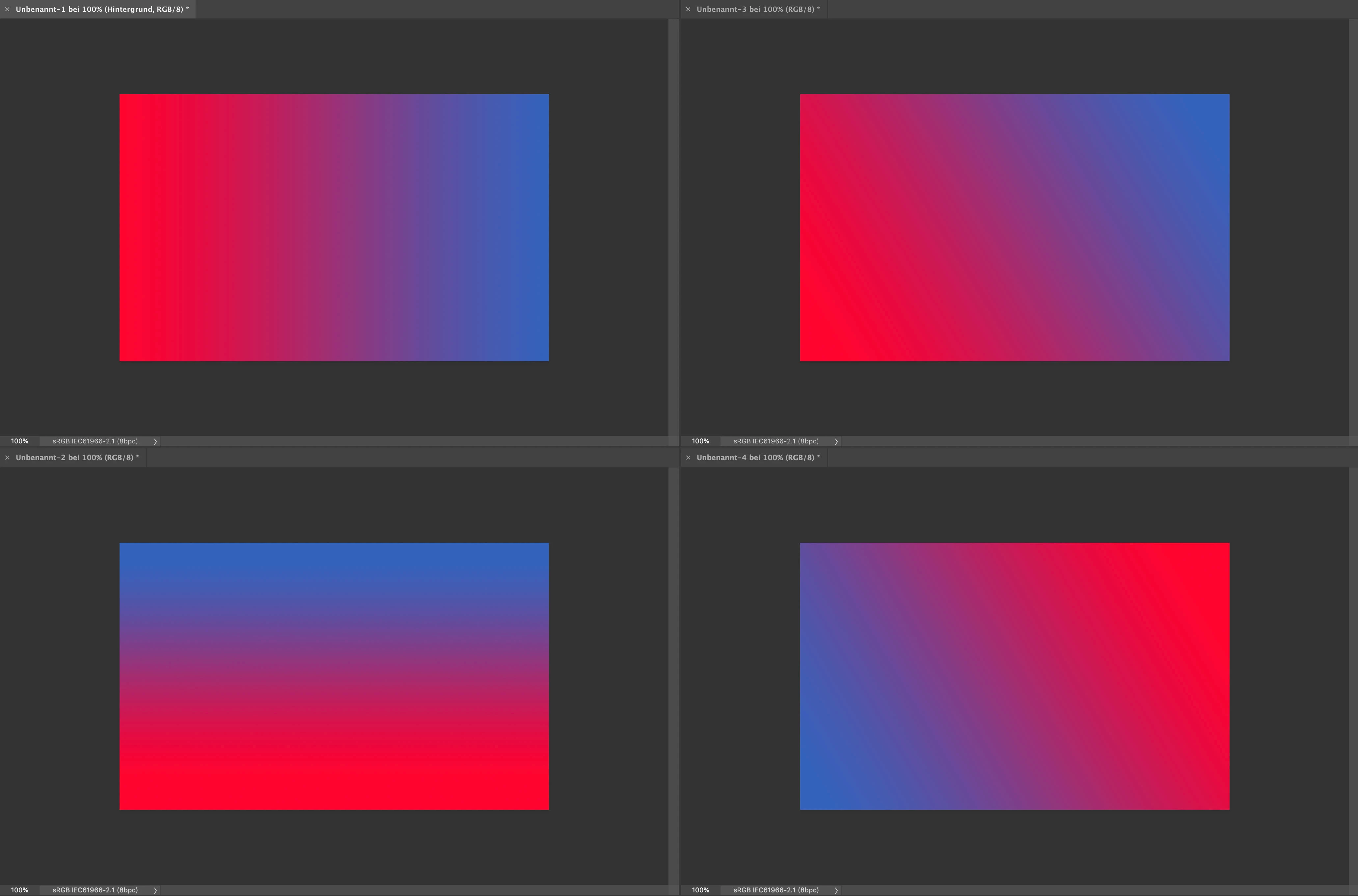
 

(I used the application frame in this example.)


When you now hit Command+0 on one of the documents it zooms to 313 % which is the same as it would do when you only have one document visible on your screen. Which means that the document is displayed a lot too big for the currently given window. I mean yes the command is titled "Fit on Screen" and actually it's still fits on the screen, but nonetheless that's an awkward behavior. I would expect Photoshop to be smart enough, so that it zooms to about 151 % so that the document fit's to the window (like in the manually zoomed example > lower right-hand corner:
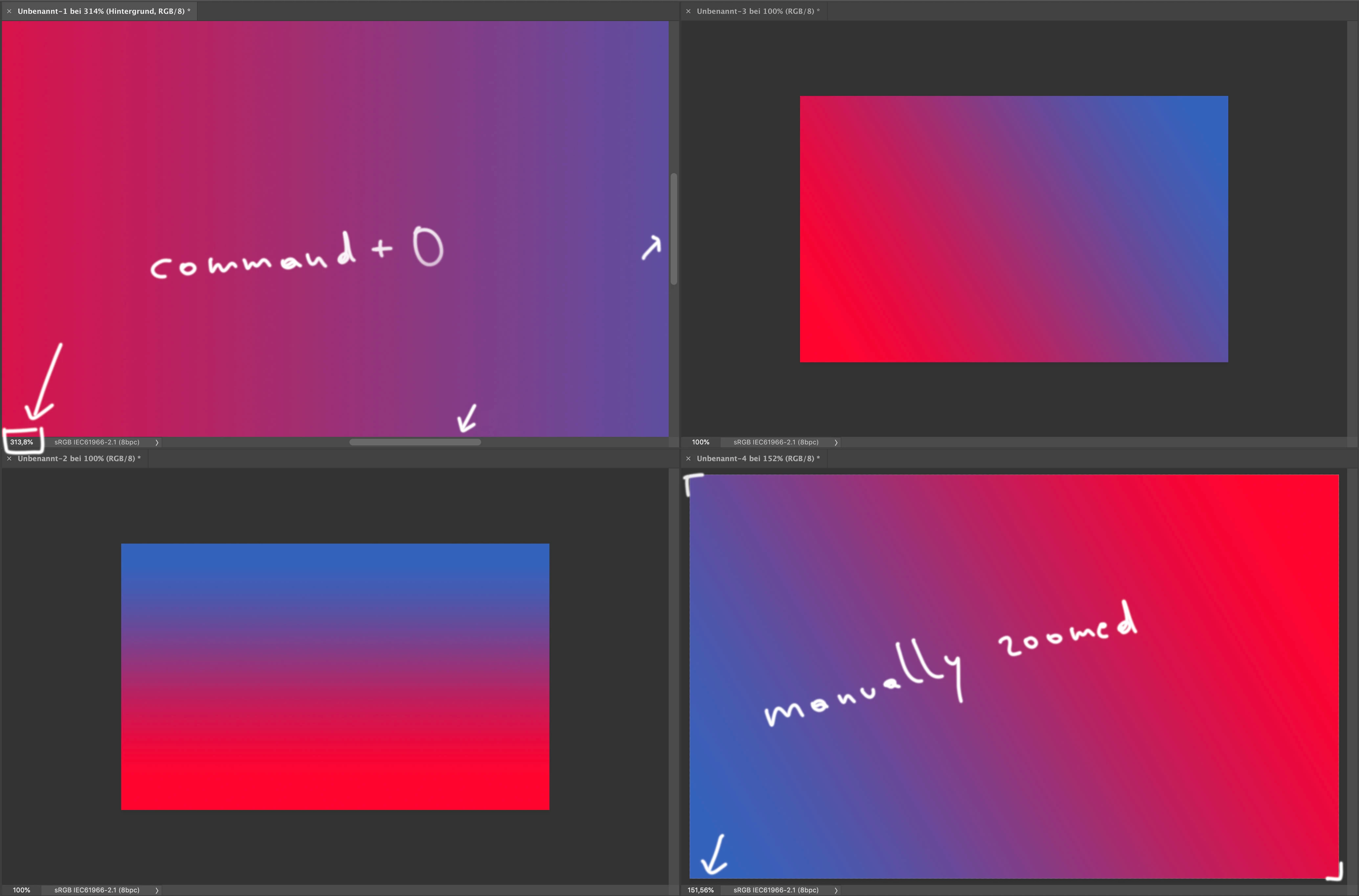
 

Maybe I miss something here, but I my opinion that's more a bug than a feature ...


This topic has been closed for replies.

19 replies

Asher-
Known Participant
May 4, 2022

Another update and no attention paid to bugs. 


Why is Adobe allowed to pretend that this is a place to report bugs?

Asher-
Known Participant
May 3, 2022

This also broke zooming out when in a screen sized window— now the window shrinks with the zoom instead of showing the art board (this should never happen). Window resizing should happen from mouse activity or from window menu activity (ie Fit to Screen). 

Kukurykus
Legend
April 29, 2022

If you have previous update (23.3) this bug was already present: Fit on Screen Not working in 23.3.0

Participant
April 29, 2022

No. I'm on the latest update as of 4/28/2022, and 'fit to screen' no longer works. I thought it might've been a setting somewhere, but it seems that it's an issue in the update.

Y'all need to get this fixed.

Participating Frequently
April 22, 2022

Pathetic engineers. fcked up basic functionality.

Asher-
Known Participant
April 20, 2022

This "fix" broke fit on screen. Fit on screen no longer properly scales the window to the size of the screen, it only sizes the art board to the window. 


THIS IS A CATASTROPHIC ERROR.

Dominik Sourcé
Inspiring
April 18, 2022

Awesome! Thanks for fixing that bug 🙂 


@kong1933 and @Kukurykus You're right, I see the same behavior. For me also Cmd+0 does not work, but only when I have the application frame disabled. If it is enabled, everything works fine?!

Participating Frequently
April 14, 2022

Thanks @Kukurykus for the speedy reply.  I hope this is repaired in the next update.  

Kukurykus
Legend
April 14, 2022

That's true. It seems the update fixed an issue described in this thread for few open images, but broke simple 'Fit to Screen' for one image (also when trying with scripting command). The workaround is to change the Screen Mode to Full (with Menu Bar) and then back to Normal. The image will be fit to screen. Fix it! 😉

Participating Frequently
April 13, 2022

After updating to new 23.3, the fit in screen menu item/cmd-0 no longer enlarges images. In the zoom toolbar, the fit button still works. Mac M1 with Monterey. Previous version of Photoshop worked with cmd-0.