



Dominik Sourcé
Inspiring
November 6, 2020

P: "Fit on Screen" (Cmd+0) works strange when using arranged windows (tiles)

  • November 6, 2020
  • 19 replies
  • 7590 views

When you have 4 documents open and arrange them via Window > Arrange > Tile you get something like this:
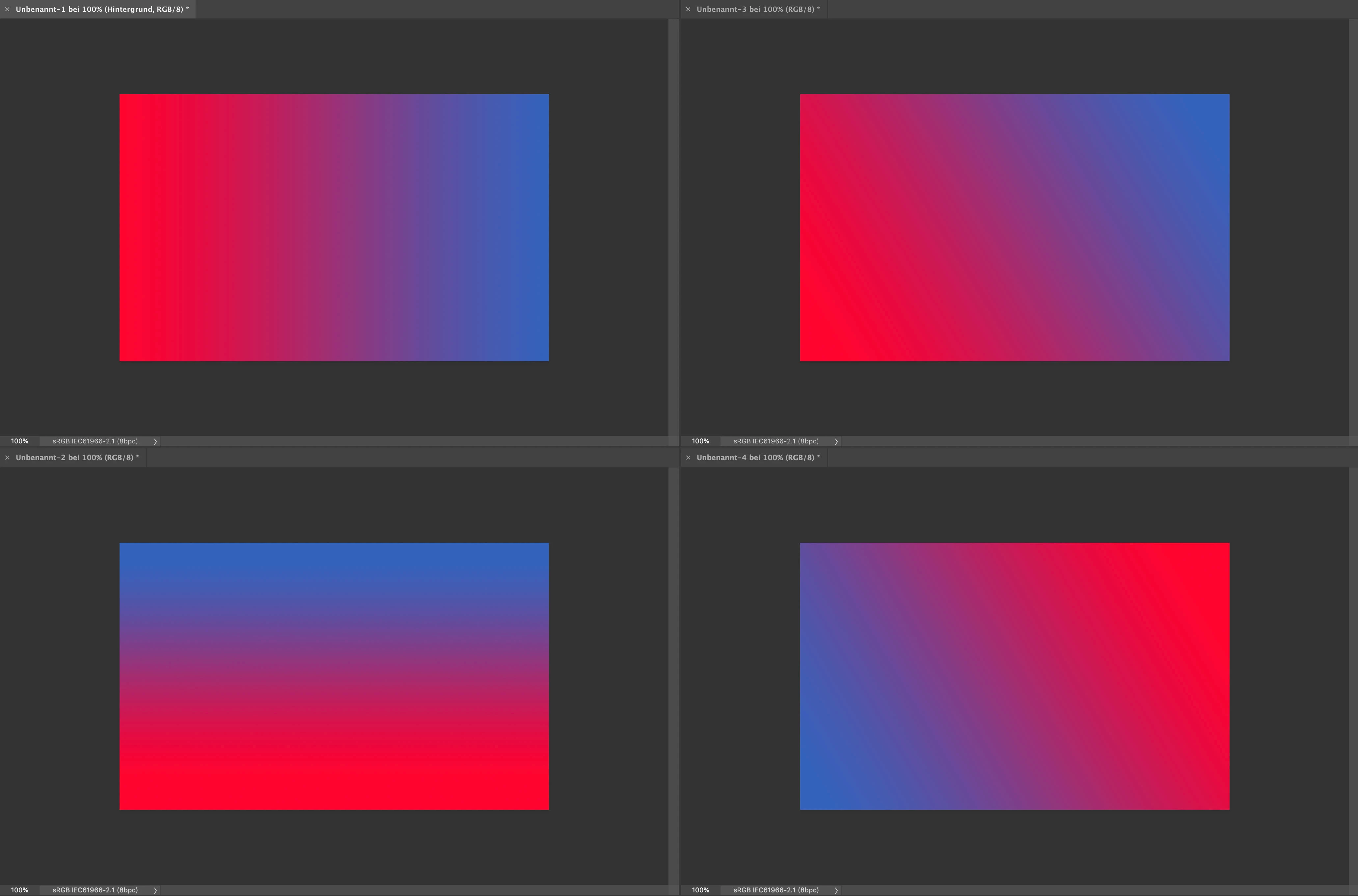
 

(I used the application frame in this example.)


When you now hit Command+0 on one of the documents it zooms to 313 % which is the same as it would do when you only have one document visible on your screen. Which means that the document is displayed a lot too big for the currently given window. I mean yes the command is titled "Fit on Screen" and actually it's still fits on the screen, but nonetheless that's an awkward behavior. I would expect Photoshop to be smart enough, so that it zooms to about 151 % so that the document fit's to the window (like in the manually zoomed example > lower right-hand corner:
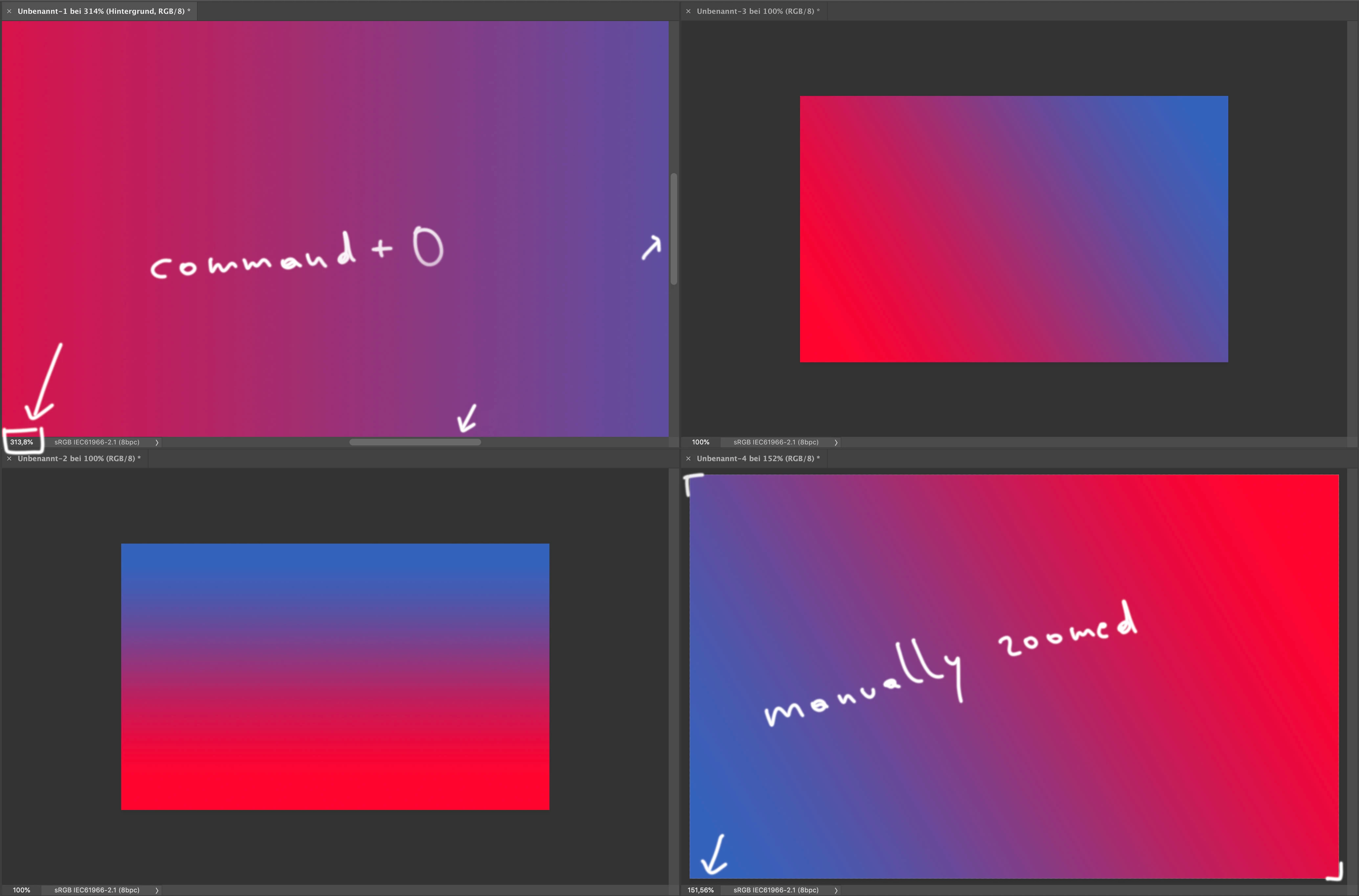
 

Maybe I miss something here, but I my opinion that's more a bug than a feature ...


This topic has been closed for replies.

19 replies

nikunj.m
Legend
April 12, 2022

Hi all,


We're happy to announce the April 2022 release of Photoshop 23.3. This update includes the fix for this issue.


To update Photoshop to 23.3, click "Update" in the Creative Cloud desktop app next to Photoshop. More detailed instructions for updating


Let us know if the update resolves the problem for those affected and share your feedback with us.


Thanks,

Nikunj


Dominik Sourcé
Inspiring
October 28, 2021

The low priority is a bummer but I really appreciate your feedback 🙂

Legend
October 28, 2021

It's lower priority - but still open with engineering.

Dominik Sourcé
Inspiring
October 27, 2021

Hi @J453 , any news on this? This is really a super annoying bug, when you work with multiple images open.

Dominik Sourcé
Inspiring
February 11, 2021

Hi Jeffrey, is there any timeframe when this will be fixed?

Dominik Sourcé
Inspiring
November 26, 2020

@JeffreyTranberry by the way: also the "zoom to layer content" function doesn't work as expected when you have more than one window arranged (at least on my machine). Maybe that's caused by the same "thing" ...

Dominik Sourcé
Inspiring
November 25, 2020

Thanks Jeffrey. Looking forward to a fix 🙂

Legend
November 25, 2020

It definitely isn't expected behavior based on how it works in 1-up. Strangely, the behavior goes back to at least CS6. (My PowerPC with older versions is locked in my office due to the pandemic)

I'll ask the engineers to take a look.

Dominik Sourcé
Inspiring
November 25, 2020

Really? Am I the only one with this problem?