
patrikl
Participating Frequently
September 26, 2020

P: Full Screen Mode bug? Images is off screen

  • September 26, 2020
  • 32 replies
  • 4893 views

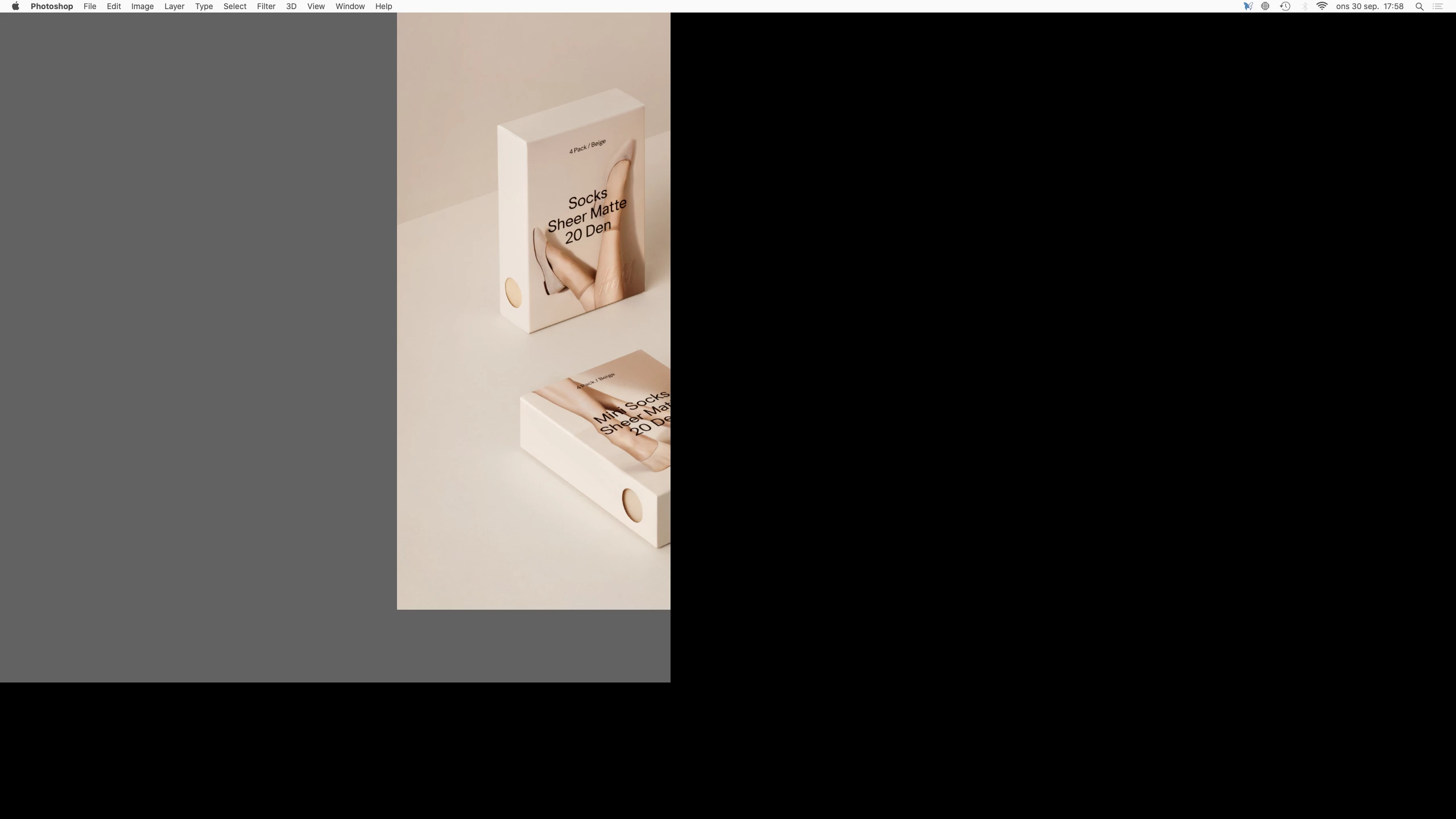
When I toggle between open Photoshop documents in Full Screen Mode (to view them centered etc) the images and canvas are off screen. I can only see a part of the image and canvas. Images is also cropped.

So I'm not able to view the images fully centered to compare them or even view them in Full Screen Mode. I use this feature a lot.

Is this a known bug and is there a fix?


Regards,
Patrik


Photoshop 21.2.3
Mac mini (2018)
Eizo CG2730 Monitor
Catalina 10.15.7 (19H2)
 

This topic has been closed for replies.

32 replies

Participant
November 1, 2020

On Mac Version of PS CC 22 release the standard size comes up leaving half the file not visible.  F does not work. I have to go to view>Screen mode>Full Screen mode with tool bar.  Is there anyway to make this a preference instead of having to correct each time I bring in a new image.

Lance021
Participating Frequently
October 25, 2020

Nice post. Information will be helpful to me.

Participating Frequently
October 25, 2020

This seems to be my problem as well following the upgrade to 2021 - turning the graphics processor off seemed to remove the problem, but this then creates laggy rendering of the image overall.

Macbook Pro 10.14.6  2.5 GHz Intel Core i7 16GB Ram

Participant
October 23, 2020

Just downloaded 22.0.0 yesterday and ran it for the first time today. When opening any file in tab mode the image is off the top of the screen and not seen. When I try to drag it down using the Pan command it simply pulls the image off of the canvas and when I let go the image disappears off the top of the screen again. This is with jpegs, pngs, nef, etc. I finally could see the whole image and edit it when I pulled the image off the tab bar and went to window mode. That seems to work fine.

This is the first time I have even had a problem with a new release of PS. 

Is there a fix?

Mark Beers

MacBook Pro 2019

Mac OS 10.15.7 - Catalina

patrikl
patriklAuthor
Participating Frequently
October 5, 2020

Ok. Thank you Sympa.

Inspiring
October 3, 2020

Will be in Release 22.0 - apologies for the confusion and thank you for verifying! 

patrikl
patriklAuthor
Participating Frequently
October 3, 2020

*Sympa 


Hi, This is not fixed in the 21.2.4 Release. Not implemented yet?


Regards,


Patrik

patrikl
patriklAuthor
Participating Frequently
September 30, 2020

Thank you. This is good news.

Inspiring
September 30, 2020

Thanks for reporting this bug. Toggling is a known issue that we recently fixed. Will be fixed in the next release. 

patrikl
patriklAuthor
Participating Frequently
September 30, 2020

Thanks for letting me know I'm not alone. Have never had this problem before. /P