
patrikl
Participating Frequently
September 26, 2020

P: Full Screen Mode bug? Images is off screen

  • September 26, 2020
  • 32 replies
  • 4893 views

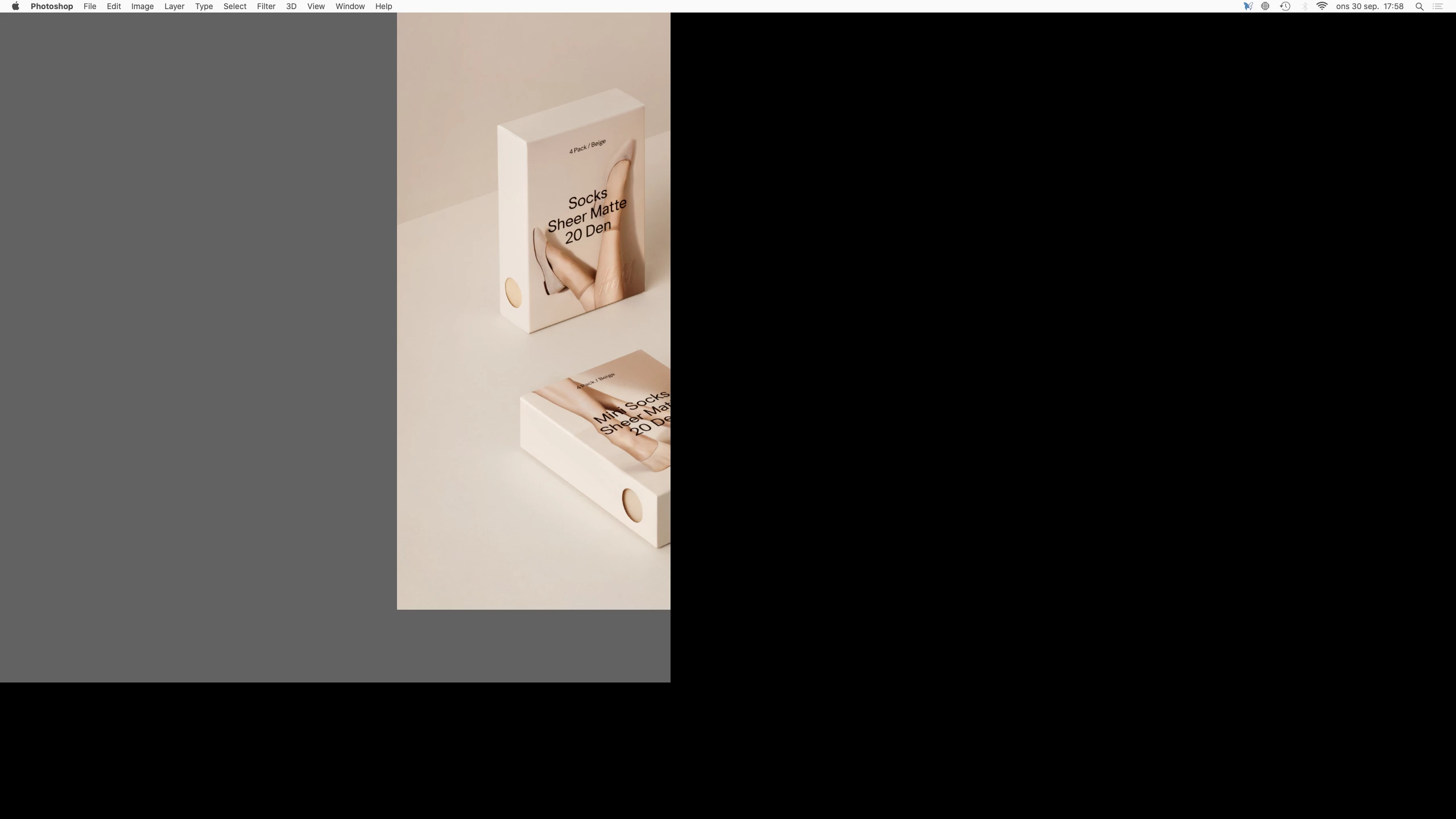
When I toggle between open Photoshop documents in Full Screen Mode (to view them centered etc) the images and canvas are off screen. I can only see a part of the image and canvas. Images is also cropped.

So I'm not able to view the images fully centered to compare them or even view them in Full Screen Mode. I use this feature a lot.

Is this a known bug and is there a fix?


Regards,
Patrik


Photoshop 21.2.3
Mac mini (2018)
Eizo CG2730 Monitor
Catalina 10.15.7 (19H2)
 

This topic has been closed for replies.

32 replies

Known Participant
September 30, 2020

This happens to me all the time, on two different computers, 10.14 and 10.15.

Berube
Inspiring
September 26, 2020

Hello everyone,


When a few documents are open, entering the full screen mode (F) and flipping between documents using the shortcut Cntrl + ~, the full screen display breaks. i.e. Some black bars show up, cropping the displayable area of the screen…


Pressing Tab to display the palette will refresh the interface and get rid of the artifact.


Would be great to be able to flip through documents while in full screen mode like in the previous versions.  


Photoshop 2020 21.2.4

Mac Pro (2019)

macOS Catalina 10.15.7


Thanks.


-Berube