


Inspiring
June 18, 2020

P: Grid is drawing too thick when zoomed out

  • June 18, 2020
  • 70 replies
  • 2381 views

The new grid in 21.1. Oh my God. I can't stand it. Whose idea was it to make the grid be a compulsory 2px thickness?

It looks actually very nice in zoomed-in mode:
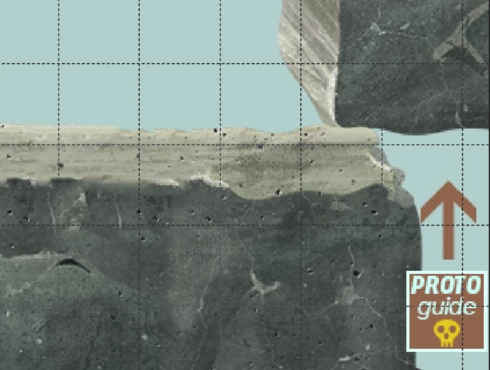


But it's just horrible when you zoom out. What used to be a feather-thin lattice of lines has become a solid 2px-thick mess that overwhelms everything else. When you use use lots of artboards like me (and therefore need to frequently navigate around in zoomed-out mode) it becomes quite problematic. 

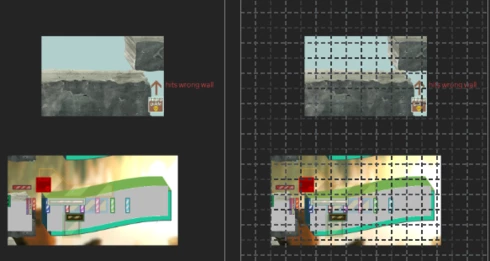
Here's the same portion of a document with the new grid and without. Even though it's zoomed out, you can clearly make out the content of it when there's no grid. But once you show the new grid, you can barely see anything but the thick gridlines. Some of the smaller shapes that are easily visible on the left are now hard to make out, as are the translucent ones; the text is much harder to read too. Plus the whole thing is just straining on your eyes.

The old grid didn't have these problems. Dammit, Adobe, this reminds me of the shift+transform debacle. Why fix things that aren't broken, when there are already plenty of things that are broken but remain unfixed year after year? These updates are exasperating sometimes.  


I can't find any setting anywhere to revert to a more sensible 1-px grid, but I'm just really really hoping that I've missed it somehow. If not, please, for the love of God, let us choose a 1px version in the settings!

This topic has been closed for replies.

70 replies

Known Participant
August 19, 2020
I don't think it has anything to do with SD displays.  I'm doubtful anyone has an SD display in 2020.  Unless you're considering 1920 x 1080 SD.
Inspiring
August 19, 2020
My issue is on 1920x1200 screen size and on 1920x1080 screen size.
Earth Oliver
Legend
August 19, 2020
I'm seeing acceptable performance and vis on my mbp though? It appears this issue is SD display related?
Earth Oliver
Legend
August 19, 2020
With today's 21.2.2 release, Ps slows to a crawl with the Grid Visible and the lines are still too thick, obscuring the image we're trying to view.
Inspiring
August 19, 2020


I am currently on Photoshop CC 2020 21.2.1. Currently clicking on "View/Show/Grid" and start zooming in/out, rotating canvas, it tremendously slows PS down to a point it stutters!!! My workstation is definitely more capable of running multiple programs(both 3D & 2D) at the same time, even with dedicated graphic card. And I have never had this issue before. So it is from Adobe's side that this bug happens.

Please look into this and fix it! At this point, it is impossible to work with grid turned on. 
Known Participant
August 18, 2020
As someone commented above installing version 20.0.10 is the last version without this issue.  I'll be working in that until this is fixed.
Inspiring
August 18, 2020
This is not fixed in 20.2.1 - I reverted back to 20.0.10 which does not have the same issues.
Inspiring
August 18, 2020
Also confirming these issues persist on 21.2.1. I reverted back to 20.0.10 and the grid issues and sluggish response are fixed. As a side note, I get the same slow behavior when editing paths on the newer versions of PS...
Inspiring
August 18, 2020
Grid without GPU is ok, bud guides are not. They should be over grid, but guides are under the grid. So neither with or without GPU support is working ok. Not the mention that GPU becomes waste of money if no GPU support is turned on.
Come on guys, please fix this problem!
Known Participant
August 18, 2020
Yep.  Was excited when I saw the update today.  Hoped it would have a fix for this in it.  Nope.

Temporary Solution:
I will say that if you turn off "Use Graphics Processer" under Preferences > Performance, you get the old grid.  It sucks to not have the advantages of the Graphics Processer, but if you really need the grid, this is your only option.