
Participant
June 17, 2015

P: Has stopped working on launch (librarylookupfile)

  • June 17, 2015
  • 68 replies
  • 1291 views

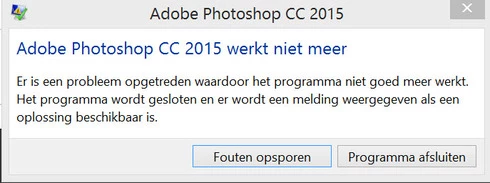
Yesterday I updated to the new Adobe Cloud CC 2015 version. After that Photoshop and Illustrator 'have stopped working' when i load them up.

Windows Version 8.1 Latest patches and updates. Graphics card AMD Radeon 295x2. Updated last version. No crash log, only windows event log.

I have already contacted the indian support guys, but they were not that helpfull and just plain rude but I will make a written complaint for that also. They made me create a new 'admin' user on my system and all should work, well thats just a bogus solution. This update was issued by Adobe and this has nothing to do with userdata. I cant create new users every time software updates, this should be tested by Adobe. I suggest adding a better 'cleaning' tool that also cleans user/roamdata.

I uninstalled, used the cleaner tool, cleaned registry , reinstalled still the same bug.
Muse , Lightroom CC 2015 all work apart from Photoshop and Illustrator.

So please fix this!!
This topic has been closed for replies.

68 replies

Participating Frequently
January 6, 2016
Absolute pleassure. Glad to hear it is working.
Participating Frequently
January 6, 2016
Thank you guys so much. I installed the 2013 runtime and now its working beautifully. Thanks again
Inspiring
January 6, 2016
The most likely cause of a crash in the C runtime is a bug in a third party plugin or driver.
Try launching Photoshop without plugins (hold down the shift key while launching) and see if that helps.
Participating Frequently
January 5, 2016
Participating Frequently
January 5, 2016
Issue is not related to the lookuplibrary issue resolved in 2015.1. Your exception, offset and faulting module is different.

MSVCR is part of the Microsoft runtime. Do you habe the latest service packs installed for Windows 7?

If you do, install the 2013 runtime and retest. https://support.microsoft.com/en-us/k...
Participating Frequently
January 5, 2016
Let me know if this is not what you need.

Faulting application name: Photoshop.exe, version: 16.1.1.327, time stamp: 0x5667fb90
Faulting module name: MSVCR120.dll, version: 12.0.21005.1, time stamp: 0x524f83ff
Exception code: 0xc000001d
Fault offset: 0x0000000000096cd5
Faulting process id: 0xe54
Faulting application start time: 0x01d14804cc341a1a
Faulting application path: C:\Program Files\Adobe\Adobe Photoshop CC 2015\Photoshop.exe
Faulting module path: C:\Windows\system32\MSVCR120.dll
Report Id: 0adeee7c-b3f8-11e5-abaa-d8cb8a1d8a7e
Participating Frequently
January 5, 2016
What is the actual error? Can we see the event log entry please? Thanks
Participating Frequently
January 5, 2016
Thank you for the comment but I have installed the update and the problem still exists. So the problem is definitely not fixed.
Inspiring
January 5, 2016
If you are having this issue, it means that you have not installed the Photoshop CC 2015 updates. This issue was fixed in the 2015.1 update.
Participating Frequently
January 5, 2016
I'm still having the same issue. I had to reload my OS - Windows 7- and when I installed CC everything worked well including installing apps but when I try to launch any of them, not just PS, they all do this.