


Known Participant
October 18, 2017

P: Healing and Spot Healing Brush Lag

  • October 18, 2017
  • 282 replies
  • 7290 views

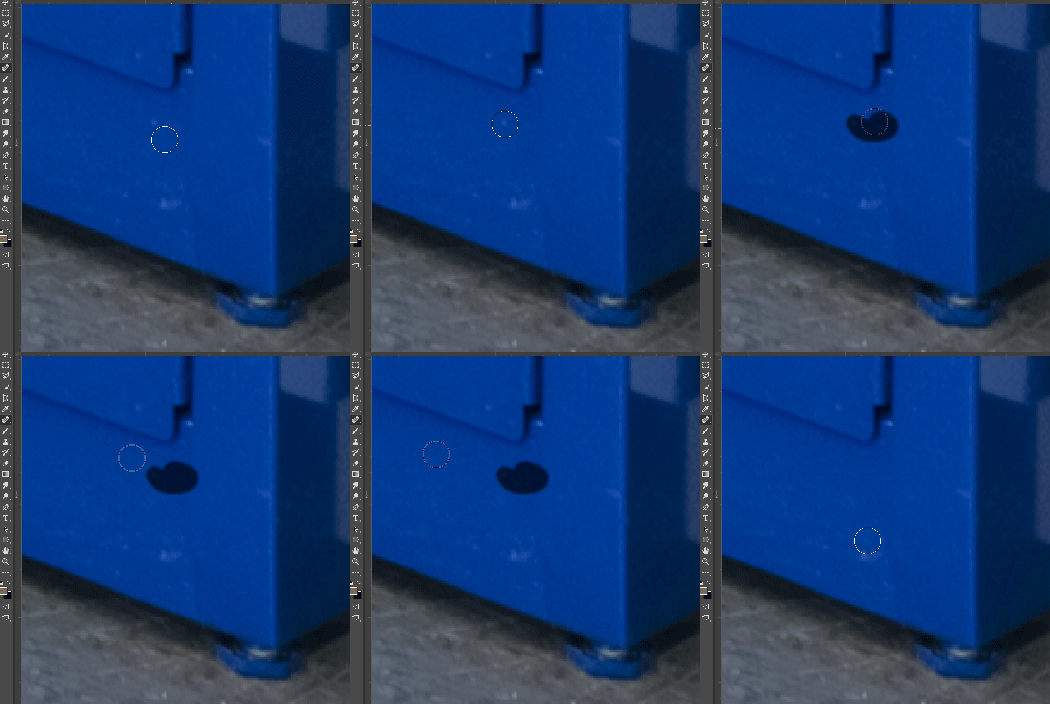
In most recent 2018 update, healing and spot healing brush have become much less responsive, sometimes taking multiple seconds after completion of stroke to affect the image.

Late 2016 Macbook, up to date OS and Software

I've done the regular things like turning off OpenCL and changing other performance options... no change.
GIF framerate is sped up 2x 
 

This topic has been closed for replies.

282 replies

Hannah Nicollet
Community Manager
Community Manager
November 14, 2017
For the time being, the accurate place to find your Photoshop version is at Help > System Info in Photoshop

https://helpx.adobe.com/content/help/en/photoshop/kb/photoshop-version-displayed-incorrectly.html

Thanks!
Hannah
Known Participant
November 14, 2017
Same here , 2017 was like this inte first release too .
Today’s release seems to have solved it. -
- question is why release it with such a unusable blatant bug ?
Us photographer and retouching houses reply on cloning and healing

Is it not being beta tested by Pro people ?
Jerry Syder
Inspiring
November 14, 2017
This, it seems, is a bug and have been confirmed by Adobe.
Known Participant
November 14, 2017
Thanks Pete,
This fixed one of the brush issues, but lag of graphic resizing of the brush still persists:
https://feedback.photoshop.com/photoshop_family/topics/brush-resizing-lag-in-new-2018-update?topic-r...
Known Participant
November 14, 2017
"About" still shows 19.0.
This fixes quick mask and healing tool. 
Brush graphic resize still unfixed and laggy:

https://feedback.photoshop.com/photoshop_family/topics/brush-resizing-lag-in-new-2018-update?topic-r...
Known Participant
November 14, 2017
"About" still shows 19.0.
This fixes quick mask and healing tool. 
Brush graphic resize still unfixed and laggy.
Inspiring
November 14, 2017
No wonder I'm confused!
The "About Photoshop" says 19.0 But the Finder shows 19.0.1
Bit sloppy Adobe!
Hopefully the brush is fixed though!
Peter


Legend
November 14, 2017
It should be. Did you select "Check for App updates" from the Creative Cloud desktop app menu?
Inspiring
November 14, 2017
Well, for me the latest update is working as it should work. I just retouched 2 portraits in my ordinary way and the workflow was smooth and I did'n feel any slowdown.
Thank you Adobe for don't letting us wait for month.
Inspiring
November 14, 2017
Hi Pete,
I updated PS 2018 and the version is still showing as 19.0  ???
Has 19.0.1 been pushed to all regions?
Peter