
Inspiring
November 5, 2017

P: How do I see just the Brush Tip Preview?

  • November 5, 2017
  • 45 replies
  • 1432 views

The brush preview in PS 2018 has changed so now it shows a dragged preview of the brush. I have many a custom brush that are meant to be singularly clicked, not dragged, like stencils. I cannot see which brushes are which anymore, because of this new preview and cannot find a way to change it back. 

PLEASE FIX THIS WITH AN UPDATE ADOBE, IT WAS FINE THE WAY IT WAS.
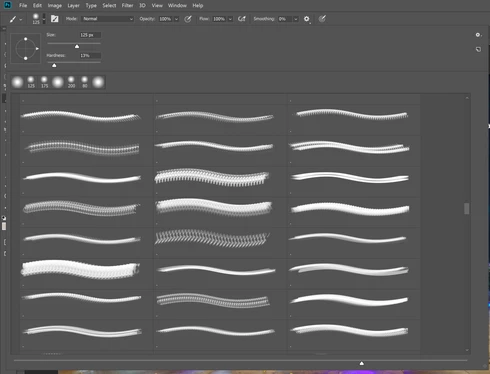
As you can see, there is NO WAY for me to tell which brush I am using.

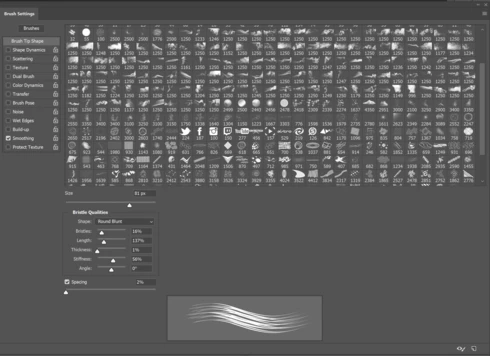
The only work around is to go into the detailed brush settings but this is hassle for me when I need to quickly choose a brush. 
45 replies

Inspiring
November 27, 2017
I'm not interested in brush tips or stroke, but I do want to see my brush previews as with earlier versions of PS.  How can I make  that happen?
Hannah Nicollet
Community Manager
Community Manager
November 27, 2017
Hi Dale,

Here's a screen capture showing how to display just the brush tip and how to change the size of the display. Password is blueMoon

Thanks,
Hannah
Hannah Nicollet
Community Manager
Community Manager
November 24, 2017
Hi Billy,

Thanks for the feedback. What you're saying makes sense, but I need to get some more information and get back with you.

Regards,
Hannah
shutterbug600
Participating Frequently
November 23, 2017
I hate this new view of the brushes - the icons are so small you can't tell what you're looking at. I too have brushes, such as floral brushes, that are meant to be singularly clicked and not dragged. Is there a way to revert back to the old way of viewing?
Known Participant
November 5, 2017
Explore your panel settings.