


Inspiring
March 1, 2018

P: Images opening unexpectedly small (macOS)

  • March 1, 2018
  • 37 replies
  • 973 views

I have a documented the same problem. No matter where I have the tool bar (not shown here, but in these photos, the toolbar is docked), when I open a photo, it opens up smaller even though I have the screen size to open it larger. What can I do to open the photo at maximum size allowable by space?
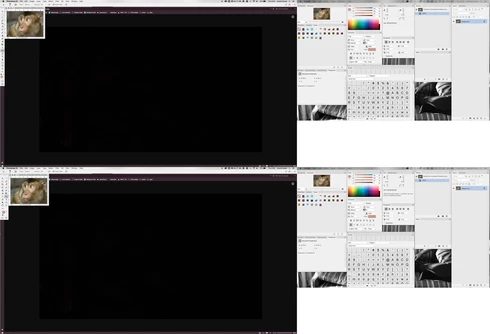
Note: This conversation was created from a reply on: Photoshop: There isn't enough room to display this document.

This topic has been closed for replies.

37 replies

Pete.Green
Community Manager
June 20, 2018
Hi Melissa,

Please copy the text using the Copy button on the right, and paste the full System Info text in a reply to this comment.

Thanks!
Pete
Known Participant
June 20, 2018
Yup, I still have the problem. It's really bad. I have a MacBook Pro set up with a 2nd Monitor. All my images keep opening in the smaller monitor, the laptop and very small. No matter what I do, even when I fit to screen in the 2nd big monitor, the image goes back to the laptop as a small image. Tedious in my workflow. I cant use Cmd + 0 any more and other things like resizing Cmd with +/-  

Hannah Nicollet  , do you want a copy paste of system info or just the first two screenshots? It's a lot.


Known Participant
June 20, 2018
Yup, I still have the problem. It's really bad. I have a MacBook Pro set up with a 2nd Monitor. All my images keep opening in the smaller monitor, the laptop and very small. No matter what I do, even when I fit to screen in the 2nd big monitor, the image goes back to the laptop as a small image. Tedious in my workflow. I cant use Cmd + 0 any more and other things like resizing Cmd with +/-  

Hannah Nicollet  , do you want a copy paste of system info or just the first two screenshots? It's a lot.

Kukurykus
Legend
June 20, 2018
Fot me all is okey as I don't use more than one screen. The bug I reported that had similar / alike effect was solved. I followed this theard and other one related since that was close of my problem. I waited long my bug was fixed, so seeing others have to wait even longer made me to comment this situation. Perhaps there is other cause it happens for Jerry Goldstein, but first thought was that's still on todo list.
Hannah Nicollet
Community Manager
Community Manager
June 20, 2018
Are you still seeing this issue? If you are we would like to get it resolved. It helps to have the environment (Help > System Info), screen captures and the steps that you took before you saw it. I was one of the engineers who tested this and from the steps/environment we were aware of, we saw it resolved in 19.1.3. I assume there must be a different set of circumstances where it still happens, but since we aren't seeing it we need more information.

Thanks,
Hannah
Hannah Nicollet
Community Manager
Community Manager
June 20, 2018
Hi Jerry,

I'm am a QE on the Photoshop team and from what we understand of how to reproduce this issue, it was fixed in 19.1.3. If there is a different environment/series of actions that cause the same problem, we would like to submit it and get it resolved. If you would like to show us the problem by sending screen captures of what you're seeing, with the steps that you took before it happened and then go to Help > System Info and then copy/paste the contents of that into an email. Please send any/all of that to my email below and I'll file a new case on it.

Thanks,
Hannah

Kukurykus
Legend
June 20, 2018
That's wierd what happens in this topic. 4 months ago that was said this issue was solved in 19.1.1. Then 3 months ago same person said it (as it could arise with 19.1.2) will be resovled in 19.1.4 but it wasn't. There was siimilar problem that yielded alike result, and that was solved in fact. It looked like they sloved also dual monitor problem so it should work in 19.1.4. Someone reported though he uses 3 monitors and he's experiencing it too in 19.1.3. What I read here, a bug caused by more monitors had to be possibly fixed in 19.1.5 but it wasn't while in 19.1.4 it still occured for you, so for sual monitor. Now it continues 🙂
Participating Frequently
June 20, 2018
Well, another update, 19.1.5 and another update that doesn't fix this problem. Coult 19.1.6 be the one. Frankly, I doubt it. If the problem could be fixed, it would have by now. Ergo, it's a permanent unfixable bug. Just have to get used to it. Sure am glad I am paying for a subscription to this product. 
Inspiring
May 26, 2018
Same small window on the top corner for Elements:

- since the last Windows 10 (1803) update
- when the option to 'open documents in floating windows in expert mode' is selected
- on single monitors
- with Elements 2018 and 15, not 14
- no workaround found.
https://forums.adobe.com/thread/2490220We do know that Elements inherits code from older Photoshop versions... It happened that Elements inherited code and bugs from older Photoshop versions after the bugs were corrected in Photoshop.

Same symptom!
Participating Frequently
May 26, 2018
NOPE. 19.1.4 did NOT fix this problem. Dual monitors. File opens a small image instead of the correct size as it used to.
So, we had something that worked correctly. Then it was broken. And it remains broken. This isn't good. I can only assume it will never be fixed. Does this portend the future of Photoshop? Break and not fix?