


Inspiring
January 27, 2026

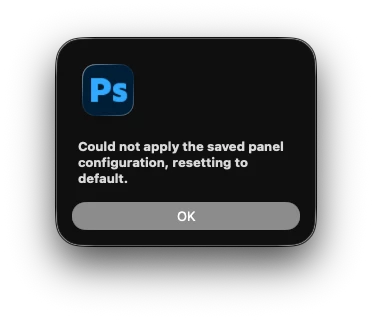
P: Launch Error - Could not apply the saved panel configuration, resetting to default

  • January 27, 2026
  • 5 replies
  • 82 views

When launching Photoshop the following error appears on screen:
“could not apply the saved panel configuration, resetting to default”

After the application starts up, workspace can be restored back to the saved preferred layout and everything function correctly. 

This started with 27.1 and has continued in to 27.3
There was also already a thread on here where Adobe said it was being looked in to and myself and others had submitted error logs to show where it appeared to flagging the error. After the community change here, that previous bug report has disappeared from the link resolving there or finding it via search so adding a new till it gets addressed. 
 

    5 replies

    Gavin at MRP
    Inspiring
    January 30, 2026

    The latest Photoshop update (27.3.0) has NOT resolved this issue.


    Jeff Arola
    Community Expert
    Community Expert
    January 29, 2026

    Some users including myself have had success solving the issue by trashing the MachinePrefs.psp

    in Macintosh HD/Users/UserName/Library/Preferences/Adobe Photoshop 2026 Settings

    Participating Frequently
    January 29, 2026

    I get the same message but mine doesn’t restore once I select it in the menu bar. I have to constantly remake my workspace. This is getting extremely frustrating.

    Participant
    January 29, 2026
    Loading

    I have the same problem with the Extended Display mode.

    Community Manager
    January 27, 2026

    Hey ​@clif_CROP Thanks for reaching out! This is a known bug that the team is already investigating, and we’ll have a fix out as soon as possible.
    Thank you so much for your patience!
    Alek


    *(If you mention me with an @, like @Aleke, I’ll get a notification and can respond faster.)*
    rox_020
    Participant
    January 29, 2026

    is there any update on this one?