


P: (macOS 27) Photoshop 2026: "There was a problem with Generator" at launch
Environment
Adobe Photoshop 2026 27.10 (ARM64)
Mac mini 2024, Apple M4 Pro, 24 GB RAM
macOS 27.0 Golden Gate
Problem
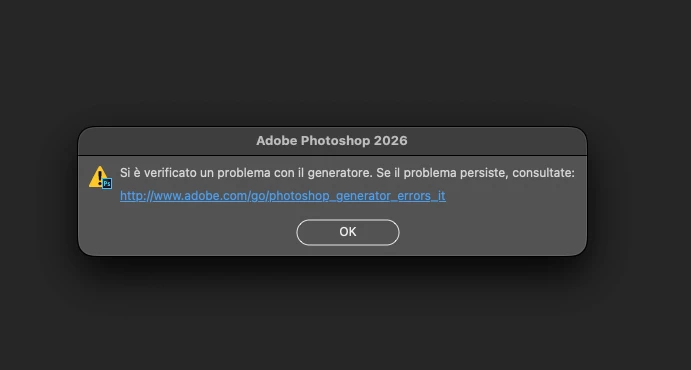
Immediately after enabling Preferences > Plugins > Enable Generator, Photoshop displays the message:
“There is a problem with Generator.”
I checked the Node executable bundled with Photoshop:
/Applications/Adobe Photoshop 2026/Adobe Photoshop 2026.app/Contents/MacOS/node
Running:
file "/Applications/Adobe Photoshop 2026/Adobe Photoshop 2026.app/Contents/MacOS/node"
returns:
Mach-O 64-bit executable x86_64
Therefore, Photoshop itself is ARM64, but the Node executable used by Generator is still Intel x86_64-only.
Before Rosetta 2 was installed, running:
"/Applications/Adobe Photoshop 2026/Adobe Photoshop 2026.app/Contents/MacOS/node" --version
returned:
zsh: bad CPU type in executable
I then installed Rosetta 2 with:
softwareupdate --install-rosetta --agree-to-license
macOS reported:
Install of Rosetta 2 finished successfully
After installing Rosetta 2, the Photoshop Generator error disappeared.
Expected behavior
Photoshop ARM64 on Apple Silicon should include an ARM64 or Universal Node runtime for Generator and should not depend on an x86_64-only executable.
Workaround
Installing Rosetta 2 restores Generator functionality.
Additional confirmation
As a further diagnostic confirmation, the issue was resolved immediately after reinstalling Rosetta 2 with:
softwareupdate --install-rosetta --agree-to-license
macOS confirmed:
Install of Rosetta 2 finished successfully
After restarting Photoshop with Generator enabled, the Generator error no longer appeared and Generator worked normally.
This provides a reproducible correlation:
Rosetta 2 unavailable → bundled x86_64 Node cannot execute (bad CPU type in executable) → Generator fails.
Rosetta 2 reinstalled → the same x86_64 Node can execute → Generator works again.
This strongly suggests that the current Photoshop 27.10 Generator implementation on Apple Silicon still has a runtime dependency on Rosetta 2 because the bundled Node executable is x86_64-only.
 AdChoices