


Participant
June 18, 2022

P: "Margin Guides" ignore configured guide color

  • June 18, 2022
  • 16 replies
  • 11879 views

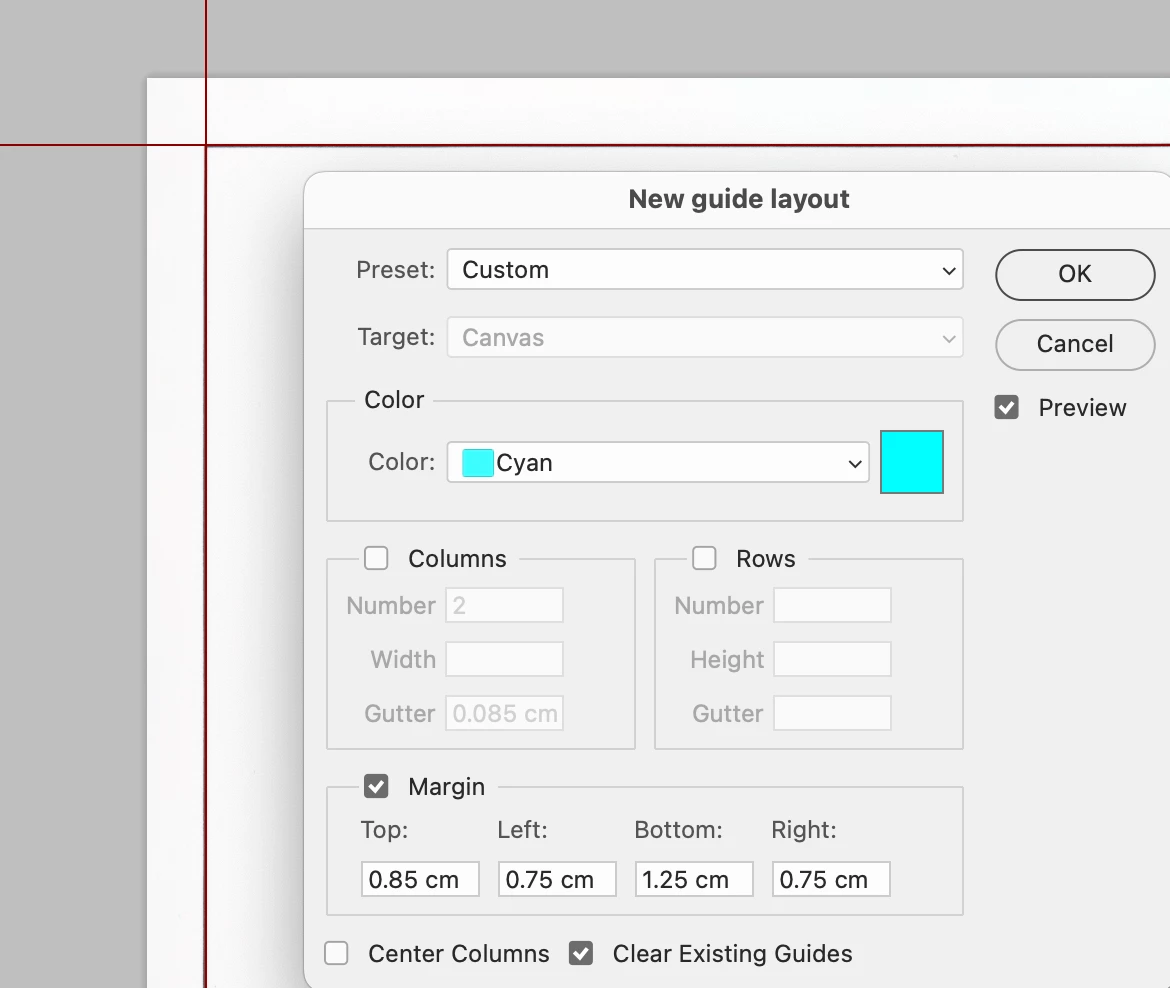
Since Photoshop 23.4 and 23.4.1 "Margin guides" don't use the configured guide color.


to reproduce:

- open "New Guide Layout..." dialog

- make sure that "Preview" is enabled and "Columns" is not cecked

- configure "Color" to "Cyan"

- check "Margin"


Observe: the guides show up in some reddish brown but not in Cyan (this is the bug)

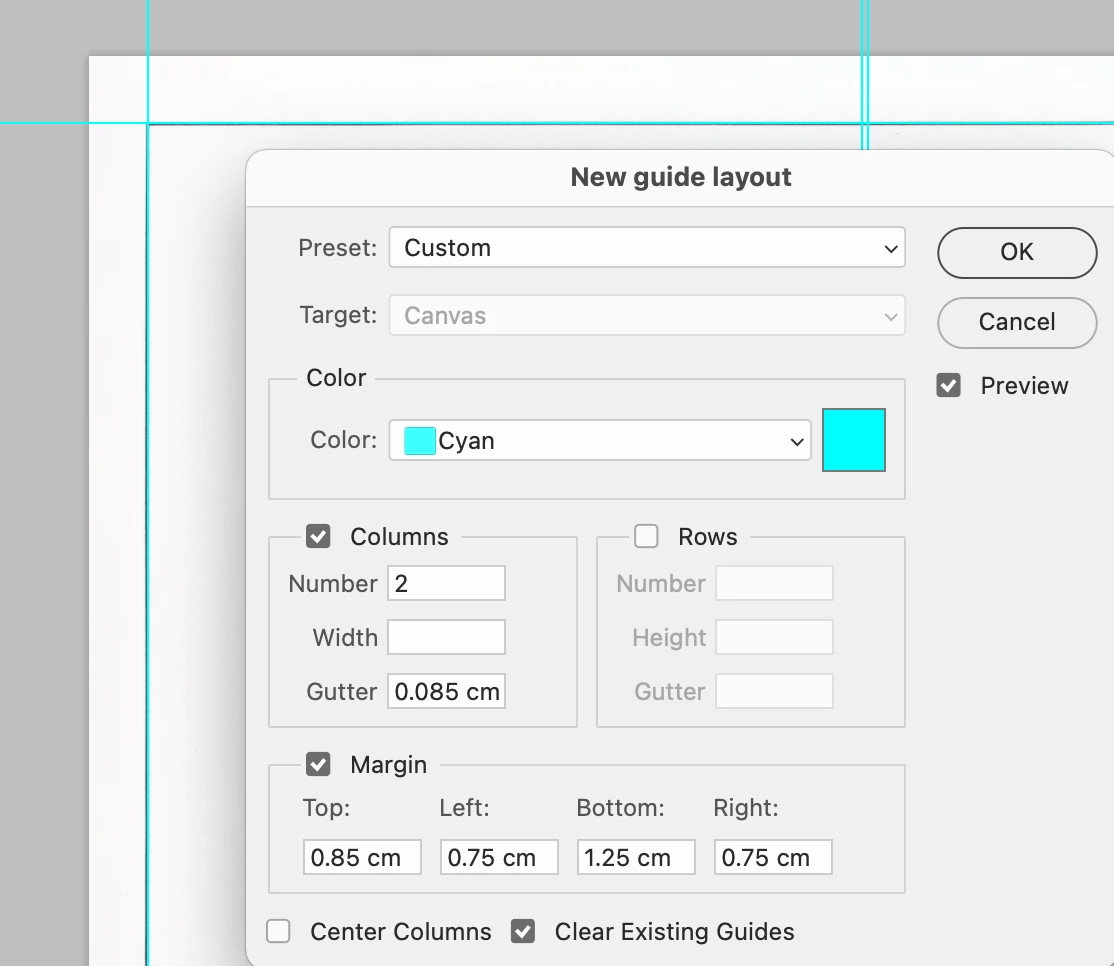
- now check "Columns"

Observe: all guides show up in Cyan (correct)
 

This topic has been closed for replies.

16 replies

Participant
August 1, 2022

I can no longer change guide color in PhotoShop. When I do, they change the moment but they revert to annoying ELECTRIC BLUE or PINK on my nebt document.

Mohit Goyal
Community Manager
Community Manager
July 19, 2022

Hi all,


We're happy to announce the release of Photoshop 23.4.2. This update includes the fix for this issue. To see the list of all fixed issues, click here


To update Photoshop to 23.4.2, click "Update" in the Creative Cloud desktop app next to Photoshop. More detailed instructions for updating   


Let us know if the update resolves the problem for those affected, and share your feedback.  


Thanks,

Mohit

Jonlin Creative
Inspiring
July 14, 2022

I'm having a problem with the New Guide Layout feature. Despite specifying that I want the guides to be cyan, they're showing up on my document as black. This is only happening with I use the new guide layout option; if I drag a new guide onto the document from the side ruler, it's cyan as it should be.


This is also a new problem that I just noticed recently; the guides using new guide layout used to be cyan as expected.


This falls more in the annoying category than anything else, but it's also true that black guides are often harder to see than cyan ones so it's definitely a bit of a usability issue as well.


Has anyone else seen this and is there a solution?

Known Participant
July 6, 2022

I think the dark blue colour is related to that guide now being the "selected guide" to edit. However the new "edit selected guides" feature seems half-finished, non-functional and long-winded. I assume Adobe are trying to make it more like Illustrator, where you can type a value for guide position when a guide is selected? However, the logical place to do this, the Properties panel, doesn't have any options for guide positioning when one is highlighted. View>Guides>Edit Selected Guides brings up this klunky dialogue box. More steps, more clicks to do something that was super easy before... 

Participant
July 4, 2022

When I drag out a guide from the rulers now, it's no longer light blue like all the others, it's dark blue until I click again on the page - the last guide is different blue to all others on page.

Not the biggest problem to have different colour, but it seems to be affecting how the guides work also. I use guides a lot in Photoshop and now they won't even snap to marquee boxes or other objects on the page. I've tried all settings to ensure snap is turned on etc. It seems like since the last update, Adobe has done something which has either changed the way guides work, or it's broken them.


To a 25 years+ user of Photoshop, this is infuriating and I don't see how this can be an update - it must be a bug

Participant
July 4, 2022

Since updating to 23.4.1 , the 'New Guide Layout' tool produces black guide lines when producing margins. They become Cyan, however, when I select 'columns' and 'rows', but not when those aren't selected.

With columns on:

 Without columns on:

Known Participant
June 27, 2022

I don't mean to be rude, but the notes for 23.4.1 say "contains improvements to guides" yet the guide functionality is broken in 23.4.1 and now you're saying they will be fixed in a future update? Embarassing, don't these things get tested before release? 
I am having the same issue as @Xet . The tool tip no longer shows guide position when dragging (essential behaviour). I can go to the View>Guides>Edit Selected Guide and type a number in manually, but that's far more time-consuming and unintuitive.

Participant
June 24, 2022

While I am dragging a guide, usually there is a live update of the pixel position that I am at. This is usually located near the cursor.


With the new update, it appears that theis function is broken. Photoshop is listing a pixel value, but it is not staying with my cursor, and it is not the correct number. The number being displayed is simply sitting at the ruler (where I grabbed a guide from) and is showing the value for when the guide first appeared on the document.


If I press Alt to have the guide switch from hoizontal to vertical, the display number does update and jump to my cursor, but if I continue to drag the guide again, the measured value stays, and it "physically" stays on the same space on my screen.


Also, as an aside, the most recently placed guide stays a different color blue until I click somewhere else on screen with the move tool, even if I paint or something, it stays the different blue and there is no way to change this, that I have found, in the guides preferences.

CShubert
Community Manager
Community Manager
June 24, 2022

Hi @Andre Weinand, sorry if you are feeling left out, not intended at all.


Your issue, along with the others in this thread, are all similar in the overall subject and are activly being worked on by the team.  Your specific issue is a bug that is in testing and we are hopeful will have a fix in a future release.


Thank you,

Participant
June 24, 2022

It seems to be common practice in this community to hijack a discussion by adding unrelated bugs on top (@ARCC5 @Xet I looking at you 😉

@CShubert could you please give a status update on my original issue? Are you able to reproduce this or can I help with additional information? Thanks!