


Participant
June 18, 2022

P: "Margin Guides" ignore configured guide color

  • June 18, 2022
  • 16 replies
  • 11879 views

Since Photoshop 23.4 and 23.4.1 "Margin guides" don't use the configured guide color.


to reproduce:

- open "New Guide Layout..." dialog

- make sure that "Preview" is enabled and "Columns" is not cecked

- configure "Color" to "Cyan"

- check "Margin"


Observe: the guides show up in some reddish brown but not in Cyan (this is the bug)
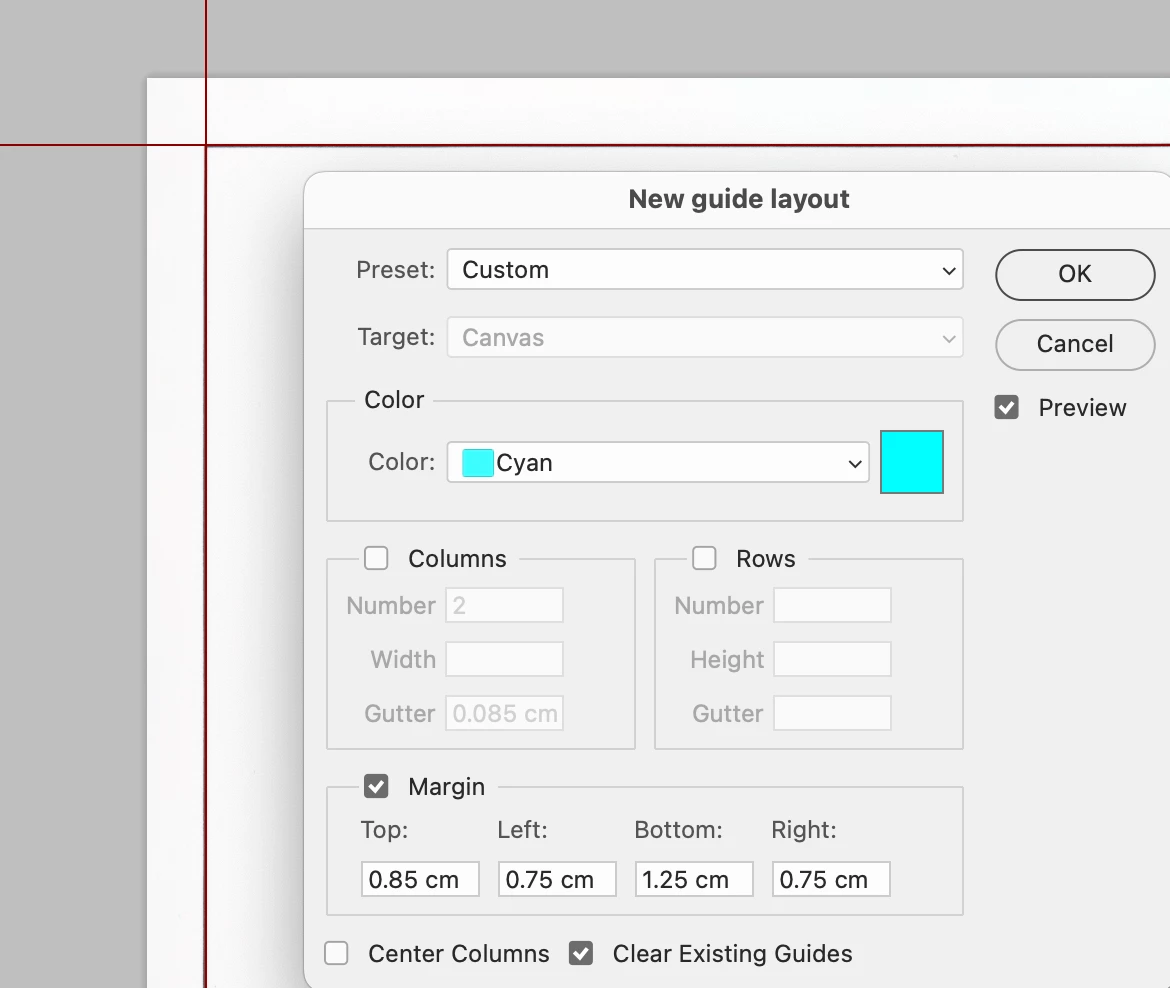

- now check "Columns"

Observe: all guides show up in Cyan (correct)
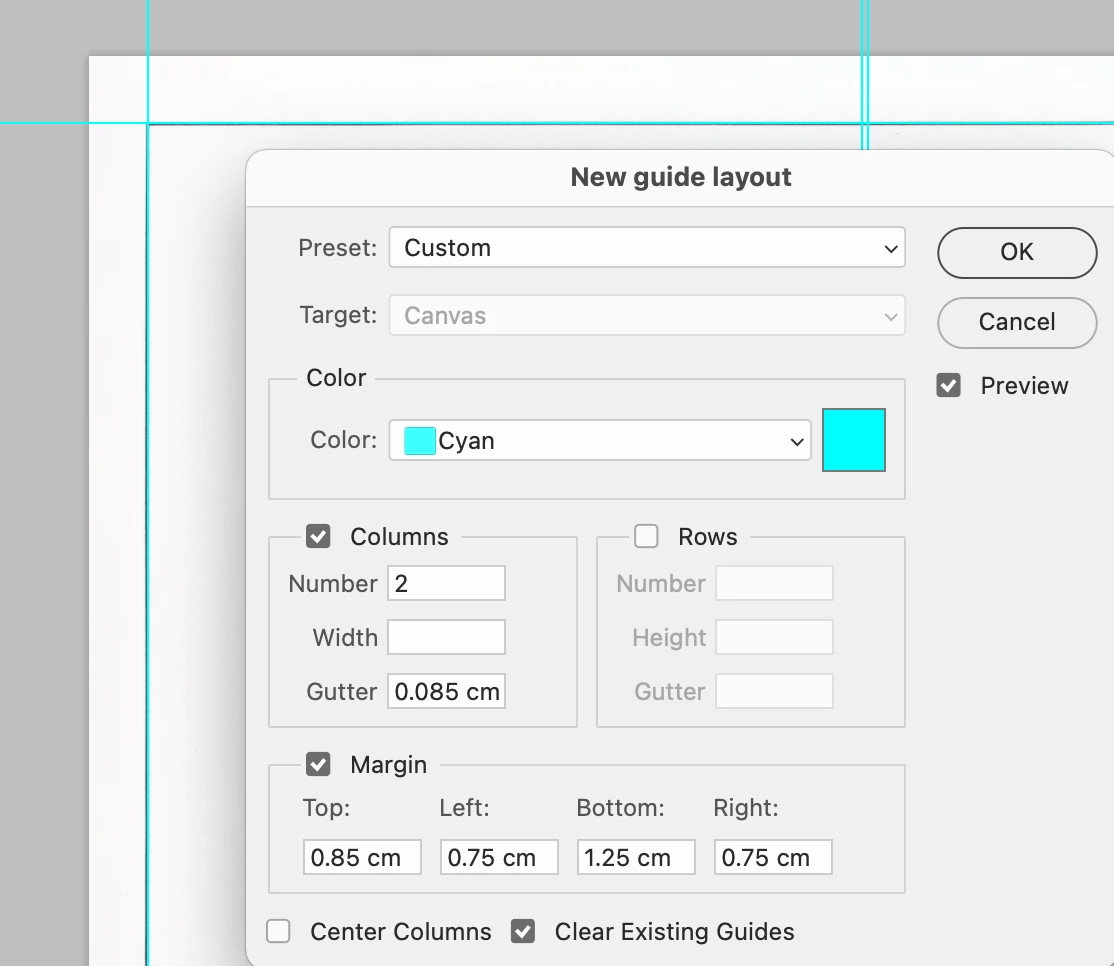
 

This topic has been closed for replies.

16 replies

CShubert
Community Manager
Community Manager
June 24, 2022

Hi @Xet, the team is working on an update for your issues and should be realeased in a future update.


Thank you,

CShubert
Community Manager
Community Manager
June 24, 2022

Hi @ARCC5, the team was able to reproduce your issue and have begun working on an update.


Thank you,

Xet
Participant
June 23, 2022

I just noticed that after updating to the latest version (23.4.1) on Windows, the guides no longer display the correct position in the tooltip next to them, and don't snap correctly to, for example, the edge of the document.


Here is an example:

And a video clip is attached to the post too.

CShubert
Community Manager
Community Manager
June 21, 2022

@ARCC5, the team has asked for more info on your issue. We are not able to reproduce what you are seeing. Any other info you can share about it would be welcomed.


It may help if we could see your Photoshop System Info. Launch Photoshop, and select Help >System Info...and copy/paste the text in a reply. 


Thank you,

CShubert
Community Manager
Community Manager
June 20, 2022

Thanks everyone, the team has beeen made aware of this and are researching.


Thank you,

Participating Frequently
June 20, 2022

The position of the auxiliary lines is no longer displayed when moving. Something is wrong with the masking mode. Scripts from the previous version no longer work. There is something grossly wrong with this update. In the old version 22.5.8 everything works.

CShubert
Community Manager
Community Manager
June 20, 2022

Hi @ARCC5, sorry you are having issues. Would it be possible for you to share more detail and srceenshots or videos of what you are seeing so the team can investigate?


Thank you,