Inspiring
March 10, 2022

P: Mixer Brush Not Working Corrrectly?

  • March 10, 2022
  • 53 replies
  • 14692 views

Hello, 


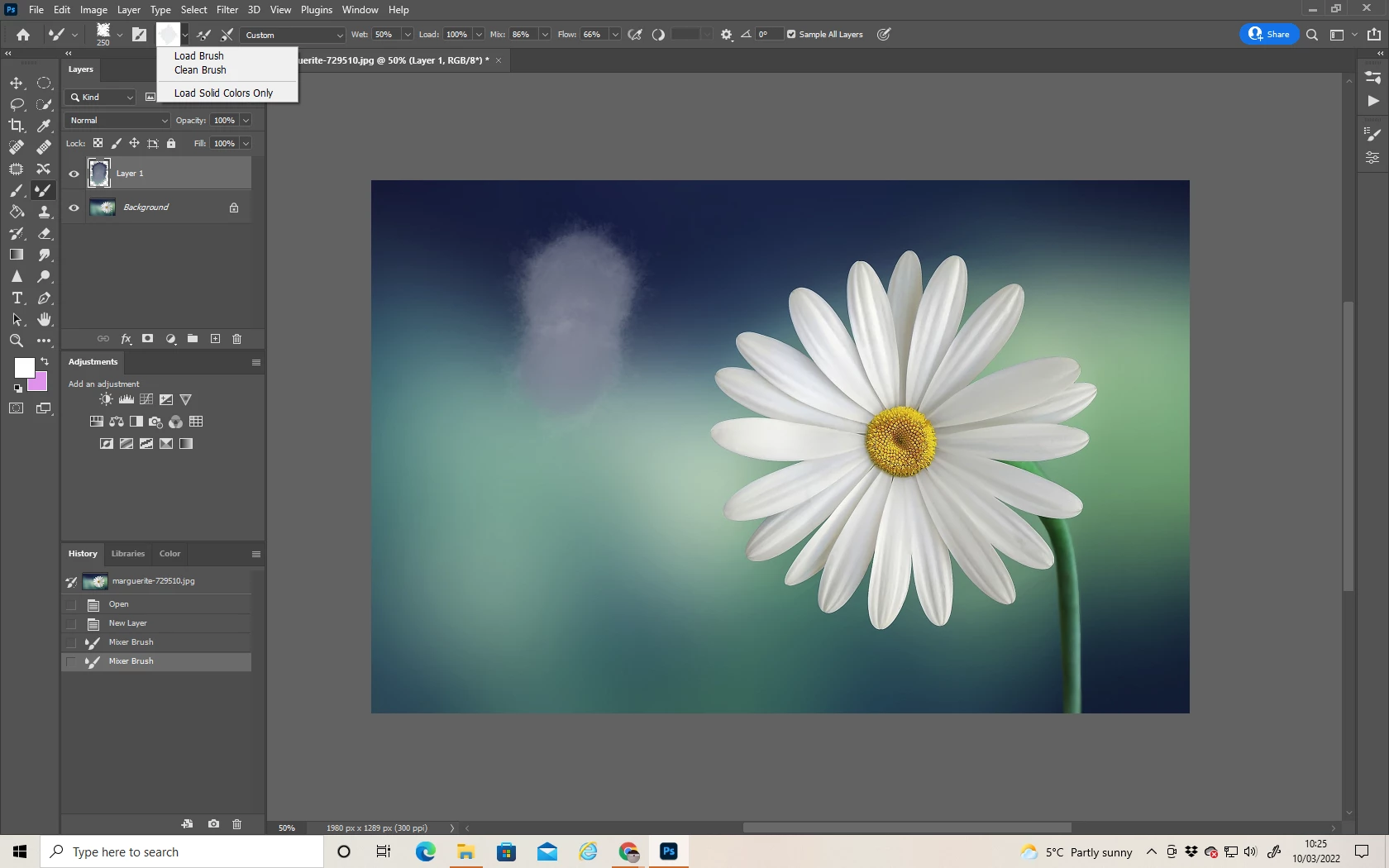
When I try to paint with a clean brush instead of picking up the colour from the base layer, it's selecting the foreground colour even though I've deselected it. 

Below you can see:

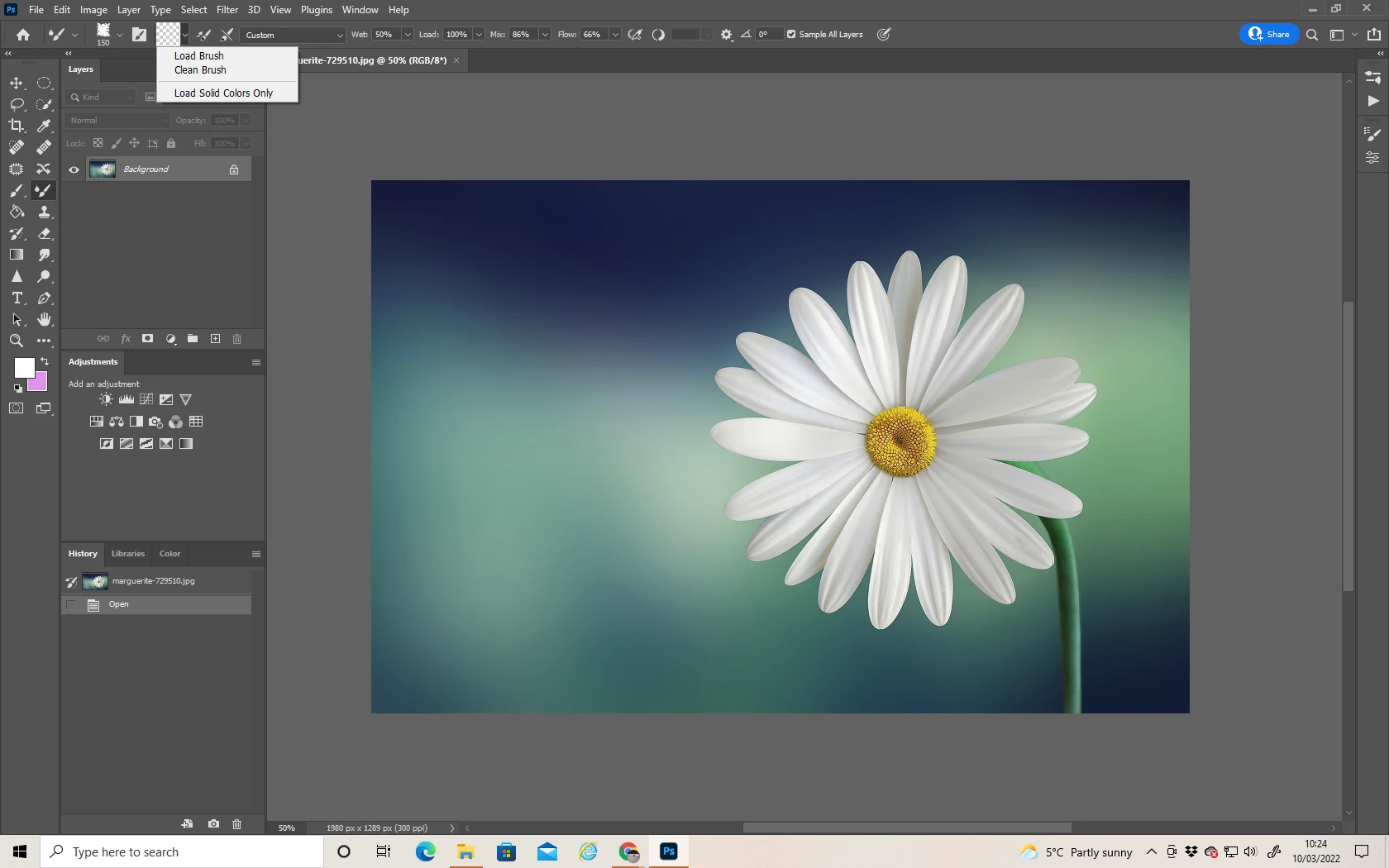
Image 1) I've a base layer.  An empty layer to paint on.  "Load Solid Colours Only" deselected. 

Image 2) It should sample from the base layer and allow me to paint with only those colours, but instead it's automatically using the foreground colour. 


Anyone else experiencing this bug and found how to fix it?


53 replies

Flowgun
Inspiring
October 9, 2025

Hello,
With the mixer brush set to "Load Solid Colors Only", and "Sample All Layers" turned on, I would expect it to be able to pick colors from the layers below, but that fails.
It is able to pick patterns from layers below when "Load Solid Colors Only" is unchecked, which leads me to think that this is a bug, since picking up a color should be a lot simpler, and since that would be the expected behavior when "Sample All Layers" is checked.

Participant
June 11, 2024

Hello, I'm so stuck at what to do I have tried all the tricks below and completely updated my photoshop and the mixer brush is still not staying clean, hopefully this can be fixed soon, thank you! 

Chad Rolfs
Adobe Employee
Adobe Employee
February 21, 2024

Thanks for continuing to push for this. I've escalated again to Dev and Product Management requesting prioritization.

Jqqerry
Inspiring
February 6, 2024

@annes52155099 I agree with you. I don't think it's trivial, either. It's inconvenient.

But since the bugs that make Photoshop so inconvenient to use at all (hand tool for example) are already continuing to the latest version, this thread has not been noticed by the big bugs, so I'm just working by adapting. Don't get me wrong.

Jqqerry
Inspiring
February 6, 2024

@annes52155099 This minor bug (?) started at about 23.0 in my memory. I don't think this will be on the revised list because it won't continue to be discussed. I'm used to it now, so I check it once in a while, and if it works wrong, press ctrl+Z to cancel the job.
If you want this bug back in the spotlight, you'd better record a video and make a new thread for you.

Participating Frequently
February 6, 2024
Ok I can record a video. It isn't minor by the way.


[signatureImage]
Participating Frequently
February 6, 2024

I get a whole lot of Adobe badges for interacting- complete nonsense. I don't want a badge I want the brush to work. 

Participating Frequently
February 6, 2024

I pay for software that doesnt perform. Why cant this be fixed. I have just enrooled in another course that I cant use becasue I cant get the brush to clean. What on earth!

Participating Frequently
February 6, 2024

This is stupid. How much do we all pay to have this problem. Why is this ignored? 

Participating Frequently
February 6, 2024

I cannot clean my mixer brush. version PS 25.4. what can I do please? 

Participating Frequently
January 9, 2024

Working on PS 25.3.1. I cannnot get any of the Kyle's brushes to clean if I change to a new brush. I have to go and press clean and make sure the square is transaprent each time. There is something very wrong.