This topic has been closed for replies.

62 replies

Participant
June 18, 2020


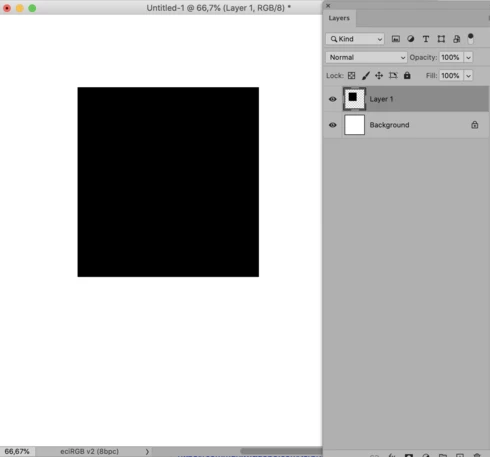
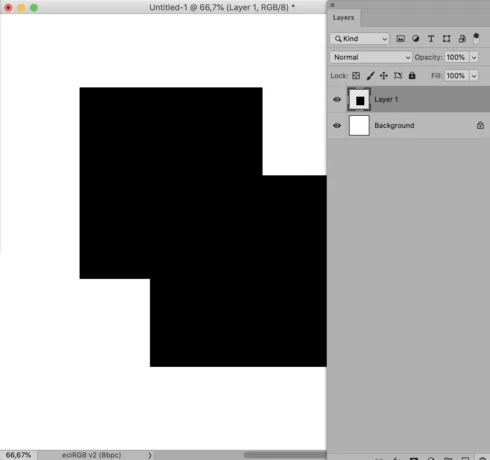
In the brand new Photoshop CC 21.2.0, if I attempt to make a change in a layer or add a layer, all of the layers duplicate themselves until I click the visibility icon of a lower label off and on which makes the duplicate disappear.

Konstantin Kosov
Participating Frequently
June 18, 2020


Changes are not displayed or are displayed incorrectly when masking or transparency of the top layer.

If I duplicate a layer, for example, and change the opacity on the top, or I apply a mask, or move it, then when the layer is turned on and off, the image contents are not displayed correctly.
For proper display, you have to turn off the visibility of all layers and turn it back on from the bottom in turn.
This makes it impossible to work.

Windows 10 x64 Pro.
Disabling GPU usage does not help.
Participant
June 18, 2020


Les calques affichés ne sont pas rafraichis
Participating Frequently
June 18, 2020


With the latest Photoshop update (21.2.0), I have serious problems regarding the visual refresh of the layers after even the slightest modifications. The previous version keeps showing up and everything is messed up.


Most of the times, I have to manually hide and unhide the layers below to make the previous version disappear.
ReneDamkot
Inspiring
June 18, 2020


MacPro 2010, OSX 10.14.6.

When editing a text layer, sometimes the 'old' version stays visible, although it's not in the layers panel. Might be triggered by cropping, not sure. I first saw it after straightening an image using the crop tool, then trying to level the text again.

Three video's of the issue.
1) Issue
2) at first everything is okay, then I use the crop tool and the issue comes up.
3) if you try to select the 'ghost' text, it disappears.

https://www.dropbox.com/s/tggqnl43immukeu/TextbugPSCC2020-1.mp4?dl=0
https://www.dropbox.com/s/nmh6ubr8mv80kun/TextbugPSCC2020-2.mp4?dl=0
https://www.dropbox.com/s/1irhg9dtxuu2dua/TextbugPSCC2020-3.mp4?dl=0
c.pfaffenbichler
Community Expert
Community Expert
June 18, 2020
Turning on Legacy Compositing helped a little,
As Kraeg indicated it might be another issue then, for me this particular problem boiled down to a newly introduced malfunction when Legacy Compositing in on. 
Kraeg
Known Participant
June 17, 2020
I had this same issue. It seems that turning OFF Legacy Compositing fixes it.
Legend
June 17, 2020
I've seen it once, restarting Photoshop fixed it.
Inspiring
June 17, 2020
I am having a similar issue where moving/transforming images and TEXT leave a "ghost" of the original (not shadow). Turning on Legacy Compositing helped a little, but not 100%. Clicking a background layer on/off gets rid of the ghosted text and images. I am on a 2017 iMac with the Radeon Pro 580 8 GB. The Performance prefferences window shows my GPU model and is active.  PS preferences file was reset and a fresh copy installed. No luck. Please help!
Studio1138
Participant
June 17, 2020


I just updated to the latest Photoshop CC. The new select subject feature has a major bug! When you select a subject, then move it to a different background, then try to move it around it make another copy of the subject!!! This needs to be addressed ASAP! Please help!!