This topic has been closed for replies.

62 replies

Participant
June 19, 2020


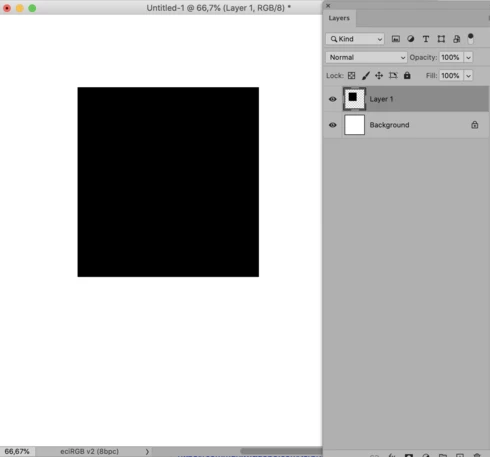
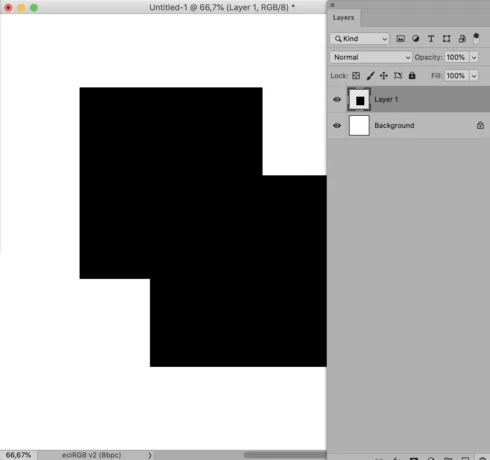
I have the latest version of adobe photoshop, 21.2, and my computer/operating system is catalina Mac OS...  10.15.5...  since downloading the latest photoshop version, when i'm working with layer masks, when i fill or brush within the mask, the real time effects do not show.  They are there because i can see them be painted onto the mask and if i afterwards toggle the layer visibility, they eventually show, so it is a real time rendering issue.  The layer mask is on the top layer, layer is not locked, brush mode is normal and opacity and flow are both 100%... so that rules out the conventional troubleshootings and as i said, if i toggle the layers, they eventually show the effect showing it was there, just not showing it.  Please advise adobe. 
Participant
June 19, 2020
IMPORTANT EXCEPTION and inconsistency:

-For documents created in 21.2: "Legacy Compositing" must be turned OFF

-For documents originally created in earlier versions: "Legacy Compositing" must be turned ON

This usually fixes the ghosting problem, BUT:
If it doesn't, the act of flipping it either way: ON->OFF or OFF->ON
'fixes' the problem.  

*Please* prioritize this glitch, it's grinding my productivity to a halt!
Participant
June 19, 2020
I can confirm, that unchecking "Legacy Compositing" fixes the issue. Thank you for your feedback!
Participant
June 19, 2020


When using the text tool to change text, the old text is not being correctly redrawn. It stays visible even though it has been replaced. The problem is solved by toggling the layer's visibility (eye icon). 
Inspiring
June 19, 2020


Since the most recent update I've been noticing that changes I make aren't always happening as soon as I make them. Yesterday it was graphic related and today it is effecting text layers. It happens with a google font, times new roman AND arial.

It LOOKS like there are two layers but there really is only the one.

Here's what happens if placeholder text is turned on.


Here's what it looks like when I change the font size


When I move a shape or resize it, there's also a ghost of it in the original space / size.

I've found the only thing that makes the original text go away is to make a layer invisible and then visible (turn it on and off again). If there is a way to remove this extra step I'd appreciate it. I have to do it after every little change.


Participant
June 18, 2020
Same here.
Kraeg
Known Participant
June 18, 2020
I can't speak for others, but for me I didn't need to restart. Just turning off Legacy Compositing solved it completely.
c.pfaffenbichler
Community Expert
Community Expert
June 18, 2020
Does turning off Legacy Compositing and restarting have any effect? 
Inspiring
June 18, 2020
I am having same issue, the turning off Legacy Compsiting, seems to have worked.  Mine was ON by default, btw. I don't remember ever turning it on.
Inspiring
June 18, 2020


When I try to move a smart object. A repeated object stays on the screen. This only happens after I've updated it to 21.2.0. Please fix this bug immediately.