

Jeff Arola
Community Expert
Community Expert
March 15, 2022

P: Photoshop 23.2.2 Share Button is distracting

  • March 15, 2022
  • 170 replies
  • 20905 views

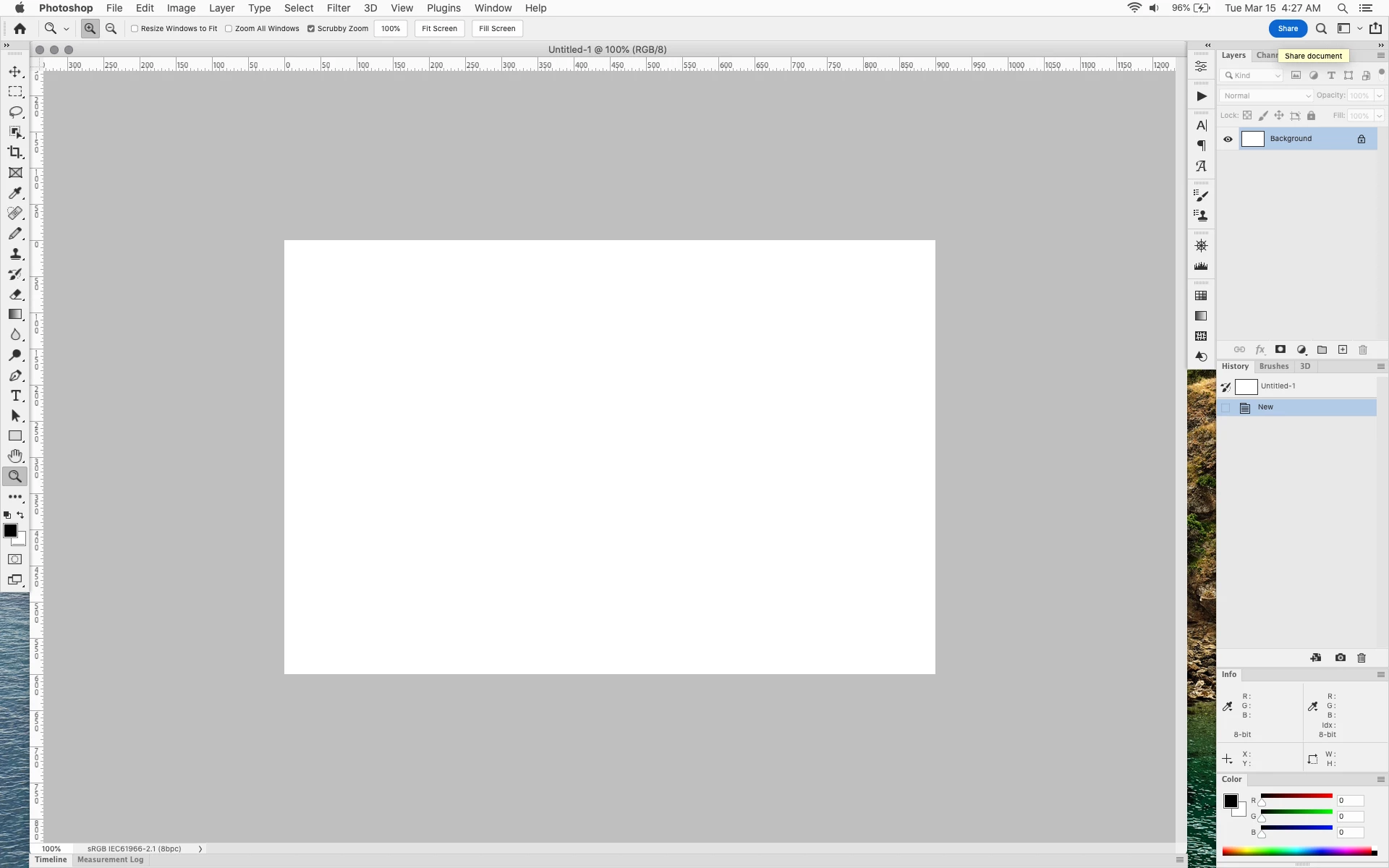
In photoshop 2022 (version 23.2), photoshop implemented a Blue Share button in the

top right corner of the app workspace that is supposed to turn into a button of the sme color as

the other tool options bar icons.


With the latest 23.2.2 update the Blue Share button does not go away after first use as described

on this page under Easily find the Share button


https://helpx.adobe.com/photoshop/using/whats-new/2022-1.html


I reset the photoshop preferences as i do after every photoshop update by trashing the preferences folder.


Share button that the Blue Share button is supposed to appear as after first use
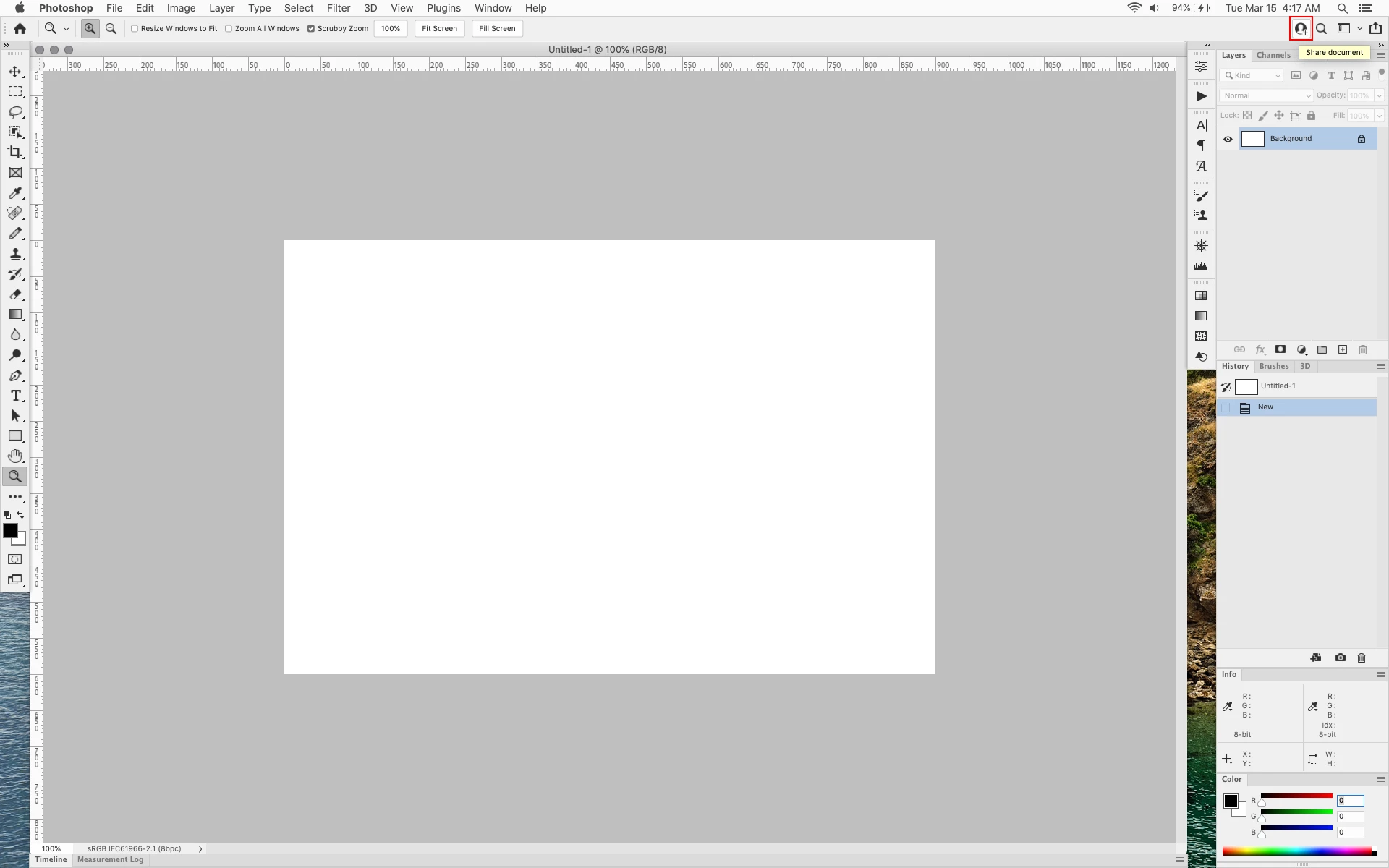


In the 23.2.2 update the button still stays as a Blue Share button after first use


170 replies

Kukurykus
Legend
March 17, 2022

Page not found (404): UIColors.txt

Kukurykus
Legend
March 17, 2022

Din't you want to link us to other thread (than the same we are in now)?

Legend
March 17, 2022

Fortunately, Photoshop allows us to change the color of most interface elements. The UIColors.txt file, located in the Required program directory, is responsible for the design.


Above I gave a link to a script with which you can quickly change the color of a button, I also uploaded the UIColors.txt file for those who do not want to deal with the script, but want to quickly solve this problem.


Share button fix 

Ged_Traynor
Community Expert
Community Expert
March 17, 2022

@jeremyp1470049 

You can revert to version 23.2.1 from the Creative Cloud app until Adobe fix the bug.

Inspiring
March 17, 2022

We work in a neutral color managed environment. I have arranged my workspace to be virtually free of any color except for gray. Why is there a blue button on my UI that I can't get rid of?

Inspiring
March 17, 2022

I've been thinking of getting some postits 

Inspiring
March 17, 2022

Please switch the SHARE button to a middle gray.  This bright blue is surprisingly effective at distracting from my work.  Adobe obviously knows that their interface should be nearly monochrome; that's why they allow for it to be largely middle gray.  


This SHARE button is putting their corporate goals of forcing us to use adobe's cloud storage servers over the actual usefulness of the program.  Please upvote to have Adobe switch the button back to dark gray, or remove it entirely.  

Ged_Traynor
Community Expert
Community Expert
March 17, 2022

Hi @jeremyp1470049 

It's a bug Adobe introduced while fixing other bugs, Adobe are renowned for this, fix some bugs and introduce other bugs at the same time, QA is not one of Adobe's strong points I'm afraid, in fact it's pretty non existent

https://community.adobe.com/t5/photoshop-ecosystem-bugs/p-photoshop-23-2-2-share-button-is-distracting/idi-p/12813672

Kukurykus
Legend
March 16, 2022

It distracts me, not because I don't like it, but because it 'aggressively' invites me to click it!

Kukurykus
Legend
March 16, 2022

Your first serious scripting thread is going to be reborn, at least to next update...

Participating Frequently
March 16, 2022

this is AWFUL... adobe needs to quit trying to FORCE AWFUL FEATURES we don't want DOWN OUR THROATS with no way to remove or disable them. i dont pay $50+ a month to stare at the BRIGHT BLUE BUTTON you try to force me to look at while i DO MY JOB.


FIX THIS IMMEDIATELY.