

Jeff Arola
Community Expert
Community Expert
Mar 15, 2022 7:55 AM UTC
Released

P: Photoshop 23.2.2 Share Button is distracting

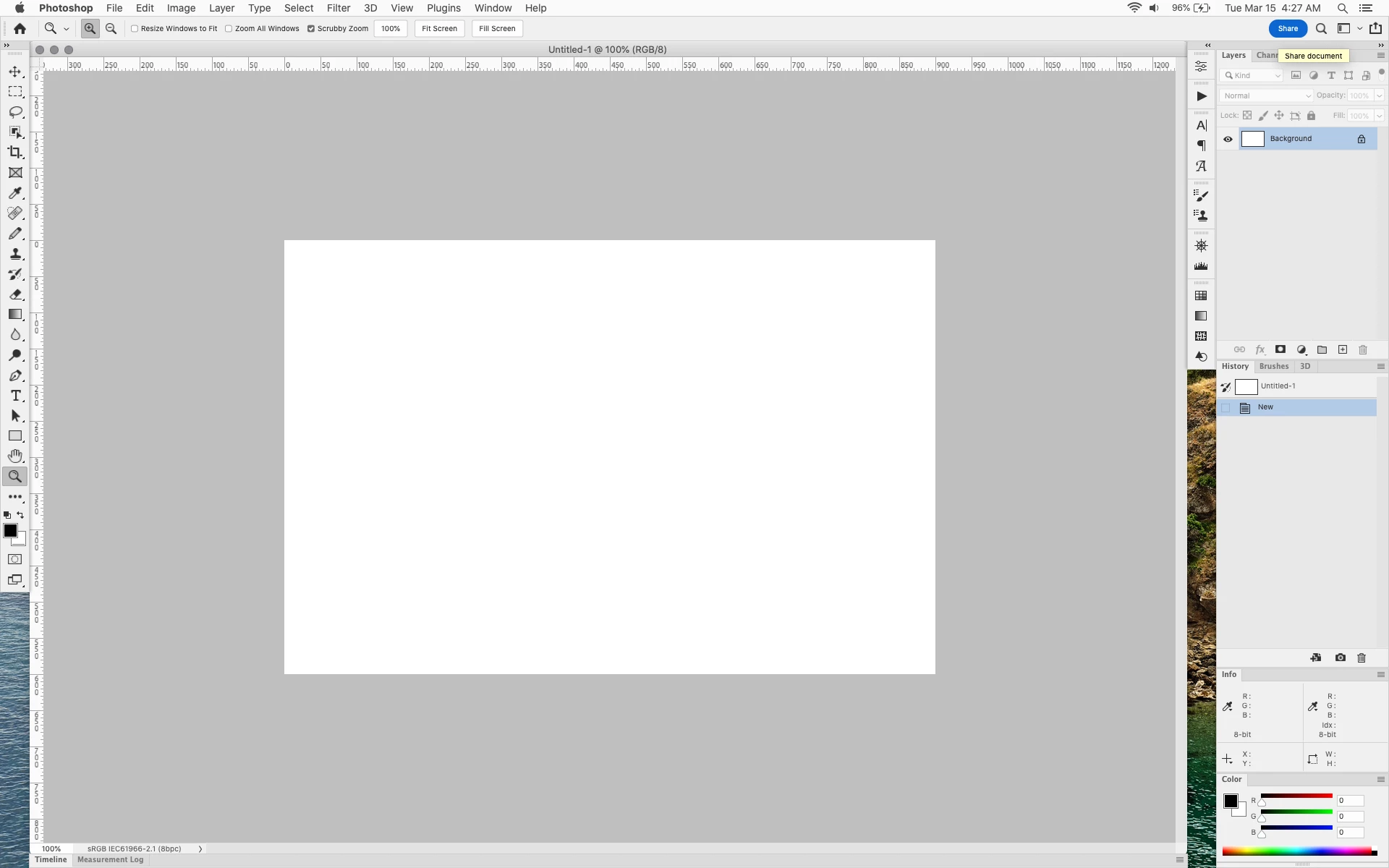
In photoshop 2022 (version 23.2), photoshop implemented a Blue Share button in the

top right corner of the app workspace that is supposed to turn into a button of the sme color as

the other tool options bar icons.


With the latest 23.2.2 update the Blue Share button does not go away after first use as described

on this page under Easily find the Share button


https://helpx.adobe.com/photoshop/using/whats-new/2022-1.html


I reset the photoshop preferences as i do after every photoshop update by trashing the preferences folder.


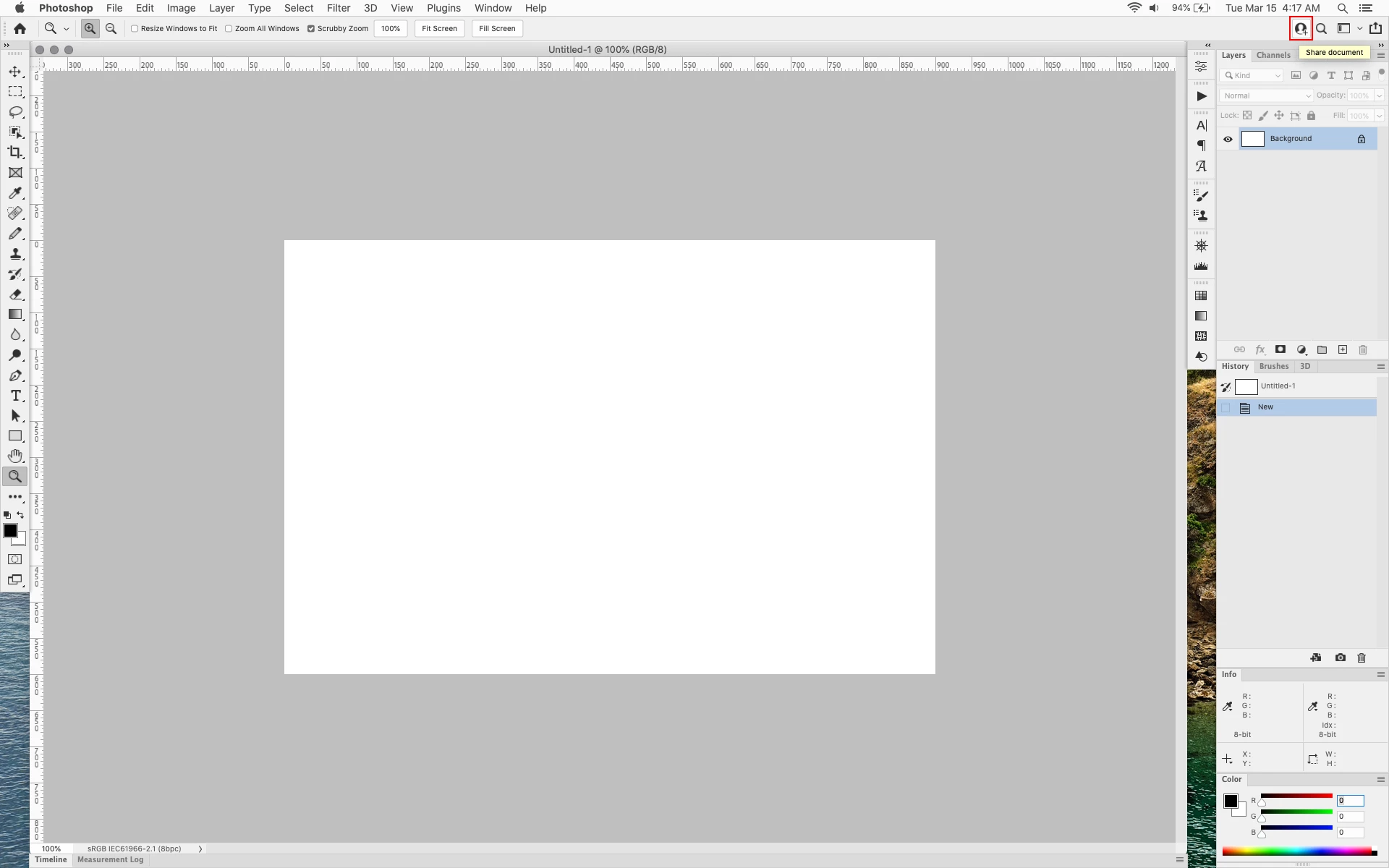
Share button that the Blue Share button is supposed to appear as after first use


In the 23.2.2 update the button still stays as a Blue Share button after first use


206 replies

Legend
Mar 19, 2022 8:56 PM UTC

@Ged_Traynor I started a discussion with the folks on that feature. I'll let you know what I find out.

Translate
Ged_Traynor
Community Expert
Community Expert
Mar 19, 2022 7:46 PM UTC

@J453

Is it Adobe's intention to not let users disable this silly unwanted Share button, in Photoshop beta 23.3 there's no option to disable it like we can in version 23.2.1.

What engineer actually thought this is a good idea and how did it pass QA, do Adobe engineers actually use Adobe products?

At least give us the option to hide/remove it.

Translate
Earth Oliver
Legend
Mar 19, 2022 6:39 PM UTC

This is such a perfect and shining example of how detached the current Adobe teams are from the people who use the apps all the day, every day. They're now designing the UI for those folks who may open the app once a week or month, instead of respecting those of us who spend our lives staring at the screen and depend on it for putting food on the table. So frustrating.
Meanwhile, one of the most useful additions to the UI (Discover) is sitting right next to the glaring SHARE button and I imagine most of the users who need it have yet to discover it. 

Translate
Known Participant
Mar 19, 2022 4:36 PM UTC

Wasted several hours with chat "support" until finally found this thread.

Nice to know that I'm not crazy. KILL THE BRIGHT BLUE BUTTON!

jazz-y's UIColor.txt to the rescue...

Translate
D Fosse
Community Expert
Community Expert
Mar 19, 2022 12:48 PM UTC

Hah! Got it, the little...I have a couple of icon auto-collapse panels, and I just slide them over that pesky button. There, be gone 😄


Oh, wait...

Translate
Kukurykus
Legend
Mar 19, 2022 10:42 AM UTC

Fans of Minecraft would disagree, so pray the designer of the button is not one of them 😄

Translate
Ged_Traynor
Community Expert
Community Expert
Mar 19, 2022 10:42 AM UTC

Just installed Photoshop version 23.3 beta and I'm afraid the blue button is still there and it won't go away in that version either, unless Adobe change that before release


Translate
davescm
Community Expert
Community Expert
Mar 18, 2022 11:24 PM UTC

@Derek Cross  I can :


Not only is it blue but the edges are horribly pixelated compared to other tools and UI elements. A most amatuer and distracting button, that deserves a place in a 1980s game not in a modern image editing application.

Translate
Inspiring
Mar 18, 2022 6:48 PM UTC

I just contacted the Adobe help and was then forwarded here for giving feedback to Adobe ... Perhaps this is the right place, although my "problem" is not a big one but rather irritating: I'm wondering why I cannot get rid of the stupid blue intruding button in the sleek dark gray Photoshop working space, especially as I'm not sharing anything with anyone!


[moved from Photoshop "Discussions" to Photoshop "Bugs" by moderator]


Translate
tuomasvirtanenNET
Derek Cross
Community Expert
Community Expert
Mar 18, 2022 6:54 PM UTC

Can you post a screen shot of "the stupid blue intruding button" please?

Translate
courageous_youth15A7
Known Participant
Mar 17, 2022 10:45 PM UTC

So, new update for PS - this nuisance is still there... *sigh*

Translate