

Jeff Arola
Community Expert
Community Expert
March 15, 2022

P: Photoshop 23.2.2 Share Button is distracting

  • March 15, 2022
  • 170 replies
  • 20901 views

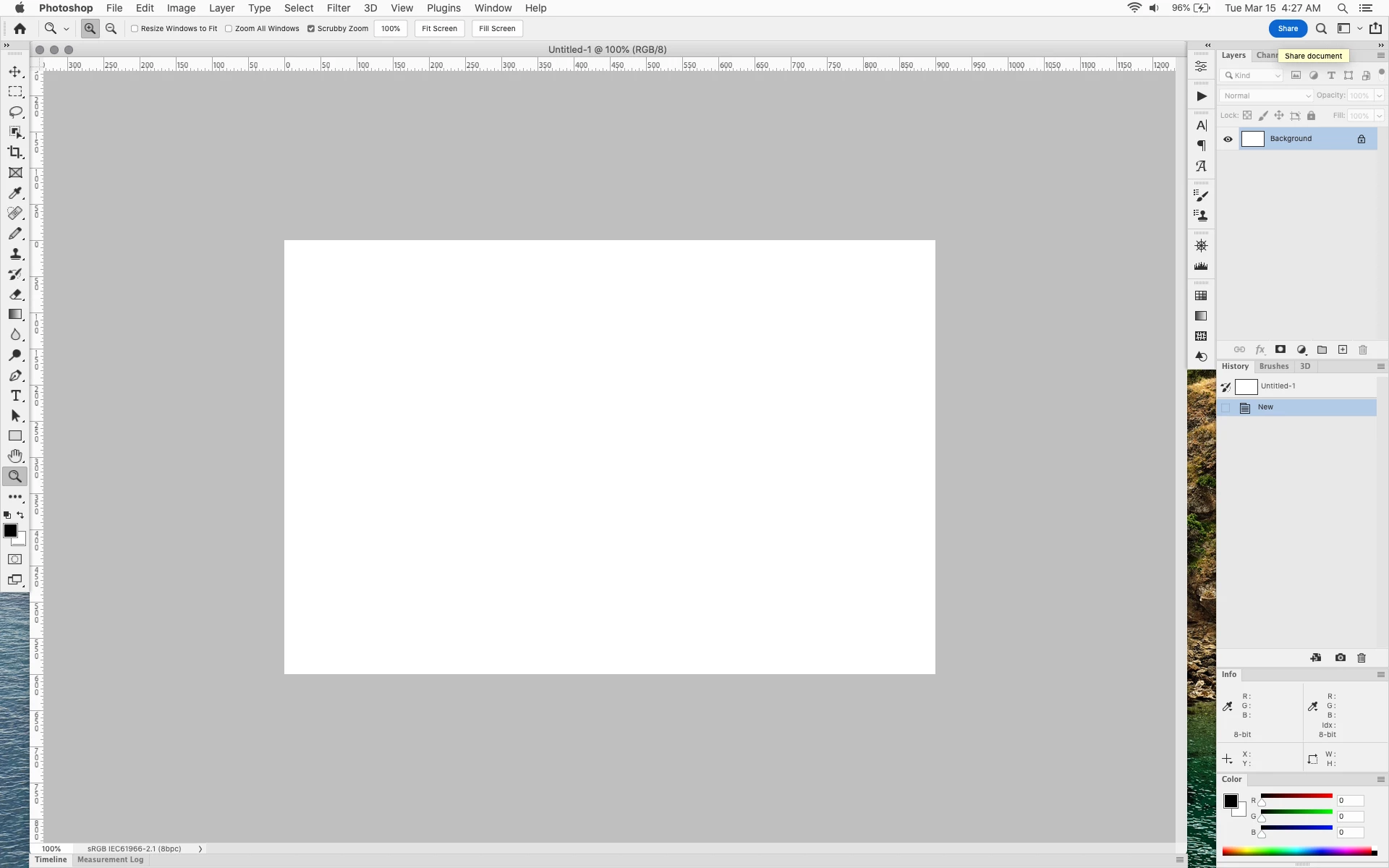
In photoshop 2022 (version 23.2), photoshop implemented a Blue Share button in the

top right corner of the app workspace that is supposed to turn into a button of the sme color as

the other tool options bar icons.


With the latest 23.2.2 update the Blue Share button does not go away after first use as described

on this page under Easily find the Share button


https://helpx.adobe.com/photoshop/using/whats-new/2022-1.html


I reset the photoshop preferences as i do after every photoshop update by trashing the preferences folder.


Share button that the Blue Share button is supposed to appear as after first use
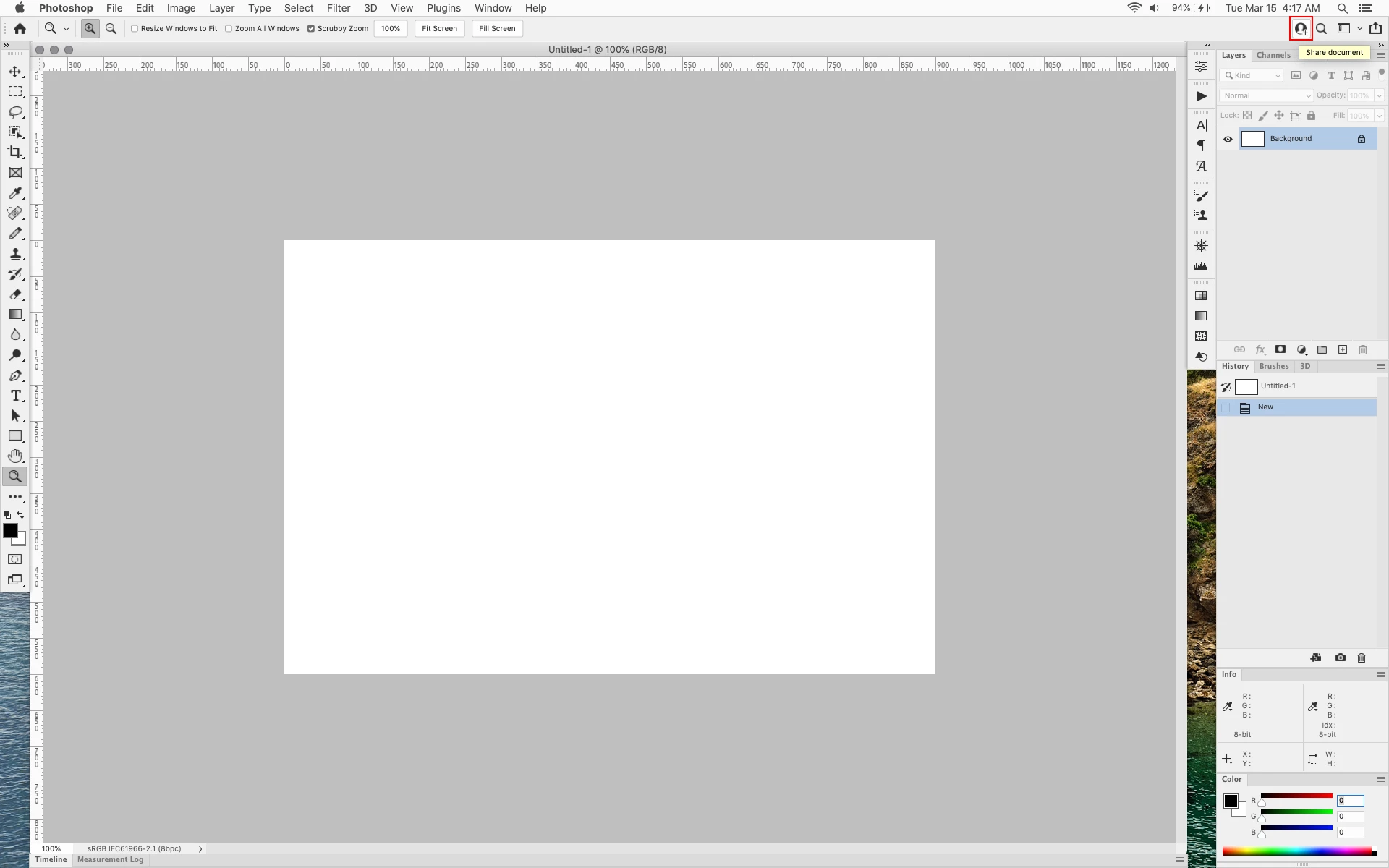


In the 23.2.2 update the button still stays as a Blue Share button after first use


170 replies

Kurt Lang
Known Participant
March 20, 2022

Hahaha! Yes, they do the same thing. Now I'm wondering, where did you find that panel? I don't see it anywhere. Much easier too, to do this from the palette than manually playing with the text file.

Legend
March 20, 2022

@Kurt Lang , c-c-combo! 🙂

Kurt Lang
Known Participant
March 20, 2022

Ah! Got it. Believe it or not, that value is near the top of the text file under the White heading.


I didn't play with that one before since I assumed it was a global entry. But it only changes the text on the Share button. So by changing all of the values from 255 to 0, you get this:


Legend
March 20, 2022

As white, it uses (oddly enough) global white 🙂 I did not find a single interface element that it would affect, except for this button, so it can be changed, for example like this:


However, I did not change it, since the effects of such a replacement may appear in some unexpected place.

Kukurykus
Legend
March 20, 2022

I use black theme as well so no problem for me, but those with white can be little unhappy: Mar 16, 2022

Kurt Lang
Known Participant
March 20, 2022

That I don't know. The white text doesn't bother me, so I didn't try to find what part of the text file holds that data. Just getting rid of the blue was enough for me. Though I do agree getting the white text also muted back would be nice.

Kukurykus
Legend
March 20, 2022

The only problem with this trick is you can't change 'share' name to black font, can you? I mean there are 4 default Color Themes, 2 light and 2 dark. When setting the dark you end up correctly with white letters, but when switching to light it remains white, while it should turn into black, so like other interference names.

Kurt Lang
Known Participant
March 20, 2022

Without much work, the user can fix this themselves. The link for the text file from Github in this topic is where this secondary method came from, but you don't need to download anything, and can make the button color any RGB value you want. These instructions are from a Mac. Sorry, I can't tell you the correct path to the file in Windows.


Close Photoshop!


1. Open this folder:


/Applications/Adobe Photoshop 2022/Adobe Photoshop 2022.app/Contents/Required/


To get there, you'll have to right click on the Photoshop app and choose Show Package Contents.


2. Double click the file UIColors.txt in the Required folder to open it in TextEdit. Then do a search for Share. That will jump you right to the section you want to change.


Here, I changed the RGB values to 100 for each so it would be a darkish gray. When you initially try to change anything, you'll first see this message:


Click Duplicate and TextEdit will open a duplicate document with copy appended to it. Make your changes to the RGB values and save your altered file to the desktop.


3. Go back to the desktop and delete the original UIColors.txt file (there's really no reason to save it). Rename your altered text file to remove "copy" so it's back to UIColors.txt and drop it into the folder where the original was.


Now when I open Photoshop, I get this nicely muted Share button.


You might want to save your alterted copy of UIColors.txt as an update to PS may overwrite your file. Then you can replace it without having to do all of the steps again.

Participating Frequently
March 19, 2022

this needs to be reverted and remedied IMMEDIATELY. its unacceptable to have an INTRUSIVE ANNOYING EYESORE like this FORCED UPON paying users. one of the hallmarks of adobe software has always been the ability of the user to COMPLETELY CUSTOMIZE the tools and interface to the manner that allows them to best PERFORM THEIR JOB.


having a BRIGHT BLUE SHARE BUTTON for a feature i DONT WANT and will NEVER USE is one of the most shameful displays of OVERREACH and DISRESPECT for the customer that i have ever seen from adobe.


FIX THIS.

Ged_Traynor
Community Expert
Community Expert
March 19, 2022

@J453 

I do hope Adobe undo or at least let us disable this annoying feature, Photoshop always had along with all Adobe applications a neutral interface, we don't need pixelated blue buttons.