



Jeff Arola
Community Expert
Community Expert
March 15, 2022

P: Photoshop 23.2.2 Share Button is distracting

  • March 15, 2022
  • 170 replies
  • 20899 views

In photoshop 2022 (version 23.2), photoshop implemented a Blue Share button in the

top right corner of the app workspace that is supposed to turn into a button of the sme color as

the other tool options bar icons.


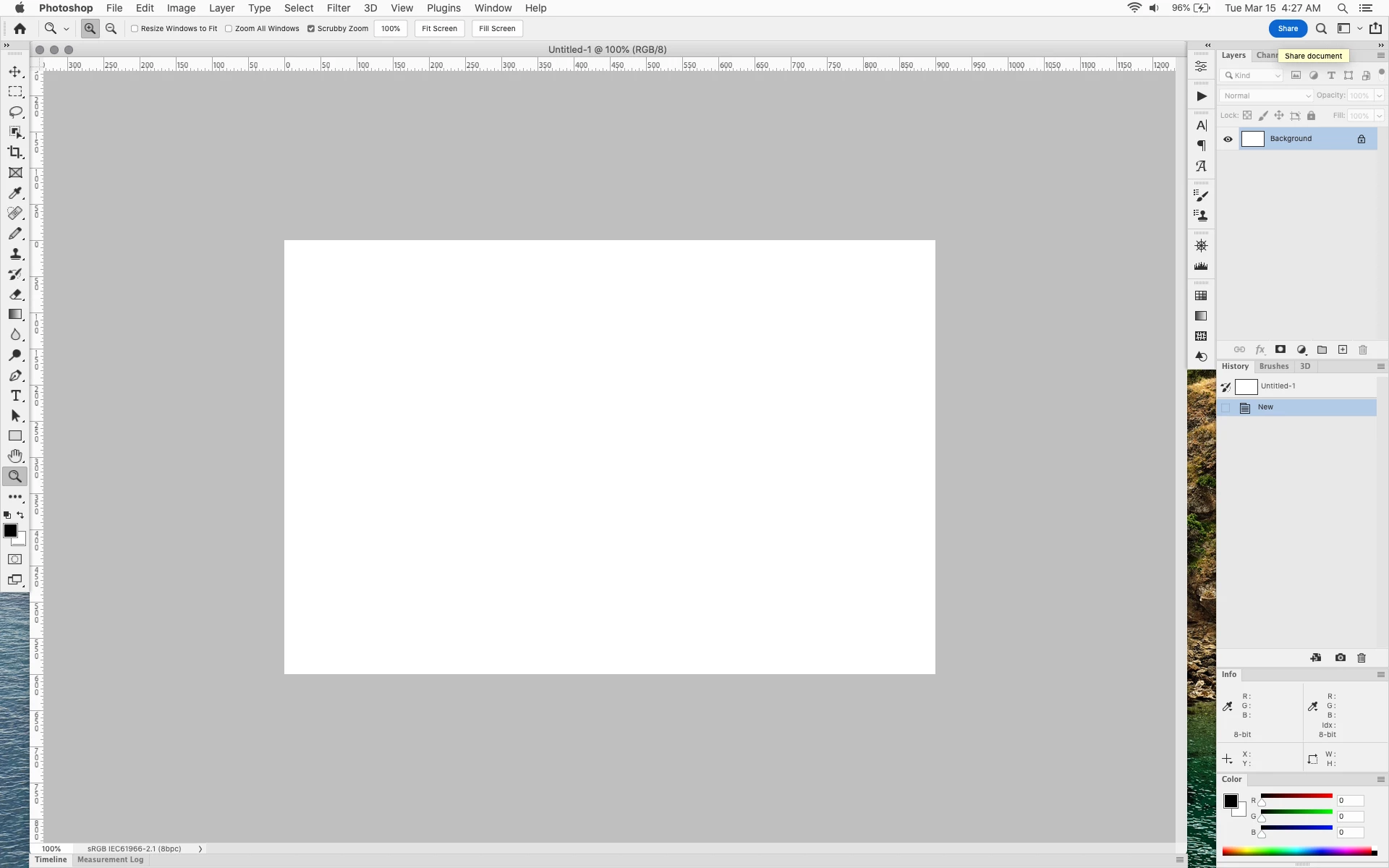
With the latest 23.2.2 update the Blue Share button does not go away after first use as described

on this page under Easily find the Share button


https://helpx.adobe.com/photoshop/using/whats-new/2022-1.html


I reset the photoshop preferences as i do after every photoshop update by trashing the preferences folder.


Share button that the Blue Share button is supposed to appear as after first use
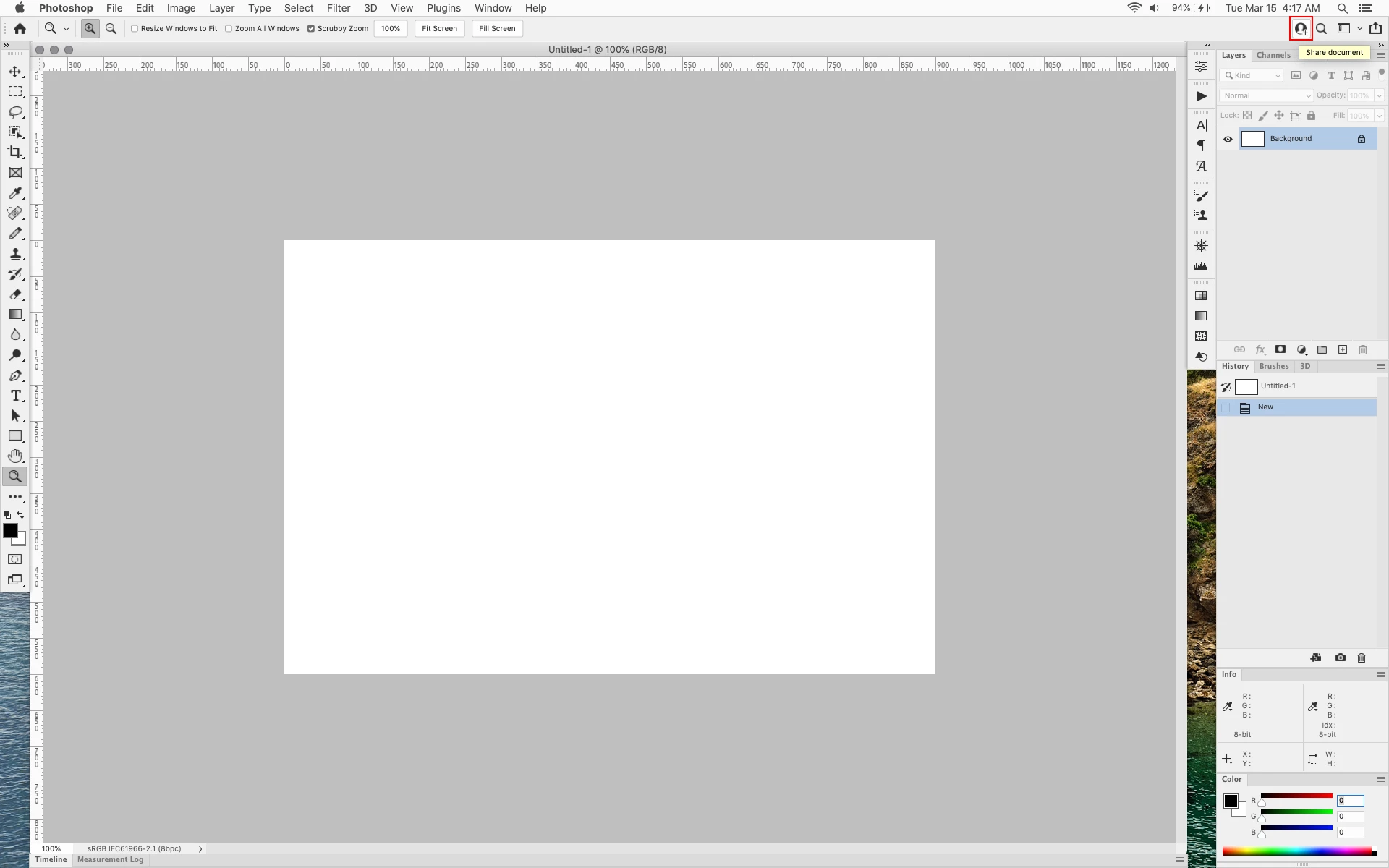


In the 23.2.2 update the button still stays as a Blue Share button after first use


170 replies

D Fosse
Community Expert
Community Expert
June 14, 2022

Yeah, well, I suppose... 😄


Anyway - modifying UIColors.txt still works, but you have to make a new one because it now has two added sections.

Participant
June 14, 2022

This is the equivalent to your fridge all of a sudden having an ugly gnome in it that poops into your lasagna. You don't know why the gnome suddenly is in your fride, and contrary to all the other items in your fridge, the gnome is also screwed in, so it cannot be removed. So you now have less space, and you have a gnome pooping into your lasagna.

Ged_Traynor
Community Expert
Community Expert
June 14, 2022

@D Fosse Thanks, I missed the new sections in the UIColor file 👍

D Fosse
Community Expert
Community Expert
June 14, 2022

Phew!! It still works here - only now you have five sections to modify instead of just three.


Maybe we should keep this quiet so they don't make it impossible to change, like they once did with the splash screen image... 😉

Participant
June 14, 2022

They added some new elements to file UIColors

You need to create new UIColors file

Ged_Traynor
Community Expert
Community Expert
June 14, 2022

"Anyone tested the UIColors.txt workaround yet?"

Just tried it and it turns the button black now 🙄


It's gone mad altogether, open a document and it goes blue, close the document and it flashes and goes back to not been blue.

D Fosse
Community Expert
Community Expert
June 14, 2022

Now it flashes like crazy on opening, then eventually settles on white.


This must be really important to them. Apparently they're trying to push as much as possible to an online workflow, one way or another. It ties in with the new save to cloud by default.


I suppose this is the best we can hope for under the circumstances. Anyone tested the UIColors.txt workaround yet?


EDIT Oh OK, it goes back to blue when you open an image - and with the crazy flashing again! This is worse than before!

Participant
June 14, 2022

Yes, that's how it is. I have been looking forward. But was disappointed again. Great job adobe.

Ged_Traynor
Community Expert
Community Expert
June 14, 2022

Looks like it's changed in version 23.4, well sort of, it's blue when you open Photoshop and then changes colour after a couple of seconds, well for me at least.

jane-e
Community Expert
Community Expert
June 12, 2022


@freewheeler 

"Thank you Jane- a few thoughts."


I haven't seen any votes for keeping it either!


I will add, though, that we don't know what Adobe is doing behind the scenes, as they don't pre-announce their announcements. We can only hope. And Upvote.


Jane

Forum volunteer