



Jeff Arola
Community Expert
Community Expert
March 15, 2022

P: Photoshop 23.2.2 Share Button is distracting

  • March 15, 2022
  • 170 replies
  • 20899 views

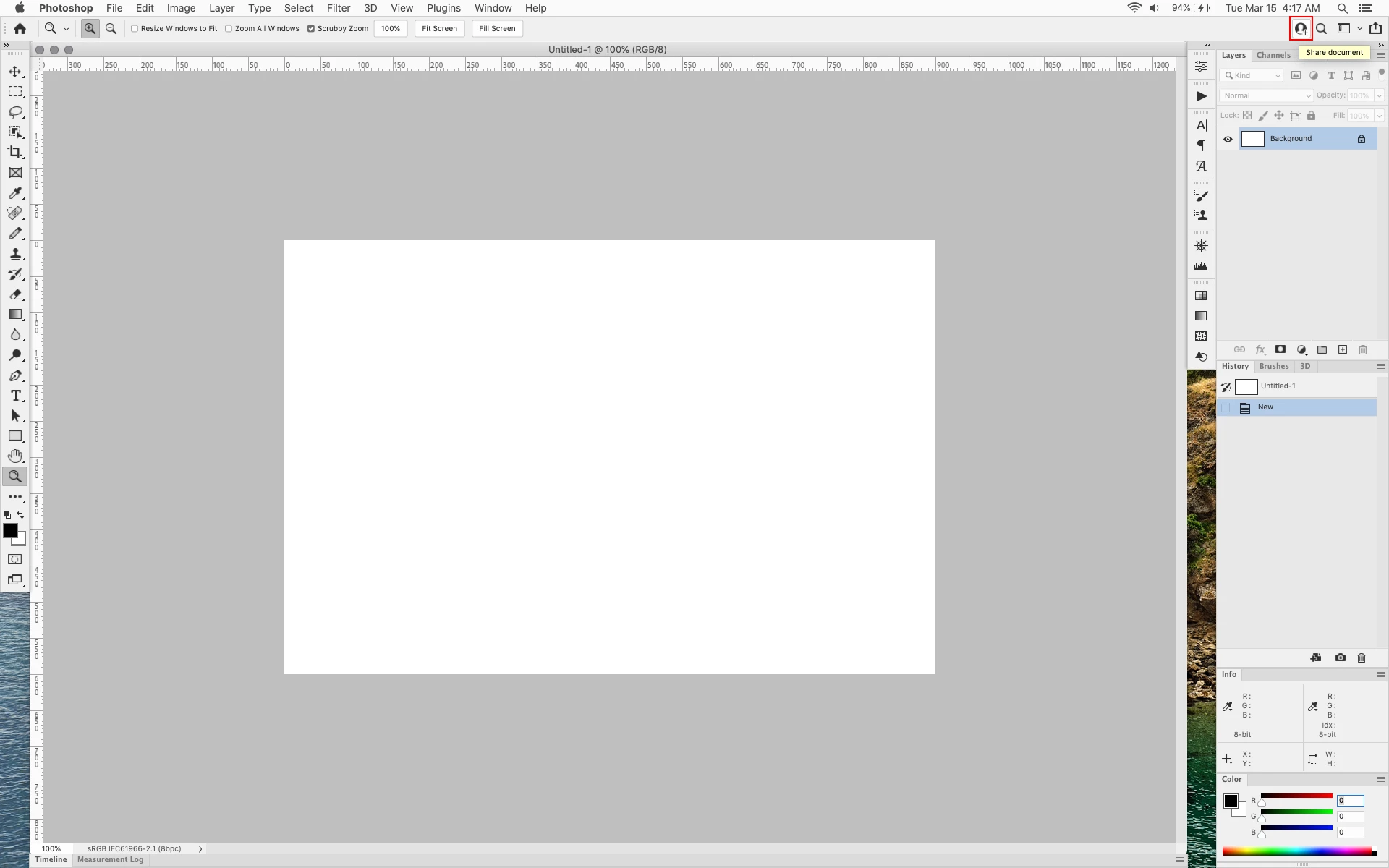
In photoshop 2022 (version 23.2), photoshop implemented a Blue Share button in the

top right corner of the app workspace that is supposed to turn into a button of the sme color as

the other tool options bar icons.


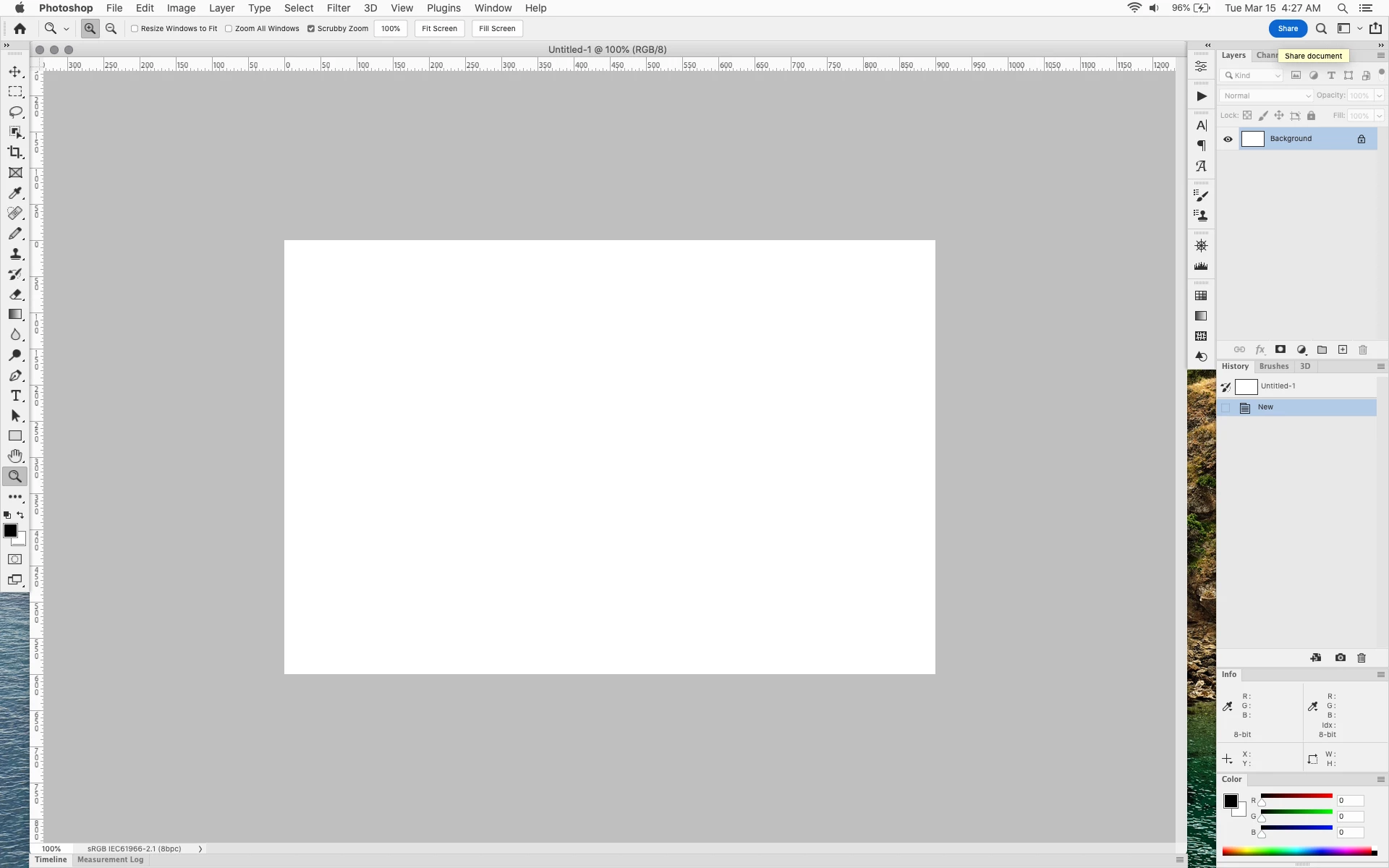
With the latest 23.2.2 update the Blue Share button does not go away after first use as described

on this page under Easily find the Share button


https://helpx.adobe.com/photoshop/using/whats-new/2022-1.html


I reset the photoshop preferences as i do after every photoshop update by trashing the preferences folder.


Share button that the Blue Share button is supposed to appear as after first use


In the 23.2.2 update the button still stays as a Blue Share button after first use


170 replies

Known Participant
June 12, 2022

Thank you Jane- a few thoughts.

1. Every upvote surely represents many more that agree but either don't bother or haven't found this thread.

Maybe Adobe can use its advanced analytics tools to determine how many thousands?


2. We're just asking for the OPTION to modify the interface. You know,

the kind of thing CREATIVE people need, and the hallmark of refined software.


3. I see ZERO upvotes for keeping the distracting blue button.


4. Your botched blue button is akin to having ads appearing while we try to work (don't get any ideas)!


5. Here's a simple TEST that may prove helpful. Stand behind whoever "designed" this button while they're VERY, VERY BUSY. Every THREE SECONDS ask them "Am I bothering you? Am I!? Huh? Am I BOTHERING you!? Continue this uninterrupted while your customers beg you stop......welcome to our world.

Ged_Traynor
Community Expert
Community Expert
June 12, 2022

@D Fosse Fixed that for you 🤣

D Fosse
Community Expert
Community Expert
June 12, 2022

68 votes...not a lot. It should have been 680. Come on, we need more votes!

Stephen Marsh
Community Expert
Community Expert
June 12, 2022

It's obviously not a bug – it was intentionally programmed to be put there in all of its blue glory. This topic should have been created as an "idea" and not a "bug" IMO. Either way, voting for the main topic is the official recognition that Adobe monitors (not upvoting comments in the body of the topic).

jane-e
Community Expert
Community Expert
June 12, 2022


@Johannes24830895b9o3 wrote:

not a single person working at adobe reads the bugs forum?


The feedback forum and user forums were combined last August. Adobe staff is active on the Photoshop forum and does read the Bugs section. They have added the "P: " (for "primary") and are following this post. Be sure to click the upvote button at the top. (I have!)


Jane


Participant
June 12, 2022

not a single person working at adobe reads the bugs forum? if so, how do we as users communicate with adobe that this is absolutely unacceptable - start spamming on twitter?

Derek Cross
Community Expert
Community Expert
June 12, 2022

This is a user to user forum, you are not addressing Adobe on here.

Participant
June 12, 2022

If you work as adobe, and you care about photoshop as a product, you should do everything in your power to make sure whoever okayed this decision to add a non-removable, brightly blue button designed entirely to weave people into your product with features that are obnoxious and unrequested, gets to hear that this is a great sign of a company / product going down. your customers are not that stupid, its going to be a long process, but if this kind of thing keeps happening, you will lose people. its embarassing.   

Legend
May 25, 2022

Workarounds to fix it have been posted.

jamesk81258856
Participating Frequently
May 25, 2022

Get rid of this eyesore of a button that I will never use!