
Yustas240
Inspiring
December 28, 2017

P: Photoshop 23.3 opens images with everything in white color.

  • December 28, 2017
  • 150 replies
  • 77262 views

Hey!

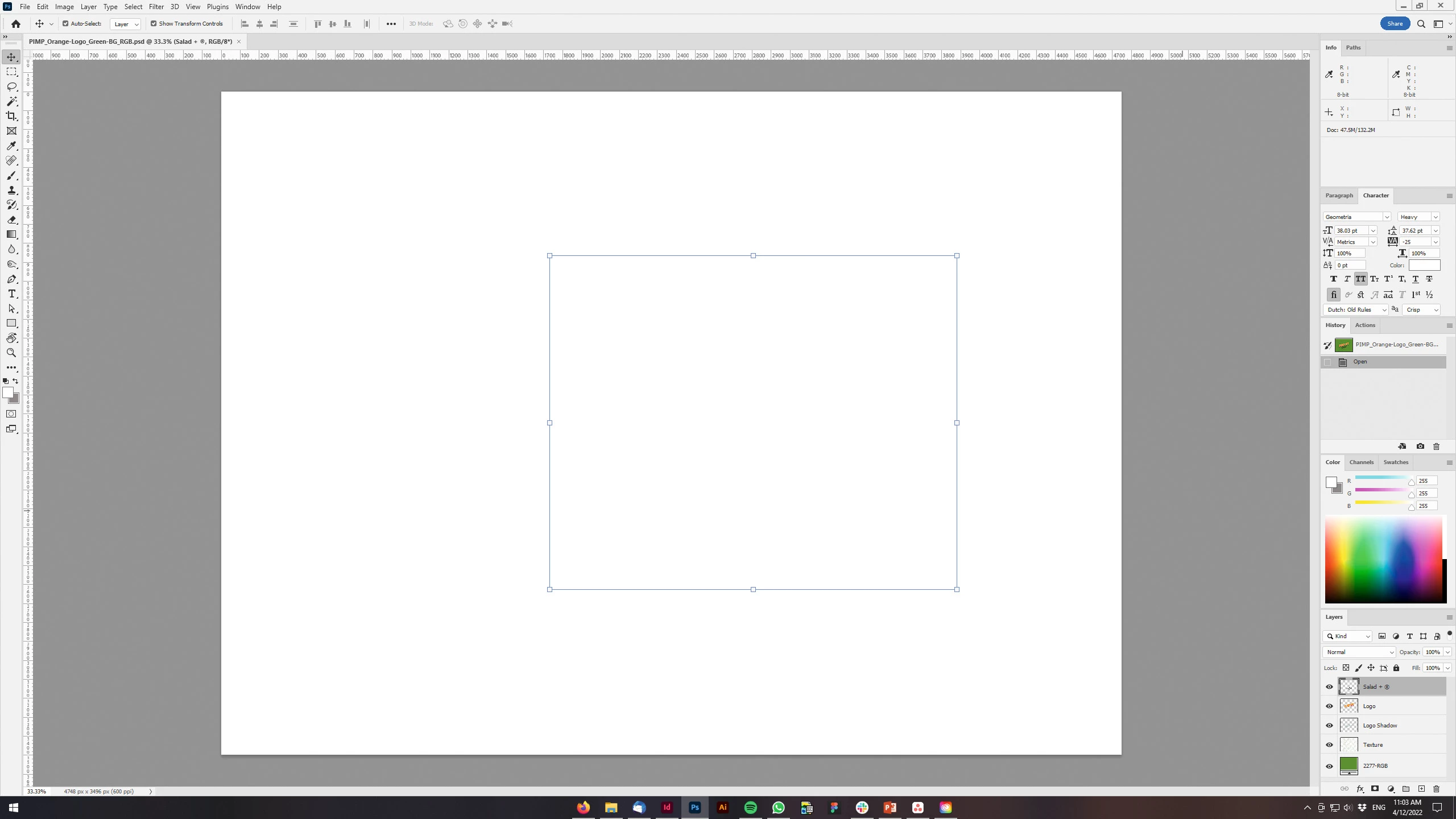
Just updated my Photoshop to 23.3 version. And when I'm trying to open any RGB file - it opens with all layers colored in white color. Seems like RGB is not active at all.

IF I transfer it into CMYK - all good.


Windows 10 Home.

Below is the print screen of RGB file turned into CMYK. Cuz I was unable even to make a printscreen in RGB.
 

150 replies

Inspiring
April 14, 2022

Well, it worked, I unticked GPU compositing. Nice bug you included into your update! I spent all afternoon yesterday trying to get this fixed with a person from Adobe! Finally had to revert to the previous version. M

ust say, I wasn't happy then and am still a little perturbed! Please do not "fix" things that are not broke!

Community Manager
April 14, 2022

Thanks to all who are sharing details. For anyone else experiencing the issue, please:

- Ensure your GPU drivers are up to date

- Share your system info here (launch Photoshop, and select Help >System Info...and copy/paste the text in a reply)

- Turn off GPU compositing as others have mentioned, if GPU driver updates don't help


For anyone who already solved the issue by turning off GPU compositing, I recommend still checking your GPU driver and letting us know if any update fixed it. 

Ged_Traynor
Community Expert
Community Expert
April 14, 2022

@AngrySoundman 

Did you disable the GPU Compositing and restart Photoshop as in my screenshot above

Participant
April 14, 2022

My PSDs are displaying fine when first opened. Selected image and layer thumbnails are showing.

However, as soon as any attempt to edit or show a differrent layer is attempted, all images go white. 


This is happening with any files working in 8 bit. If I covert to 16 bit, everything works normally.


Stumped.


Participant
April 14, 2022

I would like to add that this has never happened before and I updated last night.

Participating Frequently
April 14, 2022

Yep, that's solved it, thanks very much,

Participating Frequently
April 14, 2022

I've just let my work machine update to 23.3 today and I can no longer open tiff files - it jsut gives a blank window.

A quick search shows a previous update also caused the same issue so has anyone else experienced the same problems today?

Thanks!

Dave

Ged_Traynor
Community Expert
Community Expert
April 14, 2022

Hi

Go to preferences > performance > advanced settings and uncheck this option, restart Photoshop

Pranesh_ZA
Known Participant
April 14, 2022

Hi 

Not sure if this is an issue that has been reported before and if there is a possible work around. I use the curves layer for contrast adjustment. I updated Photoshop yesterday and it seems that everytime I use the curves layer now my photo is covered with a all white canvas...

Have reverted to previous version of the app for now...

Ged_Traynor
Community Expert
Community Expert
April 14, 2022

Hi

Go to preferences > performance > advanced settings and uncheck this option, restart Photoshop

Pranesh_ZA
Known Participant
April 14, 2022

Thanks let me try that.

Inspiring
April 14, 2022

Hi,


I logged on last night and there was an update:

I have tried to Comd + J and even used Right click duplicate layer but all i get is a white layer, if I then turn off both layers or the new one the image is then white even though my thumbnail shows the image?

Ged_Traynor
Community Expert
Community Expert
April 14, 2022

Hi

Go to preferences > performance > advanced settings and uncheck this option, restart Photoshop

Participant
April 14, 2022

After opening a PNG file and adding text, the entire canvas shows up as white. I have tried embedding the PNG onto a 16:9 (1920 x 1080) canvas. Also tried the same with different file formats (tif, jpeg). What am I doing wrong?

Participant
April 14, 2022

Have the same problem when i work on .png images
also when i try to erase a  level the entire canvas shows up as white


Participant
April 14, 2022

Depuis la dernière mise à jour photoshop n'affiche plus les photos avec des calques