
Yustas240
Inspiring
December 28, 2017

P: Photoshop 23.3 opens images with everything in white color.

  • December 28, 2017
  • 150 replies
  • 77262 views

Hey!

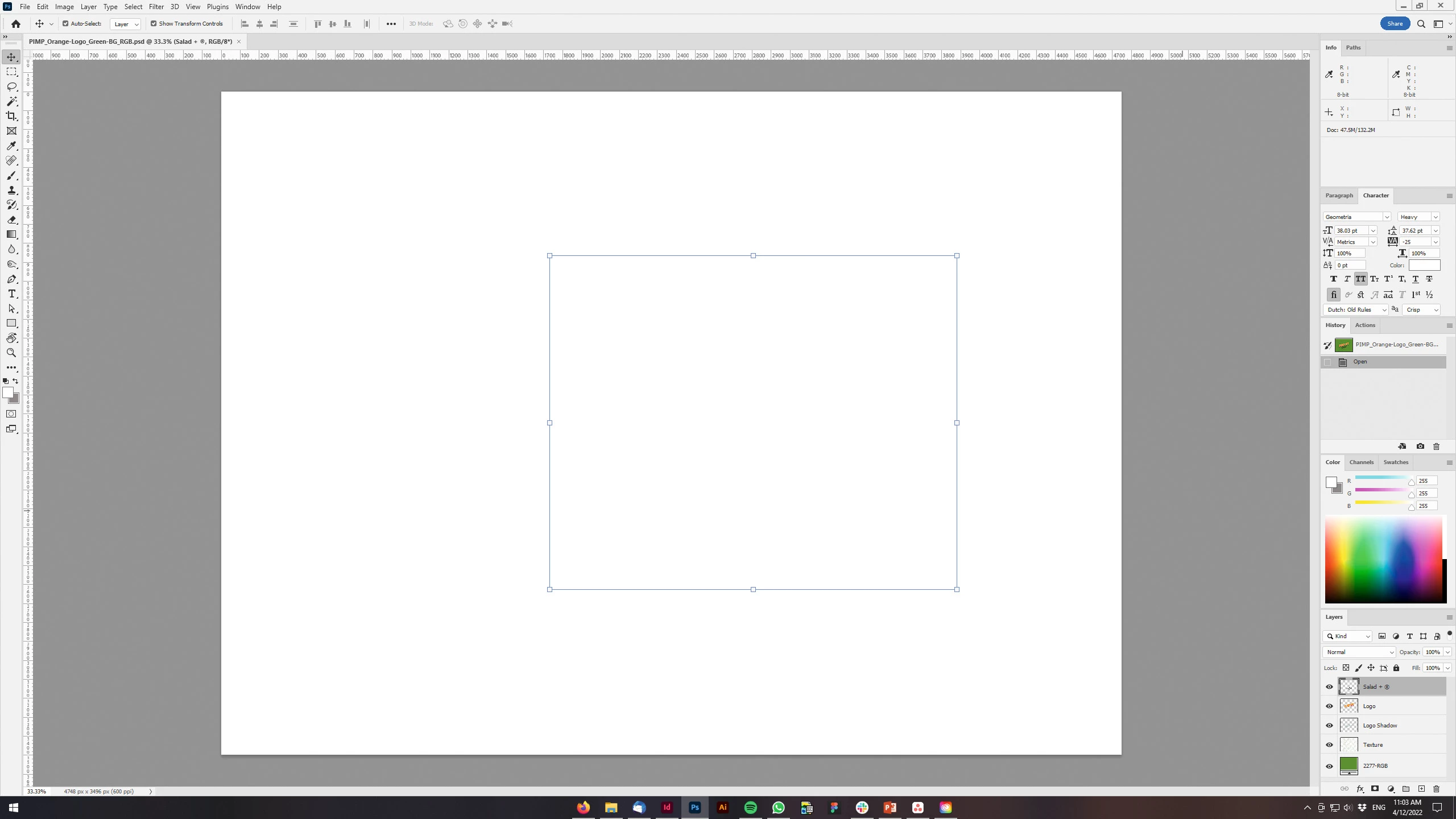
Just updated my Photoshop to 23.3 version. And when I'm trying to open any RGB file - it opens with all layers colored in white color. Seems like RGB is not active at all.

IF I transfer it into CMYK - all good.


Windows 10 Home.

Below is the print screen of RGB file turned into CMYK. Cuz I was unable even to make a printscreen in RGB.
 

150 replies

Participating Frequently
April 18, 2022

I've struck this problem for the first time when creating a composite in photoshop.


I open my images and start making selections from them to copy and paste the selection to my background image.


When I paste onto my background image the selection appears as a grey layer on the screen.


My research show possible causes are:   (i) I'm not working in sRGB. But on checking Image/Mode - RGB is ticked; or (ii) its because I've altered my channels. On checking all RGB channels are eyeballed and reinforced with a Ctrl + 2; or (iii) the graphics processor is unchecked.  I looked in Preference/Performance and it is ticked

Anyone had this issue before and know how to deal with it?

Cheers

John


Kevin Stohlmeyer
Community Expert
Community Expert
April 18, 2022

What version of Photoshop and OS are you running?

Why do you have Graphics Processor unchecked? What graphics card(s) do you have?

Participating Frequently
April 18, 2022

Hi

Adobe Photoshop Version: 23.3.0 20220405.r.394 3413e05 x64

Windows 10

The graphics processor is checked.

Cheers
John


--
*John Kelly LRPS CPAGB*
[Links removed by moderator]

JP DELVALLE
Participant
April 18, 2022

Ouverture de nouveaux calques impossible depuis cinq jours et la mise à jour V23.3 !!!!!

Aucuns problèmes avant la mise à jour.

Bug catastrophique .... La création de tout nouveau calque éfface la vision y compris du calque de fond !!!

C'est aussi le cas à l'ouverture d'un PSD de 27 calques entammé la semaine dernière.... Impossible de travailler !

Nota je suis utilisateur de photoshop depuis la version 3 et utilise fréquament des fichiers d'une centaine de calques !....

phil180
Inspiring
April 18, 2022
Open: Preferences/Performance/Advanced/then uncheck GPU BOX and restart
Photoshop…--
Sent from Gmail Mobile
phil180
Inspiring
April 18, 2022
Drop down open: Preferences/Performance/Advanced/ then uncheck GPU BOX--
and reopen Photoshop
Sent from Gmail Mobile
phil180
Inspiring
April 18, 2022
Open: Preferences/performance/advanced/untick GPU BOX --
Sent from Gmail Mobile
phil180
Inspiring
April 18, 2022
Left drop down: Preferences/Performance/Advanced Settings/then untick USP
(or similar letters) box/…re open Photoshop--
Sent from Gmail Mobile
Inspiring
April 18, 2022
They changed things up with this last update, messed a lot of people up.
Go to preferences, performance and Advanced Setting under the Graphics
Processor Settings and untick GPU composting. That should take care of it.
Participant
April 18, 2022

Today I opened photoshop as always but I cant use any brush, when I paint nothing appears on the canvas but I see I'm painting beacuse is in the navigator, then when I disable the background layer I see the strokes I did but surrounded by a glitchy transparent efect.


I also reset the tools and reinstalled all the program but is still buggy


davescm
Community Expert
Community Expert
April 18, 2022

The latest version has put more of the compositing workload onto the GPU rather than the CPU. That is good news as it should help performance with the larger image files we use these days. However, it could expose existing bugs in GPU hardware or drivers.
You can try going to Preferences > Performance > GPU Settings >Advanced and unchecking GPU Compositing. Then close and restart Photoshop.

If that helps, try updating your GPU drivers to the latest versions designed for creative work (e.g NVidia release Studio drivers) and when updating use the clean install option. Once done you can try rechecking the GPU compositing option and restarting Photoshop.


Dave

Participant
April 18, 2022

Si je crée un calque de fusion ou autre, ma photo d'origine est cachée par le nouveau masque qui est tout blanc...

Que faire ?

Merci.

Ged_Traynor
Community Expert
Community Expert
April 18, 2022

Hi

Try going into the Photoshop preferences by hitting Ctrl + K and disable GPU Compositing then restart Photoshop to see if it helps

Participant
April 18, 2022

Merci Beaucoup Ged ! 

Cela fonctionne parfaitement, merci, merci, merci !!!


Pratik_Mevada
Participant
April 18, 2022

Hello everyone,


I had updated Photoshop two days before.

I've just started work and facing below issue:

'When I am transfering one image to another image it shows that layer has come, but it is not showing, like it is null object :('


Do you have the same problem?


I really appriciate if anybody can help me out in this error.


Thanks in advance!

Pratik

Stephen Marsh
Community Expert
Community Expert
April 18, 2022

@Pratik_Mevada 


Perhaps this is another issue with:


Preferences > Performance > GPU Settings > Advanced > GPU compositing [ ] – uncheck/deactivate this new feature.