

Jeff Arola
Community Expert
Community Expert
August 27, 2022

P: Photoshop 23.5 Cycling Screen Modes causes Standard Screen Mode to be off screen at bottom

  • August 27, 2022
  • 20 replies
  • 6229 views

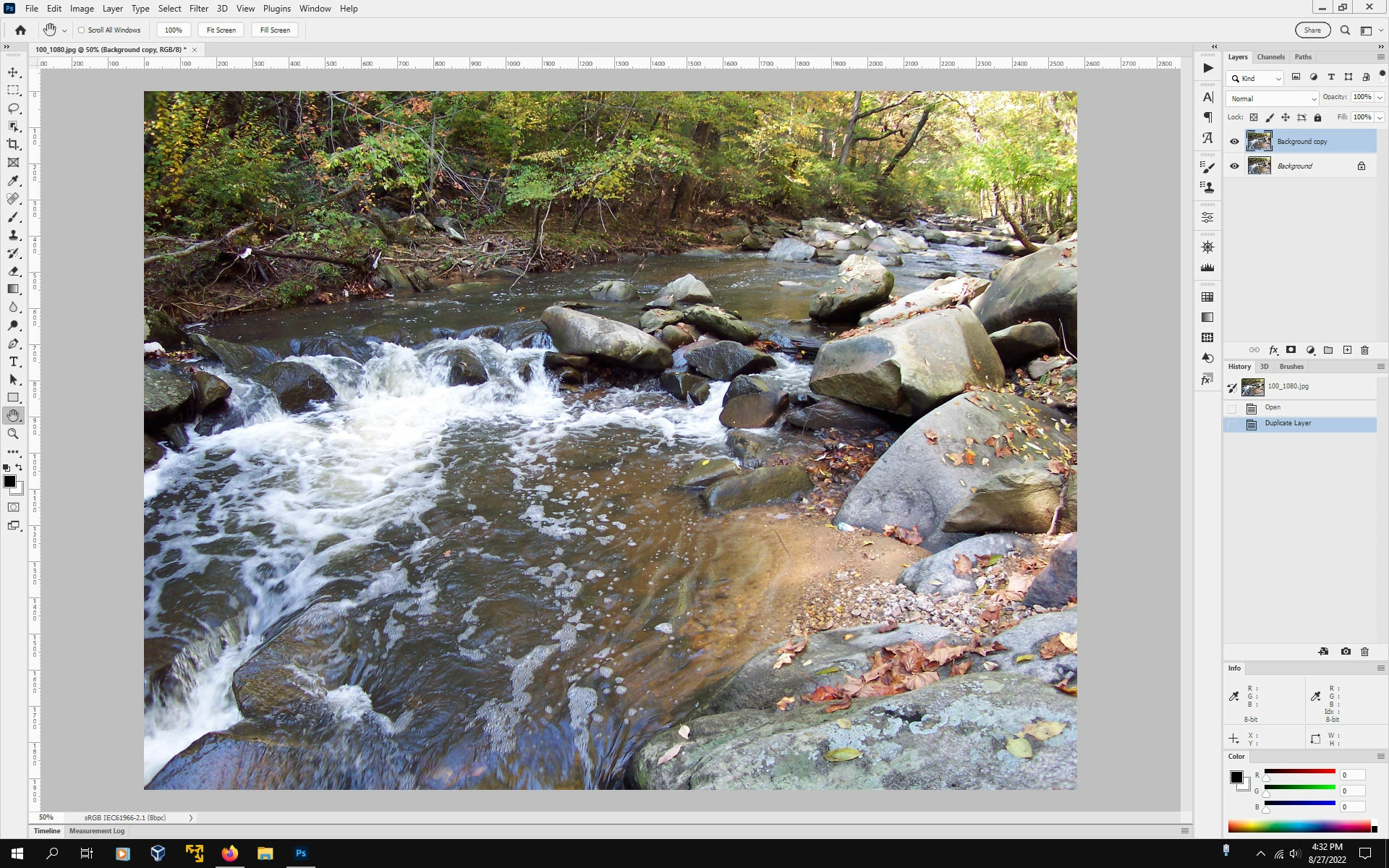
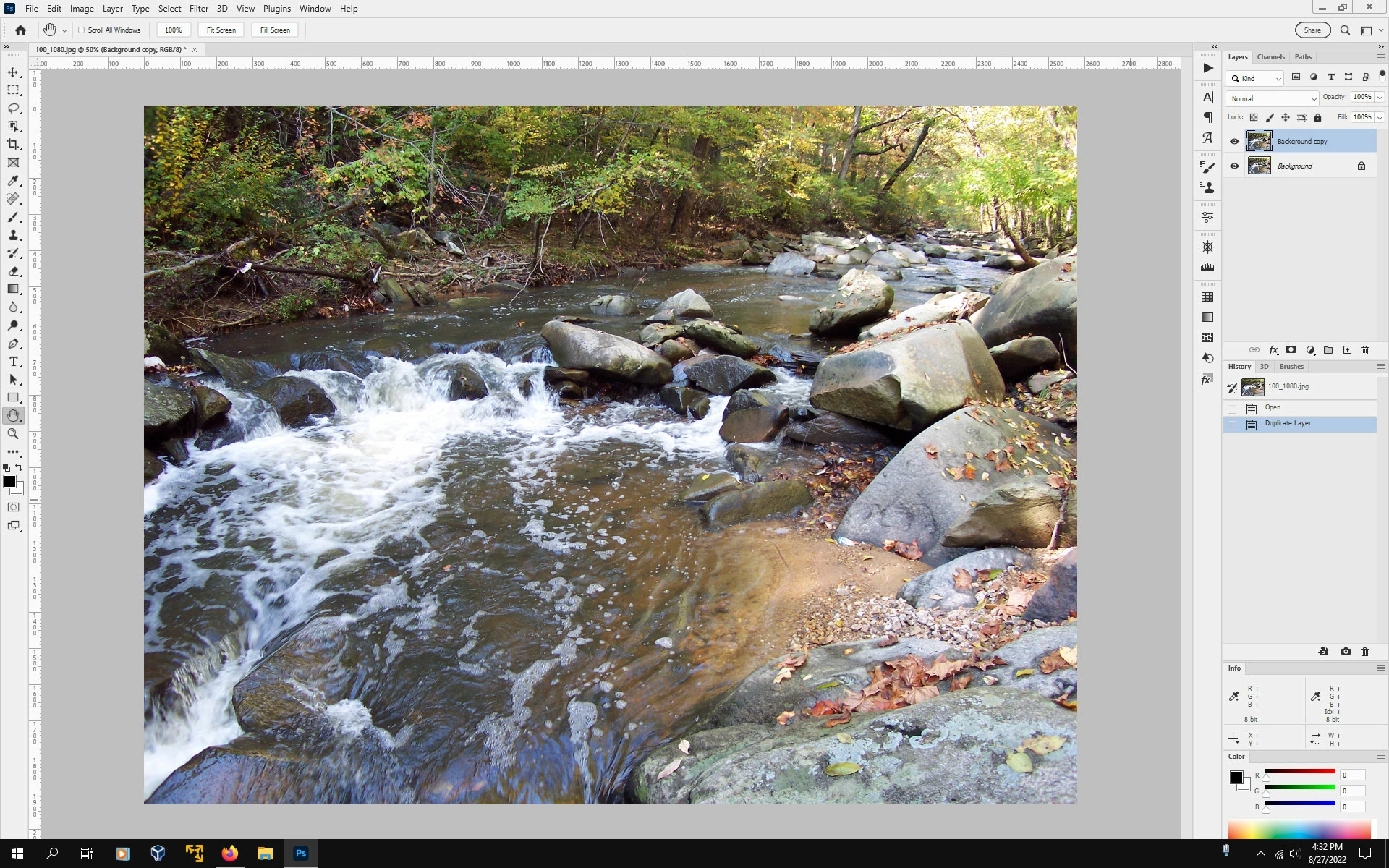
Photoshop 2022  (photoshop version 23.5) on windows 10 21H2 with single monitor 1920 x 1200, going to Full Screen Mode and back to Standard Screen Mode causes the bottom of the photoshop interface to be off screen. Then one must go to the Restore/Maiximize button to fit the interface back on screen.


I have reset the preferences, but didn't make any difference.


As far as i can tell, this is only on the windows version of photoshop 23.5


Standard Screen Mode


After cycling through Full Screen Modes and back to Standard Screen Mode


This topic has been closed for replies.

20 replies

Jeff Arola
Community Expert
Community Expert
December 13, 2022

This seems to be fixed in the photoshop 2023 (24.1 update).


Thank you Adobe.

Participant
November 13, 2022

BUG REPORT

When using 'full screen mode', the bottom bar of the layers panel disappears when return to 'standard screen mode'.

Participating Frequently
November 5, 2022

When I press F to enter Full Screen Mode, then exit Full Screen Mode, my bottom scroll bar disappears. Also, while in Full Screen Mode, the screen flickers to black as the mouse moves around screen. I must close Photoshop and reopen to get the scroll bar back. I use Photoshop CC v23.5.2 in Windows. My computer is a Dell, purchased this year with an Intel graphics card. Any thoughts on how to fix this? 

Jeff Arola
Community Expert
Community Expert
November 5, 2022

I believe the issue is when returning from Full Screen Mode the bottom of the photoshop

interface is cutoff like described in this thread:


https://community.adobe.com/t5/photoshop-ecosystem-bugs/p-photoshop-23-5-cycling-screen-modes-causes-standard-screen-mode-to-be-off-screen-at-bottom/idi-p/13163217

Legend
October 18, 2022

Bug is still active and being worked on.

Jeff Arola
Community Expert
Community Expert
October 18, 2022

Nor in the photoshop 2022  23.5.2 update

Ged_Traynor
Community Expert
Community Expert
October 18, 2022

Still not fixed in version 24.0

Pete.Green
Community Manager
Community Manager
October 4, 2022

Setting status to Acknowledged. Thanks for the report! The team will investigate this one. Stay tuned

Inspiring
October 4, 2022

In fact, this happens pretty much every time.


When I use [F] key to go fullscreen preview and then hit it again, exiting the preview, Photoshop window extends underneath Windows taskbar. This forces me to grab the window and re-dock it at the top of my screen, so that Photoshop can refresh and resize accordingly.


Windows 11

Adobe Photoshop Version: 23.5.1 20220907.r.724 5600b96 x64

Ged_Traynor
Community Expert
Community Expert
September 16, 2022

@CShubert any update on this issue

CShubert
Community Manager
Community Manager
September 16, 2022

Sorry @Ged_Traynor nothing to relay yet.


Thank you,

Ged_Traynor
Community Expert
Community Expert
August 28, 2022

I can replicate the issue with Photoshop 23.5 on Windows 10, there's also this issue with zooming in and out in full screen mode

https://community.adobe.com/t5/photoshop-ecosystem-bugs/zooming-in-and-out-in-full-screen-mode/idi-p/13162689