


Inspiring
February 23, 2026

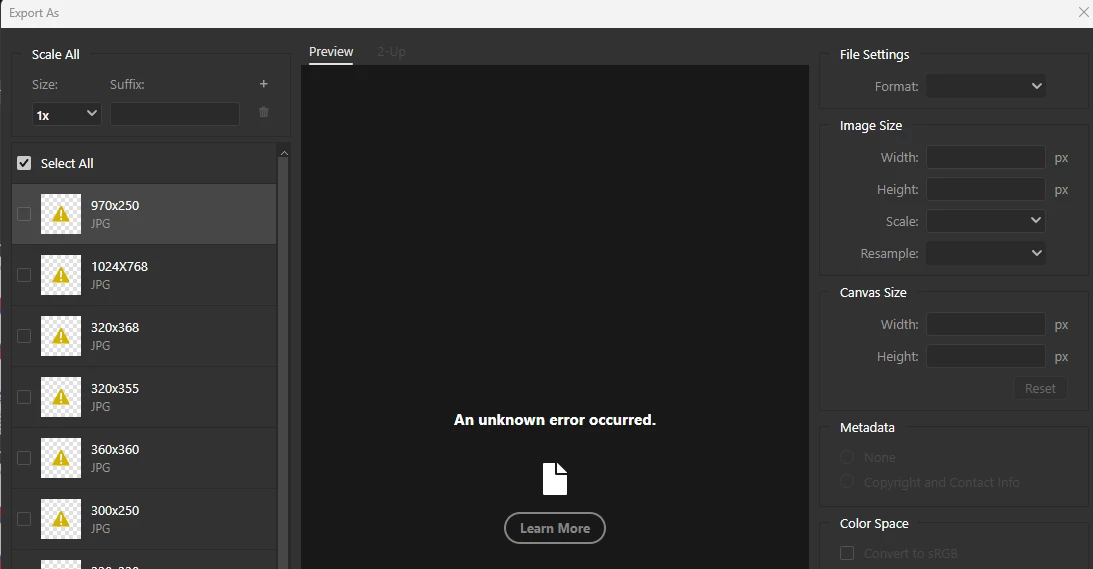
P: Photoshop 27.4 (GA) Export As says "An unknown error occurred."

  • February 23, 2026
  • 21 replies
  • 332 views

New realease 27.4 - Can't Exports Artboards as JPG and others formats (ctrl+alt+shift+W) 

Whenever you try to export artboards with 'Exports As' and choose JPG, it shows unknown error in all of them. Doesn't matter which way you try to do this or format - the window export is freezed (grey) - not JPG or PNG or others.
*it's also happen in the beta version.
 
Photoshop Ver: 27.4.0
Beta Ver: 27.5.0
 
We'll be glad for a quick reply asap.


    21 replies

    Srishti Bali
    Community Manager
    Community Manager
    March 3, 2026

    Hi All,


    Thanks for your patience and for sharing the required info. We’re able to replicate this issue and the team is working on a fix. In the meantime, please try the following workarounds:

    • Use File > Save As > Save As a Copy to export as JPG.

    • Export artboards individually from the Layers panel.

    • Revert to Photoshop 27.3, which users report works correctly.


    Regards,

    Srishti


    dand54367905
    Participant
    March 3, 2026

    Only in beta version! Regular version works fine!

    Alexander Art Gordon
    Participant
    March 3, 2026

    This problem appears to be widespread. I am experiencing the same.

    JenulR
    Participant
    March 3, 2026

    Having the same error after updating to the latest version. For now try to use “save as” and then “save as a copy” until they fix it

    Participant
    March 1, 2026

    Same error message in here since the latest update of Photoshop ( Adobe Photoshop Version: 27.4.0 20260218.r.15 6bd4063  x64 (final, Release) ), Everything was working perfect until I've installed that update last week.


    J E L
    Community Expert
    Community Expert
    February 27, 2026

    Hi ​@dand54367905, I’m sorry to hear export in Photoshop isn’t working for you. Can you explain what happens when you try to export a file? Can you also let us know what version of Photoshop you are using and which OS you are working on? We need a bit more information to find out exactly what’s going wrong. If you can share screenshots or tell us what error messages you are getting, that would be helpfull, too. Many problems can be resolved by resetting your preferences. Have you tried that yet?

    JenulR
    Participant
    March 3, 2026

    The latest version as of now, and I’m on windows 11. It’s simple to reproduce just go to export and export as. Then you can’t export.

    dand54367905
    Participant
    February 27, 2026

    For several weeks, Export has not been functional


    Mystic_painter5319
    Participant
    February 26, 2026

    @Srishti Bali  I’m having the exact same issue and can’t Export As JPG files. 


    Ged_Traynor
    Community Expert
    Community Expert
    February 26, 2026

    @Mystic_painter5319 there’s a similar thread below, I tested on my system and can reproduce your issue

    Something else I noticed, if you try to open another image from the file open menu, you get this error, tried with various images.


    Mystic_painter5319
    Participant
    February 26, 2026

    Step 1. Open a new canvas. Step 2. Drag an image into the canvas. Step 3. Click Export As. Step 4. Change file format to JPG. Receive “An Unknown Error Occurred” message and I’m then unable to export the file.

    Participant
    February 25, 2026

    For me it was the same, I just rolled 2 updates back to 27.3 and it works fine, the 27.3.1 update and 27.4 this feature does not work no matter what I did, and if you turn off legacy export you wont get the same options as here, even the quality preview is terrible. If you insist using the export in 27.4 then from preferences export turn off legacy export and you will get and export screen similar to this one.
    Hope this helps:)