


Inspiring
January 28, 2018

P: PNG Images Opens with Distortion

  • January 28, 2018
  • 204 replies
  • 3728 views

From time to time, when I open a png image, it will appear as bright, distorted lines.

I have deleted all Photoshop preference files, uninstalled the app, reinstalled it and restarted the computer. Does not prevent it from happening.

When it happens, I can quit Photoshop and reopen it and the png appears correctly. But then it will happen again later that day or the next. Rinse/Repeat.
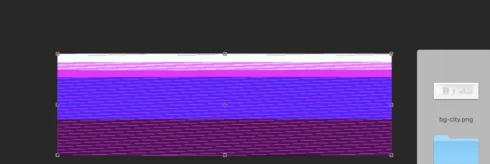


Very annoying. Please get better quality control Photoshop. CC seems to get progressively worse in terms of bugs.

Photoshop 19.1
Mac osX 10.13.2
5k iMac

This topic has been closed for replies.

204 replies

Hannah Nicollet
Community Manager
Community Manager
February 1, 2018
Thanks John - that's good to know! I'm submitting this to our engineers so as much information about how/when it happens is great.

Regards,
Hannah
anthonys73096827
Participant
February 1, 2018
Also, this is definitely just from the latest update 
anthonys73096827
Participant
February 1, 2018
If a png is the first file type I open after starting Photoshop, they work.  once I have been using PS for a while, opening other file types etc. then the same file (and all png files in general) will show up as a corrupted image, similar to the other images in this thread.  Haven't identified the exact instance where they go from working to not working.
Inspiring
February 1, 2018
Getting the same thing. Does go away after restart though. Even weirder is that if I save out one of the broken PNG's using 'save for web', it RE-breaks it making a totally new set of mashed up glitches!

Inspiring
February 1, 2018
This is happening for me at least once a day. Restart Photoshop and seems to temporarily fix the problem. Although, not the most convenient method. Doesn't matter what the PNG is because once restarted it works fine. Only happening since I updated to CC 2018.
Participating Frequently
February 1, 2018
100% of the time I open a .png from file > open, when I drag a .png into an artboard, and when I drag the file to the photoshop app
Participating Frequently
February 1, 2018
This worked for opening the .pngs but now I am getting too many errors when creating new documents. Will revert to 2017 in the meantime!
Inspiring
February 1, 2018
I am having the same issue, so frustrating. Running a clean install on a brand new mac. Really don't know what to do. Are there alternate graphics solutions anyone can suggest? 
Hannah Nicollet
Community Manager
Community Manager
February 1, 2018
Please don't apologize!!! It's honestly very helpful to have that information with this thread. Thanks! 😄 
Participating Frequently
January 31, 2018
Having the same issue 

Hannah's test worked as well, just getting error messages when I open photoshop.