

Bgnak
Participant
February 21, 2026

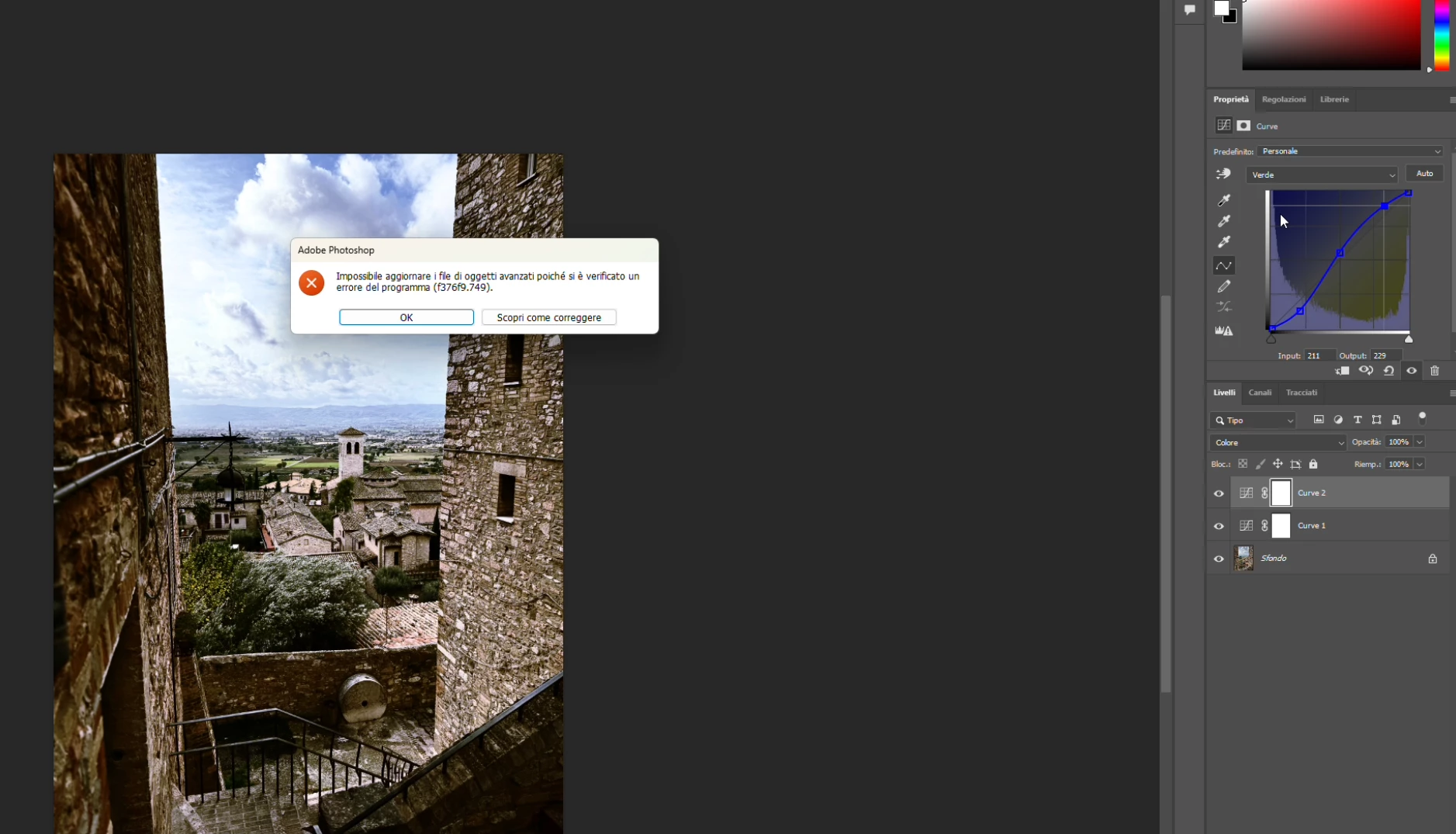
P: PS 27.4 & 27.5 (beta) Changing channels in Curves crashes PS with error: Could not update smart object files because of a program error (f376f9.749).

  • February 21, 2026
  • 37 replies
  • 1447 views

Hi everyone,

Photoshop 2026 (v27.4) on Windows gives me this error constantly when work with curves (i didn't try other tools, so i hope this is the only one): "Impossible to update advanced objects because a program error has occurred (f376f9.749)".

Sorry, my Photoshop is in Italian.

Anyone else seeing f376f9.749 on Windows lately?

Thanks in advance!


    37 replies

    Participant
    April 2, 2026

    Curves adjustment: error f376f9.749 in Photoshop Version 27.3.1

    The error said in Spanish: "No se ha podido crear una capa a partir de la selección porque ha habido un error de programa (f376f9.74)."

    ENG: "A layer could not be created from the selection because there was a program error (f376f9.74)."

    Then you can see that If I try to switch the file window the “gausian blur” filter effect is bugged in the process as well.

    I hope this helps to the development team.


    Known Participant
    March 29, 2026

    Try to open the file as a smart Object in Photoshop. That helped me work around this problem.

    clement.fyt
    Participant
    March 28, 2026

    Exact same issue. Open file , open curves , move the curves in any way , change to R,G or B channel → crash ( f376f9.749)


    Participant
    March 26, 2026

    Any news on this? I’m having 20+ crashes. Clean install and setting delete doesn’t help.

    Ged_Traynor
    Community Expert
    Community Expert
    March 25, 2026

    @Rolf Södergren the issue has been reported here


    Known Participant
    March 25, 2026

    I created a Curves layer and opened the Properties panel and selected the Blue channel. After this, Ps didn´t respond at all. 


    Participant
    March 24, 2026

    Bug Report: Program Error (f376f9.749) in Curves Adjustment Layer

    Environment:

    • OS: Windows 11 (latest build)

    • Photoshop Version: 2026 (current release)

    • Hardware: NVIDIA RTX 4000 Ada Generation, 128GB RAM (72GB allocated to PS)

    • Document: 16-bit ProPhoto RGB, Fine Art photography

    Steps to Reproduce:

    1. Create a Curves Adjustment Layer on a standard raster layer.

    2. Input several manual points in the RGB channel (e.g., Input 28 -> Output 24, Input 224 -> Output 229).

    3. Immediately switch to the Blue channel via the dropdown menu in the Properties panel.

    4. Result: Photoshop returns "Could not update smart object files because of a program error (f376f9.749)" and locks the UI for that layer.

    Note: The error occurs even on non-smart object layers.

    Observed Workaround: The UI becomes responsive again only after adding a second Curves Adjustment Layer on top of the stack. This seems to force a cache refresh/redraw of the Layer Stack, allowing the first layer to function normally again.

    Suspected Cause: A race condition or cache buffer overflow in the UXP/Adobe Spaces engine during histogram recalculation when switching between composite and individual color channels on high-end GPU setups.

    Participant
    March 24, 2026

    I have the same issue on RTX 4000 Ada. My workaround: add a second Curves layer, then the first one starts working across all channels

    meiren
    Participant
    March 22, 2026

    현 최신버전 27.4 에서 곡선 보정중 오류가 뜨고 포토샵이 완전 정지하는 심각한 버그가 있습니다.


    작업하는 파일이나 레이어에 상관없이 두가지 이상의 색역을 보정하고 선택하는 순간 포토샵이 정지합니다.

    불과 몇시간 전 까진 아무런 문제가 없었으나 갑자기 이 현상이 생긴 이후로는 일관적으로 버그가 발생합니다.


    Participating Frequently
    March 19, 2026

    It looks like that after the latest Camera Raw update, the problem is solved, at least for me. Curves just work fine now, I no longer get error messages and Photoshop doesn't freeze anymore.