


Stephen Shankland
Known Participant
October 4, 2018

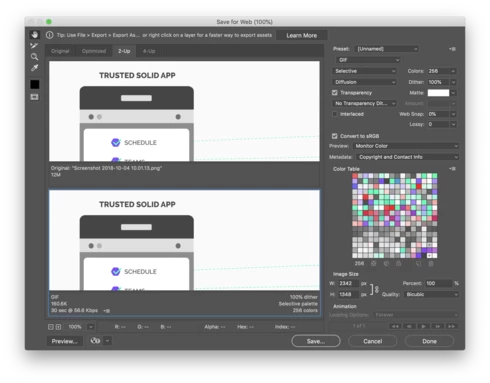
P: Save for Web settings reset every Photoshop reset (macOS Mojave 10.14)

  • October 4, 2018
  • 23 replies
  • 697 views

Each time I restart Photoshop, the Save for Web dialog box forgets the preset I was using. I save to JPEG 99% of the time but PS defaults back to GIF. This is a newer problem — it cropped up a couple months ago though I can't remember which version. I know Save for Web is on its way out but until Export As catches up with my needed features this regression is annoying for me (especially since I restart a lot with flaky MacOS Mojave right now.)
This topic has been closed for replies.

23 replies

Known Participant
June 19, 2019
Really? But not the newer Export As dialog?
Known Participant
June 19, 2019
Use Export For Web (legacy). It’s fixed there.
Known Participant
June 19, 2019
My Photoshop reports that it's the 20.0.5 release, but the issue is NOT FIXED for me! I even restarted my Mac, but no matter how many times I use the Export As to save as a jpeg, the next time I use it it just defaults to the utterly useless DNG, and all the other settings are defaults, too.
Inspiring
June 19, 2019
Yes, I am very satisfied too. It will be much easier to edit our images from now on, and it is very positive that the software engineers at Photoshop have listen us and finally fixed the problem!
Inspiring
June 19, 2019
Yes, it appears as if it has been fixed. Which is what we have been nagging about for quite some time now. Persistency pays ("the customer is always right, eh?) !
So, thank you very much Mr. Photoshop!...an excellent image editing tool has improved even more! 
Stephen Shankland
Known Participant
June 19, 2019
I can confirm that Photoshop CC 20.0.5 fixed this problem for me. Thank you!
Stephen Shankland
Known Participant
June 19, 2019
I can't remember my original reasons for not liking the new Export As dialog box. I just tried it again and I didn't like that I couldn't compare original and the export preview. I just noodled around and decreasing JPEG quality to 1% still showed no degradation to the image. Am I doing something wrong? I need to export to smaller file sizes with higher compression settings and to eyeball the image quality before doing so.
Known Participant
June 19, 2019
Yes. It is fixed. The first default after upgrading is to jpg low. But once I set it to jpg maximum (100), it retained the setting — yeah!
Inspiring
June 19, 2019
Photoshop CC 2019/ 20.0.5 was released today. It seems the SFW problem is fixed. There is no default to GIF, but only to the last format saved. If other Mojave users can confirm this, this case can be closed.
CanalogSE
Known Participant
April 13, 2019
Yeah, ok, let’s use Export As then instead. But the same problem remains...how to save preset settings?
I have found an acceptable way to use the old „Save for the web“ without too much extra work since Adobe does not want to solve the problem, as long as this function remains within the Photoshop tool range.

/B