


Stephen Shankland
Known Participant
October 4, 2018

P: Save for Web settings reset every Photoshop reset (macOS Mojave 10.14)

  • October 4, 2018
  • 23 replies
  • 697 views

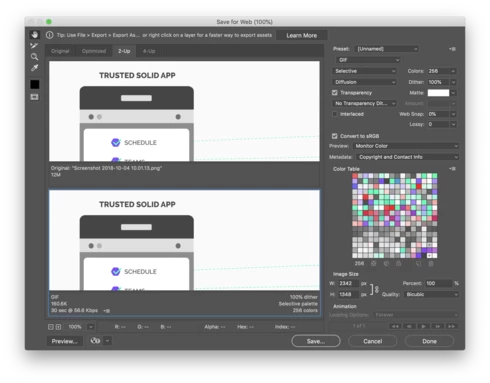
Each time I restart Photoshop, the Save for Web dialog box forgets the preset I was using. I save to JPEG 99% of the time but PS defaults back to GIF. This is a newer problem — it cropped up a couple months ago though I can't remember which version. I know Save for Web is on its way out but until Export As catches up with my needed features this regression is annoying for me (especially since I restart a lot with flaky MacOS Mojave right now.)
This topic has been closed for replies.

23 replies

Known Participant
April 4, 2019
Why isn't everyone switching to the replacement interface, Export As...?

Save for Web has been deprecated and is no longer supported. Export As is the replacement.

On the other hand, bad news: I can't get the settings in the Export As dialog to stick between Photoshop settings. It always opens up set to save as DNG, which I NEVER use.

Same problem as with Save for Web!
Inspiring
April 3, 2019
This is so annoying....Please fix this soon!
CanalogSE
Known Participant
April 1, 2019
Any news yet?
Participating Frequently
March 13, 2019
20.0.4 still not fixed.
Inspiring
February 12, 2019
Yes still and after update and update and update ..... still doesnt work... What are you doing ADOBE? 
Participating Frequently
February 12, 2019
20.0.3 still broken.
Inspiring
January 16, 2019
I can't believe that it's three months later and this is STILL a bug I have to put up with EVERY DAY!

When can we expect it'll be fixed?  Will it ever be fixed?  I assumed it'd be fixed in 20.0.2 but alas I've just updated and once again all of the settings are reset in Save for Web and EVERY TIME I have to click through 8 different options to set them to the correct values.  How can something as fundamental as saving the default values be left broken for so long?
CanalogSE
Known Participant
December 11, 2018


In Photoshop CC 2019 (20.0.1), function "Save for the web (old)", i would like to change the preset for the save function -
I have clicked on the small icon for that at the right top, and changed the three settings which i have marked with red in the enclosed screen shot below (I would like Jpeg, 100% quality and "all" in metadata below.
a Jpeg settings.irs window is then shown, furthermore threafter I ́m asked to overwrite the previous settings, which I accepted, but....
THE CHANGE OF SETTINGS does not "stick" . The next time I need to save an image for the web I have to alter those three fields again away from GIF, 60% qual nd lower field another undesired alternative. Frustrating!

I have a Mac Book Pro, and OS Mojave was recently installed. 


Hope you can help me!
Best regards

Inspiring
November 30, 2018
The latest Photoshop update to 20.0.1 did not fix this Mojave incompatibility.

Any hope for a fix down the road? It's driving me crazy.
Inspiring
October 16, 2018
This is killing me too... every single time it resets the damn settings, it's driving me crazy!