


Inspiring
June 19, 2015

P: Select tool creating excess visual selections and copying itself when dragged

  • June 19, 2015
  • 55 replies
  • 1011 views

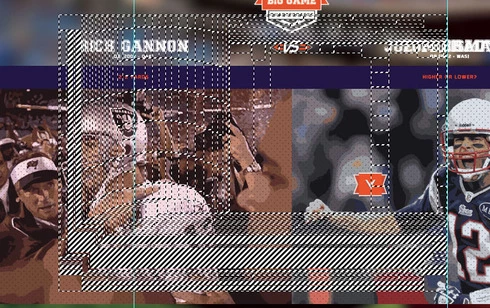
When using the Photoshop CC 2015 select tool it creates smaller squares around the edge of the selection, then when you move the selection box it copies itself hundreds of times much in the way windows XP would when it crashed you dragged the window around.

Additionally could anyone let me know how to download a previous version of the software as I need to regain some after effects plugin functionality.

I am using a GTX 760 on windows 8.1, playing with the GPU settings in the preferences had now effect.

Thank you
This topic has been closed for replies.

55 replies

Participant
July 16, 2015


I get random variants of the above when making a selection with the rectangular marquee tool (but not the elliptical). Zooming "fixes" it, but it reoccurs with the next selection.
Participant
July 14, 2015


Since the CC 2015 update, Photoshop has had several issues. First, it will freeze for indiscriminate amounts of time, seconds to minutes, and then pop back into action. This is basically unacceptable as I work in a time-limited production pipeline. Photoshop "marquee" selection tools and "Select all" leave out of place geometric dashed lines all over my canvas. It looks broken. Thirdly, "artboards" seem to be similarly broken, where the left and top edge of artboards are defined by a single black line, but the right and bottom lines are missing, and two vertical lines seem to cut through the vertical and horizontal middle of the artboard. Things were fine before, and now they're broken! Help! -- i7 5930K, 32GB DDR4, 500GB 6Gb/s SSD, 2 x GTX 980 SLI
Inspiring
July 14, 2015


This selection bug is maddening. When you select something, other selection lines popup. https://www.youtube.com/watch?v=0HDtb... If you zoom in and zoom out again it shows it right. Please help. Never did this before in previous CC. This is Windows 8.1 running on Mac through bootcamp. Intel iris 5200 video card. Latest drivers installed.
SqueegeeLuigi999
Participant
June 29, 2015
After using Windows Update to install several updates to my system, I was able to finally uncheck "Use Graphics Processor." Photoshop no longer crashed when exiting, however I am still having this issue.

Here is an animated GIF of the issue I recorded this morning.
http://i.imgur.com/tEYdcF3.gif
SqueegeeLuigi999
Participant
June 28, 2015
I am having this same issue.
My machine is a Dell Inspiron N4010 Laptop running 64 bit Windows 7.

I have tried unchecking "Use Graphics Processor." and then clicking OK. When I try to close the program, it crashes saying "Adobe Photoshop CC 2015 has stopped working"

Opening Photoshop again, I find that the box remains checked; none of the changed settings were saved.

Photoshop CC 2014 did not give me these issues on the same machine.
Inspiring
June 24, 2015
OK, we can reproduce this, always with GPU drawing off.
Inspiring
June 24, 2015
I'm on Windows 8.1

Updated the driver, didn't help.

It only seems to happen on Art boards, pre-artboard PSDs function normally.
Guspaz
Participant
June 24, 2015
I have a very similar problem with GPU accel turned off. But photoshop crashes constantly with it on.

Didn't have any problems with 2014. GTX 670.
Inspiring
June 23, 2015
What OS version are you using?
Have you tried updating the video card driver from the GPU maker's website?
Inspiring
June 23, 2015
I have similar issues, black lines all over the place when i move anything. I have had to turn off the "Use Graphics Processor" option because with it on my photoshop crashed when every time I tried to close everything and this is the temporary work around for this. The only thing that I can do to stop this from occurring is to move objects whilst using control + t. Unfortunatly this doesn't help with the black lines that occur when scrolling down the page.
2 images attached-
1st Shows what happens when scrolling
2nd Shows when moving an object down the page