


Inspiring
June 19, 2015

P: Select tool creating excess visual selections and copying itself when dragged

  • June 19, 2015
  • 55 replies
  • 1012 views

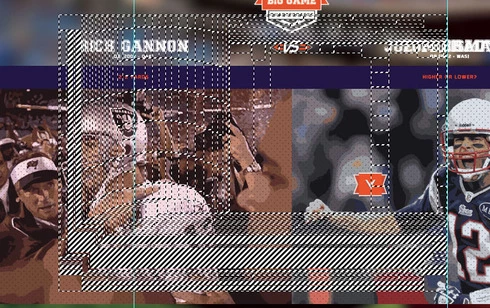
When using the Photoshop CC 2015 select tool it creates smaller squares around the edge of the selection, then when you move the selection box it copies itself hundreds of times much in the way windows XP would when it crashed you dragged the window around.

Additionally could anyone let me know how to download a previous version of the software as I need to regain some after effects plugin functionality.

I am using a GTX 760 on windows 8.1, playing with the GPU settings in the preferences had now effect.

Thank you
This topic has been closed for replies.

55 replies

Vasteras1234
Participant
June 23, 2015
After turning on the graphics processor setting in Settings > Performance, it seems to disappear.
fogyhouse23
Participant
June 22, 2015
I Will back to 2014
Vasteras1234
Participant
June 22, 2015
I'm getting this exact issue as well.

Win 7 64bit, Nvidia Geforce GTX 580.
Inspiring
June 22, 2015
This problem came when I updated to CC 2015, it didn't happen on previous versions.

Just checked and my video card drivers are up to date.
Inspiring
June 19, 2015
Which version of Photoshop are you using?
Have you updated your video card driver from Nvidia's website?