
P: Selecting key frames for duplicated layer selects keyframes for previous layer in Timeline
When I select the keys in the timeline in one layer, the keys in the layer with which I worked before are highlighted to.
I have to cancel selection, select keys again and the keys on another layer do not selected this time - this EXTREMELY slows down the work because i must to do this all the time! - (select- cancel selection - select again
Sometimes accidentally deleting or moving the keys where i didn't want it and having to go back many steps to correct the error
i think - this is not a feature - this is bug!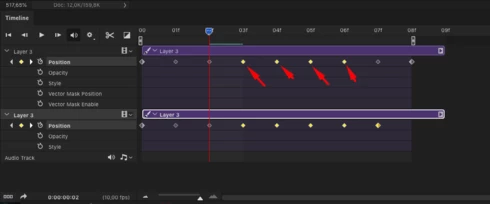


 AdChoices