


Inspiring
October 21, 2020

P: Selection marquee off by 1px

  • October 21, 2020
  • 37 replies
  • 2514 views

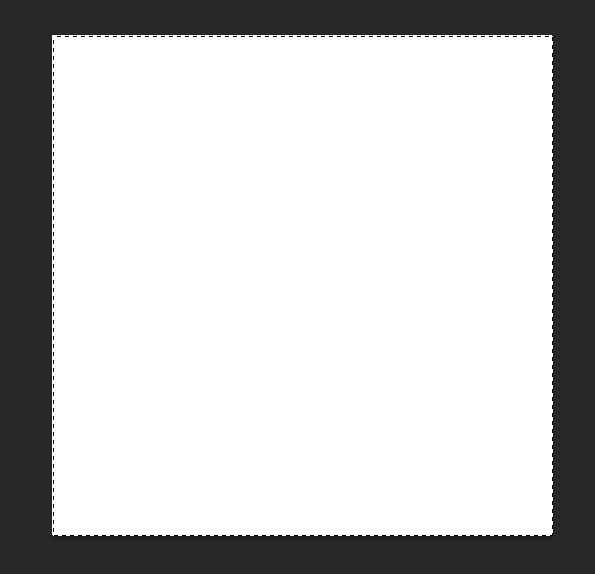
A quite annoying "feature" in the new Photoshop is the inaccurate selection marquee. It's off by 1 px to left and to bottom.

To reproduce:

1. Create an 500x500 px image

2. Hit Ctrl+A

Result: while the whole image is selected, the marquee is inside the image on the top and left.
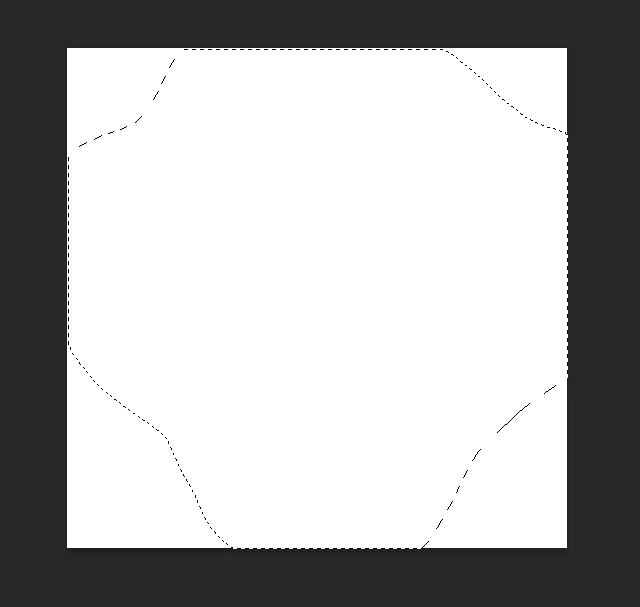
Another selection touching the sides of the image:
Edit:
Tested on 2 computers, the same behavior.
1. i7 7700K, 16 Gb RAM, NVIDIA GTX 1060
2. Laptop Lenovo Legion 5, i7 10750H, 16 Gb RAM, NVIDIA GTX 1650
This topic has been closed for replies.

37 replies

MyWebMaestro
Known Participant
June 10, 2021

I just updated to the latest, and am seeing it at any zoom level I try. It feels a little different than before, but it's not accurate. I often have to select something a few times to get it right. There's a mismatch from what is shown while selecting to what is selected after I let go of the mouse.

Legend
June 10, 2021

what resolutions/zoom levels are you seeing it still off by one with? I'm trying to repro here, but haven't found a combo.

Participating Frequently
June 9, 2021

@ daPhie79  You are correct; this problem is not entirely fixed. I'm sorry for the premature call.

I haven't been able to get the upper-left corner to shift, and old glasses/older eyes caused me to miss the continued misbehavior on the lower-right. 

Participating Frequently
June 9, 2021

@Mark_Lincoln It's NOT fixed. Now, instead of always having a +1, +1 offset, it's almost random, depending on image size and zoom level. The upper-left corner is almost always correct now though, but the bottom-right one varies.

At least that's how it is for me.

Inspiring
June 8, 2021

I think you're right! That's awesome. Just tested it myself with all the 3d acceleration turned on and everything looks good!

While I don't love how long this regression took to fix, I do sincerely appreciate the engineering team's efforts in getting it done, and I recognize that they may not have had a say in how it was prioritized. If you're on that team and you see this, thank you so very much.

Participating Frequently
June 8, 2021

I just tested after getting the latest update. It looks like we have a fix!

Edit: Hold on -- we aren't quite there yet. See below.

Participating Frequently
May 23, 2021

Not fixed in 22.4.1 but I think I found more information to make it more reproducible.

  • Open Photoshop with Use Graphics Processor on.
  • Create a new image using a preset small enough that it fits on the screen and defaults to the 100% zoom level.
  • Go through the test in my earlier post.

It seems to work.  The marquee while you're dragging will still be one pixel too tall and wide, appearing to the bottom right of the crosshair, but it will work correctly despite that if you go by the crosshair.

  • Open Photoshop with Use Graphics Processor on.
  • Create a new image using a preset big enough that it defaults to the 66.7% zoom level.  This happens when I make it the same size as my monitor resolution.
  • Zoom to 100%.
  • Go through the test in my earlier post.

Now it has a lot of one pixel off selections that aren't predictable, even though you're working at the 100% zoom level.  The fact that it started out at 66.7% seems to throw it off going forward.

Participating Frequently
May 14, 2021

OMG, they made it worse?!?! I hadn't noticed, because I don't fiddle much with selections, so initially it felt better since top-left seemed fine, but... Damn...

Participating Frequently
May 13, 2021

Well it's different but not fixed.  Tried it again on 22.4:

  • Select a box and fill it.
  • Create a new layer.
  • On 100% zoom, try to select the outline of the box to the pixel.

While dragging the selection sometimes the upper left of the marquee will be one pixel too high and to the left, sometimes only the top will be off, sometimes it will be accurate.  The lower right will always be at least one pixel below and to the right of the cursor, sometimes two pixels to the right.

  • Release the mouse, having used the cursor to set the lower right corner and not the marquee, and then fill the selection with a different color.
  • Set the layer opacity to 50% and zoom in.

You'll see some of the sides were one pixel off.  It doesn't seem to be predictable which ones will be off.

This is with Use Graphics Processor on but in the advanced settings it's set to Basic and the other three checkboxes are off.  Turning Use Graphics Processor off no longer fixes it, now the selections will always be one pixel too wide and tall.  So I guess this means no accurate pixel-level selections on the 100% zoom level at all now.

Seems like you're having trouble with rounding errors on coordinates.  Even the button outlines on the Preferences panel are fuzzy now because the top and bottom aren't landing on pixel boundaries.

Photoshop 22.4.0

Windows 10 Home 20H2 on 100% scaling (not high-DPI)

nVidia GeForce GTX 1080 with 466.27 Game Ready Driver

Participating Frequently
May 13, 2021

Disabling hardware acceleration still is the only full fix it seems.