


Inspiring
October 21, 2020

P: Selection marquee off by 1px

  • October 21, 2020
  • 37 replies
  • 2514 views

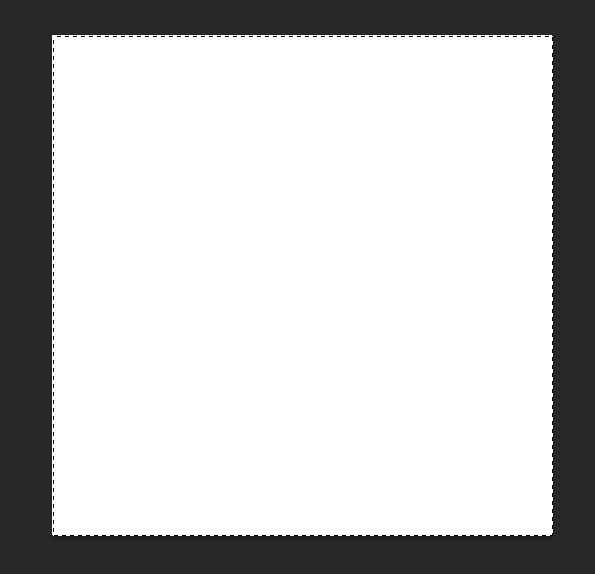
A quite annoying "feature" in the new Photoshop is the inaccurate selection marquee. It's off by 1 px to left and to bottom.

To reproduce:

1. Create an 500x500 px image

2. Hit Ctrl+A

Result: while the whole image is selected, the marquee is inside the image on the top and left.
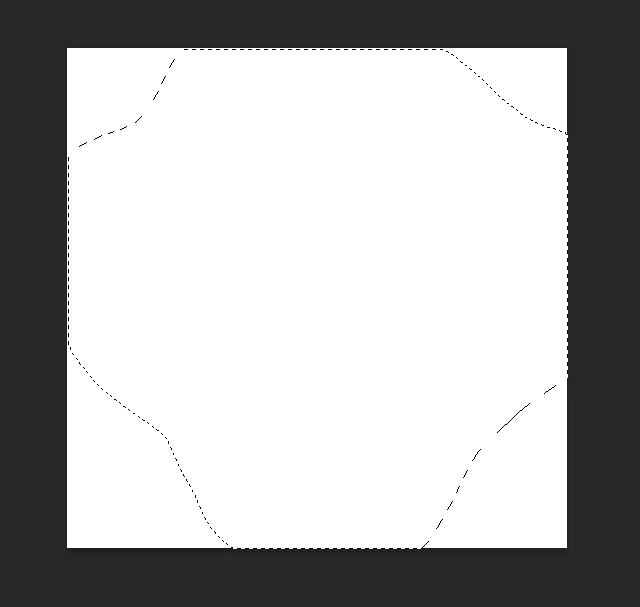
Another selection touching the sides of the image:
Edit:
Tested on 2 computers, the same behavior.
1. i7 7700K, 16 Gb RAM, NVIDIA GTX 1060
2. Laptop Lenovo Legion 5, i7 10750H, 16 Gb RAM, NVIDIA GTX 1650
This topic has been closed for replies.

37 replies

Participating Frequently
May 13, 2021

So v22.4 fixes this issue, kinda!

It's better now since the upper-left position of the marquee is now fixed, but the lower-right one is still off by 1px. It's not as big of a deal, coming from a programming standpoint, I can consider the end of the selection as "exclusive" instead of "inclusive", but still funny to realize it was still only half-fixed.

MyWebMaestro
Known Participant
April 29, 2021

Thank you for posting this! It's been frustrating the bejeezus out of me for a while now. I keep having to guess which side of the selection it's actually selecting on. 😕😕  

Participating Frequently
April 22, 2021

This is still an issue in 22.3.1.  The only way to fix it is to uncheck "Use Graphics Processor".  If it's on you'll still see the problem even if you go into Advanced and set Drawing Mode to Basic and uncheck everything else.

Photoshop 22.3.1 (latest as of this writing)

Windows 10 20H2 (all updates as of this writing)

nVidia GeForce GTX 1080

nVidia Game Ready Driver 466.11 (latest as of this writing)

Inspiring
April 6, 2021

HUGE and really ANNOYING. Hope they fix it soon.

Participating Frequently
April 5, 2021

This is a HUGE issue and I HOPE it is still being investigated.

It got slightly improved after one of the updates, where the off-by-1px offset is now 1px on screen instead of 1px on canvas, but IT IS STILL THERE. I know whenever I'll want to work on pixel-perfect graphics, I'll want to strangle someone.

PLEASE FIX THIS. It must be like one or two lines of code with an off-by-one offset variable or something, dang it...

Inspiring
March 23, 2021

... and like said above, this is a HUGE ISSUE !

Inspiring
March 23, 2021

It's even worse than being a pixel off... it's the grid that is not correctly aligned with each pixel (sticking correctly to pixels has been a huge issue for quite some time, if you werent to fix stickiness by zooming at max level).

Currently the selection frame seem to be a tiny bit off to the left (like one pixel... but even if you are at the "pixel" level when zooming).

More clearly, at max zoom level, the grid is one screen pixel off to the left from the external left border of the photoshop pixel (not sure this is clear :-).

Participant
March 11, 2021

*anthony etienne I just tried this and it worked. Thank you. It's really sad that none of the dozens of Adobe tech support people I've talked to in the past several months about this specific problem ever suggested this course of action. Instead, several said it's always been like that, and one even tried to install the previous version after I specifically told him not to. It's been a not-funny joke for a long time. So thank you Anthony.

Participating Frequently
March 10, 2021

In reference to Anthony Etienne's post above: Turning off Use Graphics Processor also "fixes" the problem when using an NVidia GeForce GTX 1050.

Inspiring
March 1, 2021

Found this thread while looking for a solution to this issue. This new behavior (either intended, or a bug) with selections is making it difficult for me to work smoothly, as I keep second-guessing what I have selected. Please revert this behavior; or -- if it's deliberate -- consider providing a preference for the old method? Thanks 🙂

edit: marquees work correctly if I disable Preferences > Performance > Graphics Processor Settings > Use Graphics Processor, so the likelihood that this is a deliberate change seems low. I've got a Radeon RX 5700 XT installed. Please fix this bug, it's terrible for workflow.