Jqqerry
Inspiring
June 14, 2022

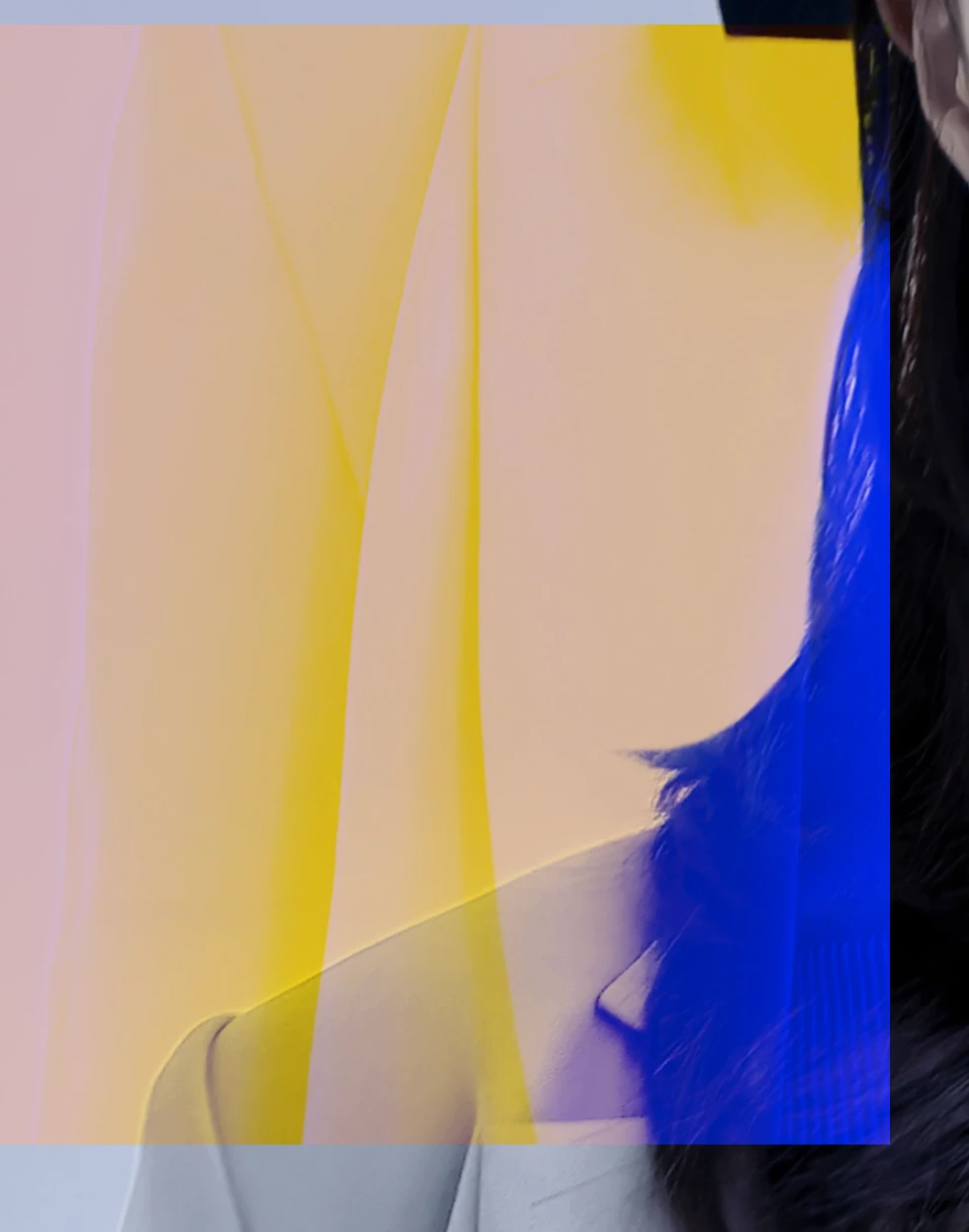
P: Strange color box with data loss

  • June 14, 2022
  • 74 replies
  • 25109 views


test pc is window10. Photoshop version 23.4

GPU comp off / on , Multithread of / off , Native canvas on /of

I reset it, but the result is the same.

It doesn't matter if it just looks like that and it doesn't affect the actual output. But that's how it's reflected in the actual output. So I can't proceed with the work right now.

That bug occurs randomly when zooming in and out. Even if i use clone stamp, patch tools, or healing brushes, bugs occur randomly. Emergency patch is required.

This topic has been closed for replies.

74 replies

Participant
June 14, 2022

I heard exactly the same thing from 11 employees today. Strange colored boxes cover Photoshop. And it is said that the image has become strange.

I told him not to say nonsense and looked at the monitor himself, but I couldn't believe it. I've never seen a bug like this before.

This is a serious flaw. It's not just a bug. The expression "damaging the image" is not enough. It's a bug that destroys images.........

Andrew Sender
Community Manager
Community Manager
June 14, 2022

@Jqqerry thanks for sharing the system info.  Would you mind sharing the PSD with the corruption too?

Participant
June 14, 2022

Does anyone know how to fix this? My family photo was destroyed by that color box.

This... I can make it work, right? No, really... It's really...

Åke Mora
Participating Frequently
June 14, 2022

@CoryShubert  I don't think it is a system issue. If it is, which is highly unlikely, this update should have been released with a warning of the minimum requirements/settings to avoid problems. This bug is not just anoying, it is actually DESTROYING work. It made me loose 3 hours of work until I realized what the problem was. Please stop the rollout of the update or many many more users are going to feel the pain or consequences of this terrible update.

Participant
June 14, 2022

@nolocri Hey, DO NOT Never work on images with this version of Photoshop.

My image is broken. I can't even undo it because it's not a psd file but a jpg file.

I'm not angry right now, I'm just speechless. What the....I don't know what's going on...I can't believe it.

Jqqerry
JqqerryAuthor
Inspiring
June 14, 2022

@CShubert  Same problem. nothing change. And i know about memory usage. That's what I've tried to change this and that. I thought I could fix the bug.

And I reset my preferences every update and do my own settings (For example something like turning off flick panning).


As you can see from my old posts, I've reported a number of bugs, and there are some cases where the corrections are actually reflected. As we go through that process, we are familiar with all the solutions that Adobe is proposing and have already tried. And what I can be sure of is not my computer or my environment.


Also,my Studio drivers are latest. I don't use the game ready driver. It's going to be the same if you actually use a game ready driver. Because the computer I only use on the Internet is a game ready driver, and when I installed Photoshop, the same bug occurs. This is not a driver version or preference issue.


nolocri
Participant
June 14, 2022

I'm having the exact same problem and hope it gets solved asap as it's impossible to work with the fear of corrupting all files...

CShubert
Community Manager
Community Manager
June 14, 2022

Thank you for your sysinfo.  A couple things we see, your memory setting for Ps is 83%, it is reccomended to not go over 70%. Also, your video driver is 2 months old, please update it and reset your memory for Ps.


Let's make sure we're in a default state and there are no stale settings somewhere: 

Restore your preferences using this manual method:  

https://helpx.adobe.com/photoshop/using/preferences.html#Manually 

Does it work correctly? 

If that doesn't solve it, you can quit Photoshop and put the Settings folder back. 

If it does solve the problem, I would like to get the folder of settings to try and figure out what is bad with them. 


Thank you,

Participant
June 14, 2022

Who will compensate for my broken images?

This is the first bug that actually destroys an image, not just a preview.

This is a very dangerous issue that needs to be fixed tomorrow, not next month or next week.

Jqqerry
JqqerryAuthor
Inspiring
June 14, 2022

@CShubert  I left my system info. As I wrote in the text, I've already tried turning various options on and off, so you don't have to look at my infos and suggest a solution.