


Participating Frequently
May 19, 2020
Open for Voting

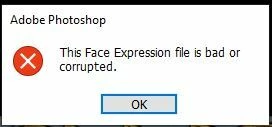
P: This Face Expression File is bad or corrupted

I keep gettting the following error when I launch Photoshop 2020 on a Windows 10 64bit machine


This Face Expression File is bad or corrupted


I assume it relates to the Default Face Expression Presets.p3f file, which a scan reveals to be OK. The application launches after I click OK but how can I get rid of the error?


I have reinstalled, tried the clean up tool and there has even been an update since it started but still it persists. Is there anywhere I can find a replacement file?


Thanks in advance


Steve


212 replies

Participant
January 17, 2024

Bonjour.

It's correct with the explication under and it works : 


Sadly i couldn't find any file named "face" in above mentioned destination,
But i was able to find the same file in "\AppData\Roaming\Adobe\Adobe Photoshop 2024\Adobe Photoshop 2024 Settings", i renamed it as above mentioned and the problem / error message is gone, 

Translate
Inspiring
January 14, 2024
Sadly i couldn't find any file named "face" in above mentioned destination, But i was able to find the same file in "\AppData\Roaming\Adobe\Adobe Photoshop 2024\Adobe Photoshop 2024 Settings", i renamed it as above mentioned and the problem / error message is gone
Translate
Samantha Fury Creating Characters you can love!
chrisw63857
Participant
December 31, 2023

None of these work for me.  I do not have Go to C:\Users\[username]\AppData\Roaming\Adobe this file nor is there anything in my adobe photoshop 2020 folder.


Translate
Participant
December 14, 2023

Thank you,worked for me

Translate
About Space
Participant
December 5, 2023

Hello. Every time I open Photoshop Beta. This message always appears. My PS Beta is up to date. What should be done? Help/ Thanks!


Translate
kglad
Community Expert
Community Expert
December 5, 2023

in the future, to find the best place to post your message, use the list here, https://community.adobe.com/

p.s. i don't think the adobe website, and forums in particular, are easy to navigate, so don't spend a lot of time searching that forum list. do your best and we'll move the post (like this one has already been moved) if it helps you get responses.


<"moved from cc desktop bugs">
Translate
Participant
December 3, 2023

Works until the next day and I have to do it again. How to fix permanently? 

Translate
Participant
November 28, 2023

Do you see a button in the middle top of the screen that says "Reset Essentials" - if so, click on it and the screen should return to normal.

Translate
Participant
November 28, 2023

I did the renaming solution - but next day I got the same error message. So it seems to me that this is just a temporary fix.

Translate
Participant
November 26, 2023

A month later I am getting the same message. Same day of the month in fact. But this time I can't get my settings back. This is not great. 

Translate
Participant
November 23, 2023

Awesome! This worked for me! Thanks! 🙂

Translate