


jacksonl41895023
Participant
November 3, 2021

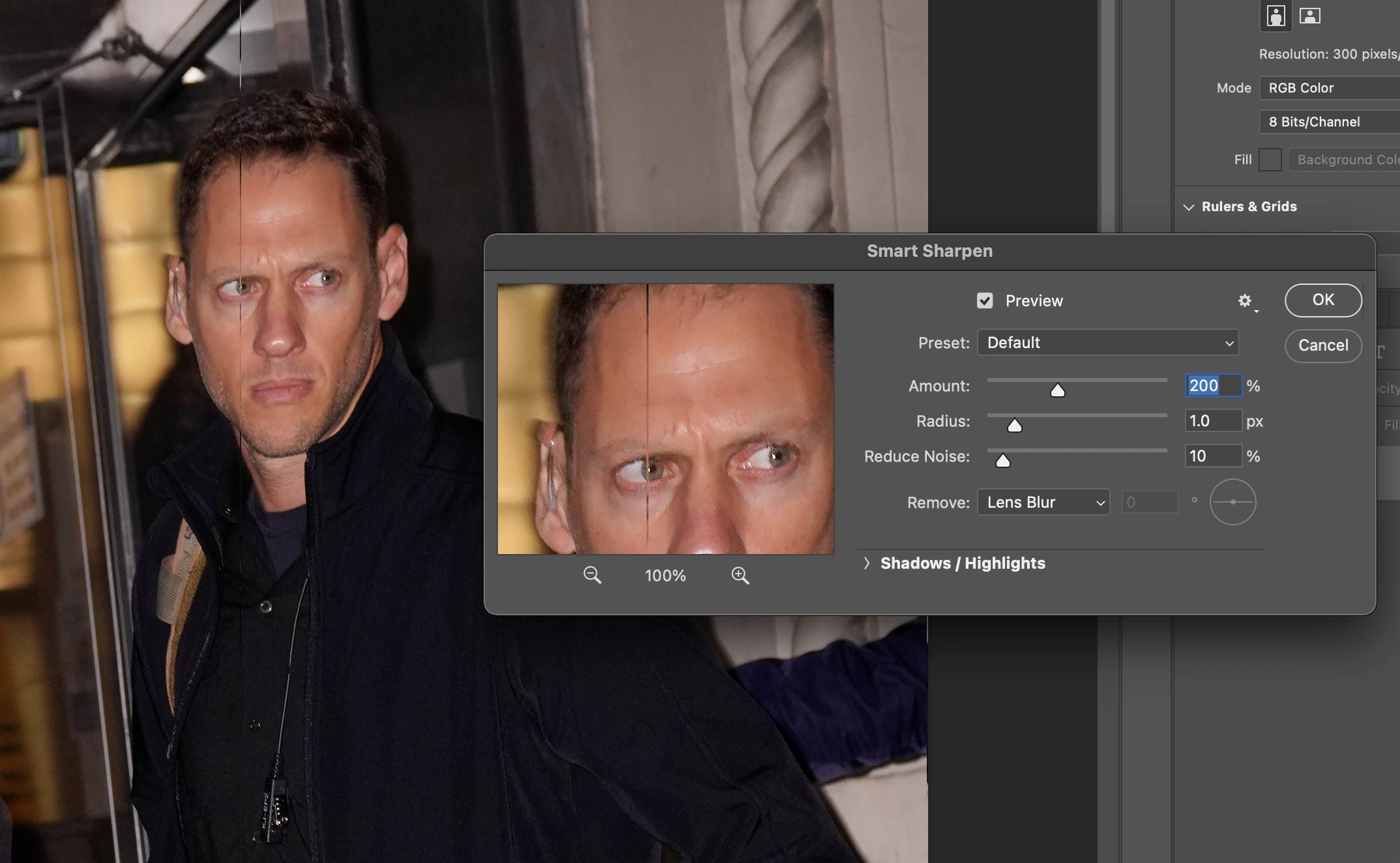
P: Weird Vertical Lines when using Smart Sharpen and "Use Graphic Processor" Turned on Monterey
  • November 3, 2021
  • 103 replies
  • 21645 views


Getting random weird vertical lines on Apple m1 pro with Photoshop 23.0 and 22.5.2


Goes away when "Use Graphic Processor" or "open CL" turned off, but operation becomes extremely slow.


Can anyone Please help?


103 replies

Participant
November 6, 2021

Getting the same thing -- two odd vertical lines only when trying to use Smart Sharpen. Does not happend with unsharp Mask. Photoshop 23.0.0 pm MacBook Pro M1 Max running Monterey 12.0.1

Participating Frequently
November 6, 2021

have the same problem with MB Pro with Monterey OS.   The issue doesn't happen with unsharp mask.  

Participating Frequently
November 6, 2021

When using 'Smart Sharpen' option on ver. 23 on my MB Pro (Apple chip / Monterey OS), I now get 2 vertical lines on any image I try to 'smart sharpen'.   one line is near center and one off to the right.    No other sharpening mode creates this error.  Anyone else see this?  Screen shot attached.