


WIl332
Participant
November 19, 2022

Photoshop 2024 will Not OPEN!

  • November 19, 2022
  • 13 replies
  • 36364 views

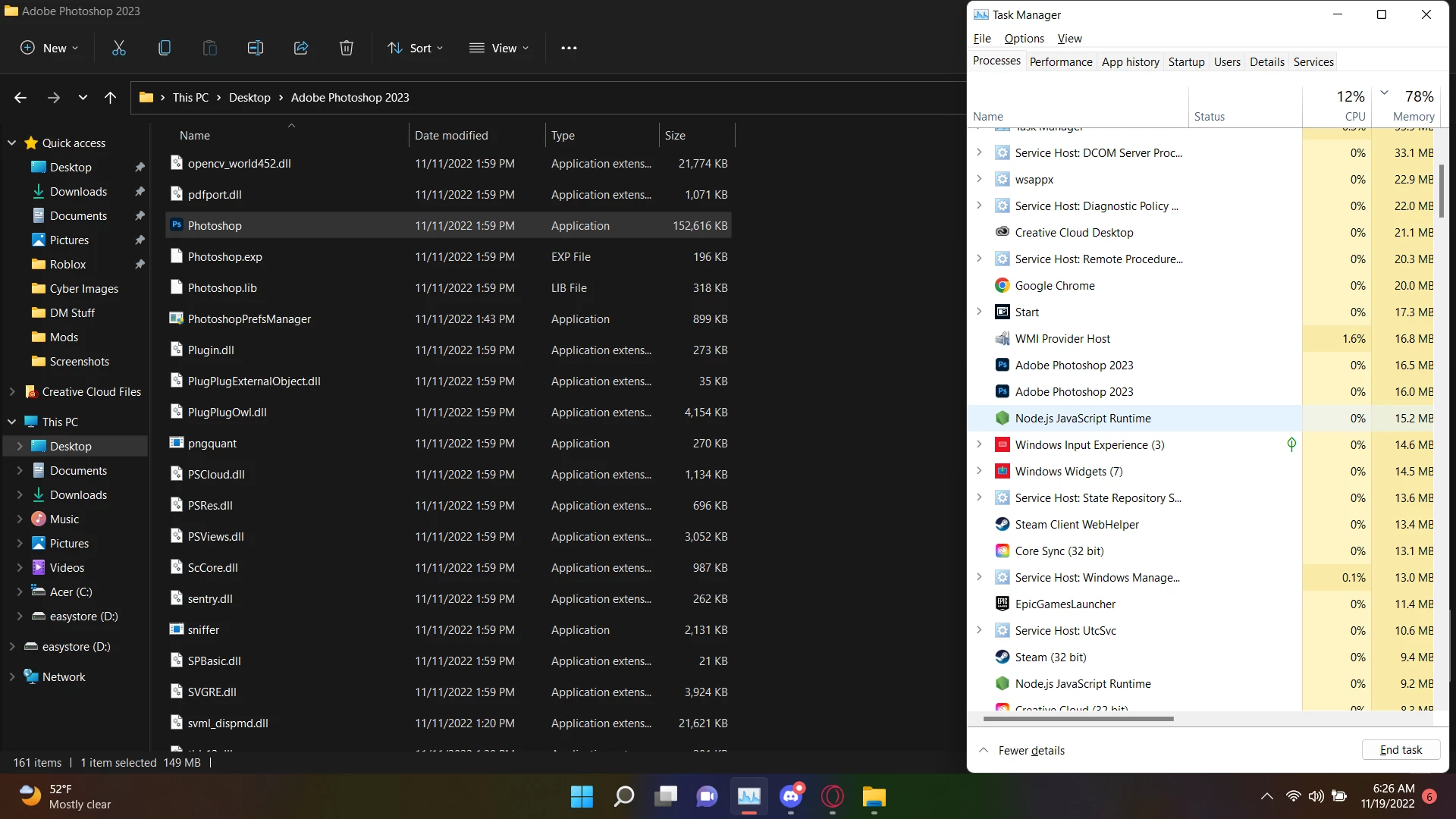
I can open Photoshop, it appears in task manager, however it never actually shows up. I have tried every single method to my knowledge and found nothing that works. Quite literally every single other Adobe CC program works but just not photoshop. I have the latest version of photoshop aswell.

Methods Ive Tried:
- Uninstall and Reinstall Photoshop
- Run it as administartor
- Run it from task manager
- End task then run it
- Run it from Adobe CC
- Update it to the latest version
- Turn off and on my PC and try all these things again

Essentially what it does is just run in the background and never actually opens the startup. I have the exact same specs I did before but it is just now not working.

I have a ACER Nitro 5 Gaming Laptop with Windows 11.

So PLEASE I need help with this, I need to get my commissions done.
Heres whats happening, I run it and it just runs in the background.
13 replies

Trevor.Dennis
Community Expert
Community Expert
November 21, 2023

Are you using WEindows or Mac?


If Windows, open Task manager   (Ctrl Alt Delete)

Select Photoshop (it might say Not Responding) at the top of the screen click on End Task

Restart your computer

Try to open Photoshop again.


Let us know if that clears the problem because there's a wee bit oh housekeeping to do if that works.

Participant
November 21, 2023

Happened to me, I've waited for a litte bit (5min) and the program show up without the splash screen.

Legend
November 22, 2022

If you restart the computer, does Photoshop launch and run? If so, after you quit, does it refuse the launch a second time? If so, I suspect you might be hitting this issue? https://community.adobe.com/t5/photoshop-ecosystem-bugs/p-photoshop-won-t-reopen-after-close-need-to-force-quit-windows/idi-p/13355241