


Participating Frequently
Oct 19, 2018 10:52 PM UTC
Released

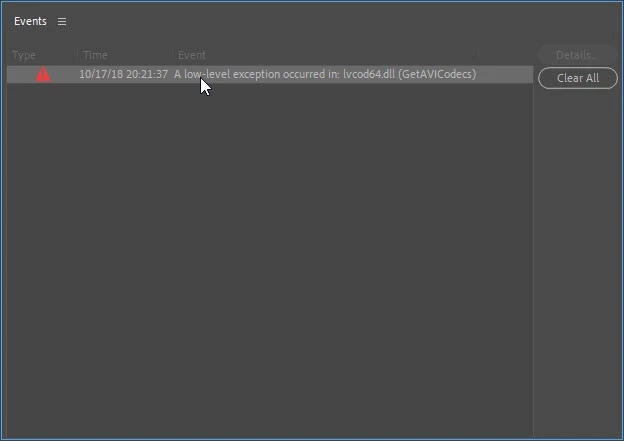
A low-level exception occurred in: lvcod64.dll (GetAVICodecs)

After upgrading to the 2019 version of Premiere Pro CC I'm getting this error when opening any project. I can edit the project but I don't know if any work that I'll be doing will be compromised by this error. I need a position about this problem to continue working in any project in the 2019 version.
This topic is closed to new replies. Start a new post to keep the conversation going.

91 replies

JP-49
Inspiring
Nov 1, 2023 1:46 PM UTC

Hi everybody,

At last everything is working well... In the following I explain the reasons why.

->I've borne out lvcod64.dll

->I've installed : Premiere Pro beta, After Effects beta, Media encodeur beta.

->I've checked out Premiere Pro beta :

    -"A low-level exception occured in: lvcod64.dll"  is no longer displayed,

    - the effects are now operating (e.g. : Basic 3D, Video effects‑>Ajust‑>Levels,…),

    -Adobe dynamic link is working,

->I've checked out After Effects beta :

     -the effects as animated text is working well,

     -the composition could be imported in a project made by Premiere Pro beta,

->I've checked out Media Encoder beta via Premiere Pro beta,

     -the export to a customized format (HD : 1920×1080, 50i/s, 20Mb/s, 1 pass, CR, extension .mp4) has been successfully rendered.

->About my computer:

Modèle X570 AORUS MASTER

Processeur AMD Ryzen 9 3950X 16-Core Processor, 3501 MHz, 16 cœur(s), 32 processeur(s) logique(s)

Mémoire physique (RAM) installée 128 Go

Nom du système d’exploitation Microsoft Windows 11 Famille

->About my GPU:

   -Version de DirectX : 12.0
   -Processeur graphique : NVIDIA GeForce RTX 3060
   -Version du pilote : 537.58

   -Noyaux CUDA : 3584

Translate
Tom Nord
Community Manager
Community Manager
Oct 31, 2023 9:13 PM UTC

To install the Premiere Pro (beta) app on your desktop, visit the Beta apps tab of your Creative Cloud desktop app and select Install next to Premiere Pro (beta). 

Translate
adamt18510785
Inspiring
Oct 31, 2023 8:29 PM UTC

how do you get a (beta) build, I'm on the latest update without the fix. 

Translate
Tom Nord
Community Manager
Community Manager
Oct 31, 2023 8:23 PM UTC

This issue is now fixed in the Premiere Pro (Beta) release. Please download the latest build and let us know if you still encounter the issue with the lvcod64.dll. 

Translate
Gaius Junius Marius
Participant
Oct 23, 2023 1:51 PM UTC

I'm also having this bug after updating Premiere to the latest version.

Translate
Inspiring
Sep 20, 2023 10:13 AM UTC

I have just had a 'chat' with logitech - there are no updates for drivers for logitech. After some uninstalling of anything logictec the error carried on. He threw up his hands and said it was not a logitech problem


Translate
Participant
Sep 14, 2023 8:22 AM UTC

Thanks for the tip!

Translate
Known Participant
Sep 4, 2023 3:17 AM UTC

I'm having the same issue.  I have a logitech webcam and couldn't delete the .dll file, despite uninstalling Logitech's software.  I finally realized that I had to unplug my webcam before Windows would allow me to trash the file.  It seems to have stopped the Premiere error message, and I'm still able to access my camera via Zoom without the software as of now.

Translate
JP-49
Inspiring
Aug 31, 2023 12:56 PM UTC

Hi,
Unfortunately no solution recommended by Adobe for my Premiere Pro CC2023 have solved the issue.
Moreover this version cannot insert some video effects.
So I have got rid of it and I went back to the CC2022 version. This one is perfectly working.
Good luck.

Translate
Participant
Aug 31, 2023 10:21 AM UTC

Pleas Help me!


Translate